City sightseeing tours WordPress Theme


A Structured Tour Section for WordPress Page Content
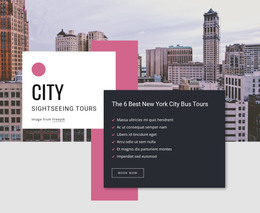
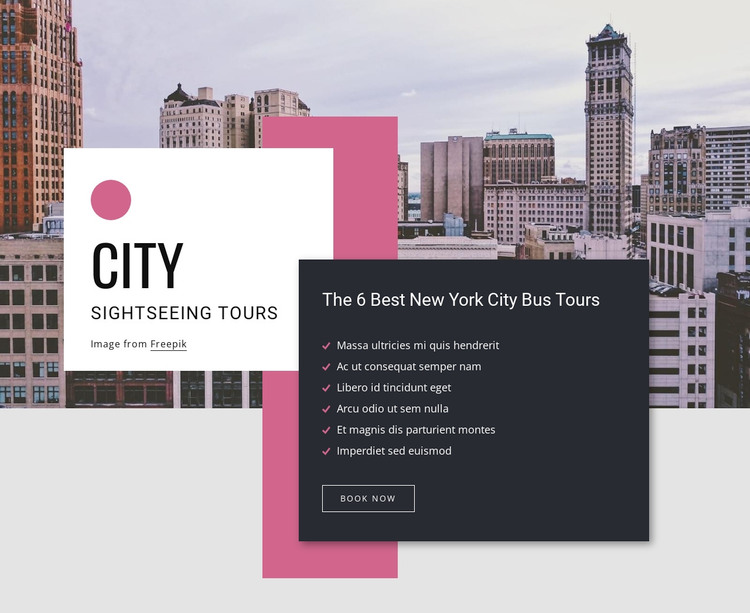
The white introduction card and dark tour-details card divide the block into two stable content areas. “City” and “Sightseeing Tours” establish the subject beside the large cityscape image, while “The 6 Best New York City Bus Tours” gives the second card a more specific service focus. Its six listed highlights create a scannable information group, and the “Book now” button provides a clear action beneath that group.
In a WordPress-managed project, this arrangement can function as permanent page content for a destination or tours page. The section’s visual hierarchy remains attached to the content it presents: the photograph supplies place context, the white card introduces the category, and the charcoal card concentrates the tour details and response point. The pink checkmarks and bordered button also provide repeatable styling cues if related travel sections are coordinated around it.
The block remains one reusable section while the surrounding WordPress project handles other pages and content areas. Additional destination information, itineraries, or contact content can sit before or after it without weakening its focused role. Nicepage’s WordPress theme editing can be relevant when the broader project needs to coordinate page styling, but the section’s value here is its defined city-tour content pattern and its clear relationship between highlights and booking action.
Customize with Nicepage
Open this ready-made template in the WordPress Website Builder and customize it visually in the Nicepage editor. Replace demo content, edit page sections, and adapt the design to your project without rebuilding the template from scratch.
Edit Template Offline
2. Create a new page or select existing
3. Click Add new block, search for id 391380 and click enter
Edit Template Online
Create Awesome Websites


Free Nicepage Builder
Keywords
Manage and Edit This Theme in WordPress
Customize and Install the WordPress Theme
Start with this ready-made theme instead of building the WordPress design from scratch. Customize its layout, content, typography, images, sections, and other design elements visually in Nicepage editor, then export and install the WordPress Theme, Plugin, and Pages on your WordPress site. The Nicepage WordPress Plugin lets you continue working with the site after installation.
Edit the Theme Directly in WordPress
After installation, you can edit the WordPress Theme directly in WordPress with the Nicepage WordPress Plugin. Use Site Style to customize site Colors, Fonts, Header, Footer, Blog, and Post Page Templates while working within your WordPress website.
Edit WordPress Pages Visually
Use the Nicepage WordPress Plugin to edit page content directly from the WordPress admin area. Open a WordPress Page with Nicepage and visually change its text, images, sections, and other page elements while continuing to manage the Page through WordPress.
WordPress Content and Theme Integration
Use the customized theme with WordPress Pages, Posts, Blog and Post Templates, menus, widgets, and other CMS-managed content. Shared theme elements such as Colors, Fonts, Header, Footer, Blog, and Post Page Templates can be managed as part of the overall site design, while WordPress provides the CMS environment for managing site content.
This workflow combines a ready-made WordPress Theme with visual customization, direct theme editing in WordPress, and continued content management through the Nicepage WordPress Plugin.