Aesthetics and Meaning WordPress Theme


Numbered Service Content Fits a Stable WordPress Page Section
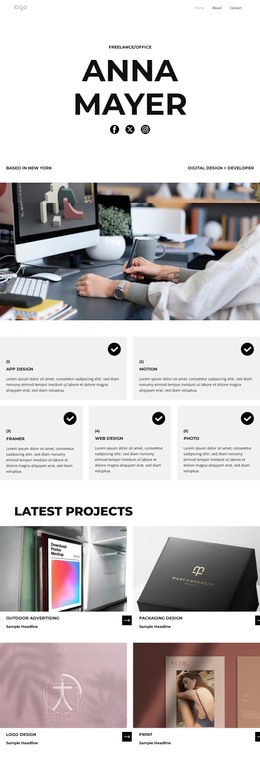
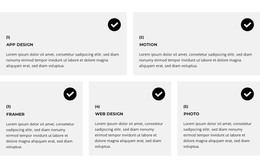
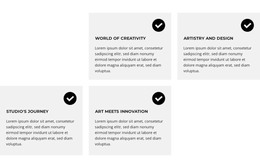
The card structure reads naturally as stable page content because each item communicates one defined service area rather than a time-sensitive stream. App design, motion, Framer, web design, and photo are presented as five related offerings, each with a numbered label, bold uppercase title, descriptive paragraph, and repeated checkmark marker. This gives the section a consistent content model that can remain recognizable when placed within a broader WordPress-managed page.
The two-row arrangement supports that role by making the service group easy to scan and visually separate from neighboring content. Two cards lead the first row, three narrower cards continue below, and generous white gutters prevent the light gray cards from merging. The upper-right checkmarks provide a repeated orientation point, while the titles and paragraphs carry the actual service explanation. The static interaction keeps the information visible without depending on an assumed post feed, category system, or other dynamic content behavior.
Inside a WordPress-oriented project, the block can occupy a stable services area while other pages or managed content handle portfolio examples, company information, or contact details. Its contribution is the publishable visual presentation of five design-related offerings. The surrounding site can maintain the broader content environment, while this section preserves its own numbered hierarchy, card pattern, and clear service-to-description relationship.
Customize with Nicepage
Open this ready-made template in the WordPress Website Builder and customize it visually in the Nicepage editor. Replace demo content, edit page sections, and adapt the design to your project without rebuilding the template from scratch.
Edit Template Offline
2. Create a new page or select existing
3. Click Add new block, search for id 6335826 and click enter
Edit Template Online
Create Awesome Websites


Free Nicepage Builder
Keywords
Manage and Edit This Theme in WordPress
Customize and Install the WordPress Theme
Start with this ready-made theme instead of building the WordPress design from scratch. Customize its layout, content, typography, images, sections, and other design elements visually in Nicepage editor, then export and install the WordPress Theme, Plugin, and Pages on your WordPress site. The Nicepage WordPress Plugin lets you continue working with the site after installation.
Edit the Theme Directly in WordPress
After installation, you can edit the WordPress Theme directly in WordPress with the Nicepage WordPress Plugin. Use Site Style to customize site Colors, Fonts, Header, Footer, Blog, and Post Page Templates while working within your WordPress website.
Edit WordPress Pages Visually
Use the Nicepage WordPress Plugin to edit page content directly from the WordPress admin area. Open a WordPress Page with Nicepage and visually change its text, images, sections, and other page elements while continuing to manage the Page through WordPress.
WordPress Content and Theme Integration
Use the customized theme with WordPress Pages, Posts, Blog and Post Templates, menus, widgets, and other CMS-managed content. Shared theme elements such as Colors, Fonts, Header, Footer, Blog, and Post Page Templates can be managed as part of the overall site design, while WordPress provides the CMS environment for managing site content.
This workflow combines a ready-made WordPress Theme with visual customization, direct theme editing in WordPress, and continued content management through the Nicepage WordPress Plugin.