Agency development strategy WordPress Theme


A Three-Part Service Explanation for WordPress Page Content
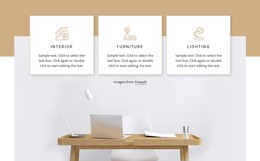
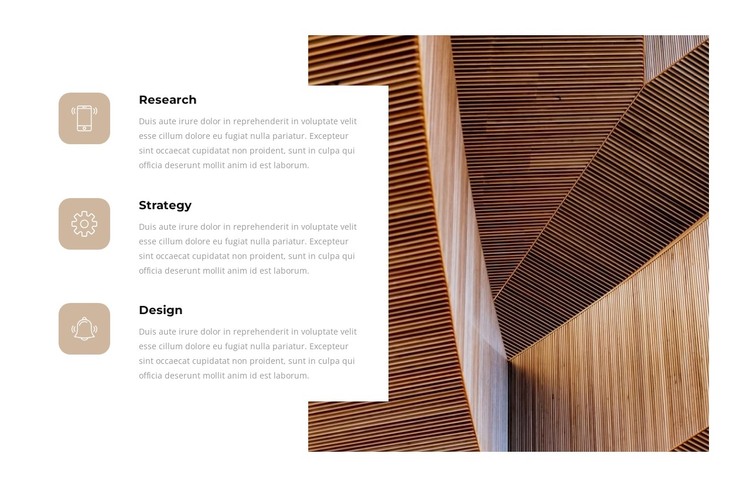
Research, Strategy, and Design read as stable page content because each label names a distinct part of the same offering or process. The supporting paragraph beneath every bold heading gives each stage room for explanation, while the matching icon tiles create a repeated visual cue across the list. This structure suits a WordPress-managed services or capabilities area where the section needs to remain understandable as one focused content region.
The right side supplies a different kind of information. Instead of adding another text item, the block uses one large architectural image with a cropped pattern of warm wood-toned slats. That image can reinforce the design-oriented subject visually, while the left column preserves the logical order of the three labels. White space between the columns keeps the image from overwhelming the text, and the pale beige tiles add distinction without introducing a complicated card grid.
Within a WordPress-oriented project, the section can remain part of permanent page content while other areas of the site handle additional pages or changing material. Its repeated item structure is useful for presenting a defined set of capabilities, and its separate image region gives the content a strong visual counterpart. The block therefore works as a contained services or process area, not as a complete theme, with its scope centered on explaining these three labeled stages.
Customize with Nicepage
Open this ready-made template in the WordPress Website Builder and customize it visually in the Nicepage editor. Replace demo content, edit page sections, and adapt the design to your project without rebuilding the template from scratch.
Edit Template Offline
2. Create a new page or select existing
3. Click Add new block, search for id 2471033 and click enter
Edit Template Online
Create Awesome Websites


Free Nicepage Builder
Keywords
Manage and Edit This Theme in WordPress
Customize and Install the WordPress Theme
Start with this ready-made theme instead of building the WordPress design from scratch. Customize its layout, content, typography, images, sections, and other design elements visually in Nicepage editor, then export and install the WordPress Theme, Plugin, and Pages on your WordPress site. The Nicepage WordPress Plugin lets you continue working with the site after installation.
Edit the Theme Directly in WordPress
After installation, you can edit the WordPress Theme directly in WordPress with the Nicepage WordPress Plugin. Use Site Style to customize site Colors, Fonts, Header, Footer, Blog, and Post Page Templates while working within your WordPress website.
Edit WordPress Pages Visually
Use the Nicepage WordPress Plugin to edit page content directly from the WordPress admin area. Open a WordPress Page with Nicepage and visually change its text, images, sections, and other page elements while continuing to manage the Page through WordPress.
WordPress Content and Theme Integration
Use the customized theme with WordPress Pages, Posts, Blog and Post Templates, menus, widgets, and other CMS-managed content. Shared theme elements such as Colors, Fonts, Header, Footer, Blog, and Post Page Templates can be managed as part of the overall site design, while WordPress provides the CMS environment for managing site content.
This workflow combines a ready-made WordPress Theme with visual customization, direct theme editing in WordPress, and continued content management through the Nicepage WordPress Plugin.