Luxe Interiors WordPress Theme



Edit Template Offline
2. Create new page and search for id 6511927
Edit Template Online
Create Awesome Websites


Free Nicepage Builder
Keywords
Proposal Content Gives WordPress Pages a Clear Editorial Structure
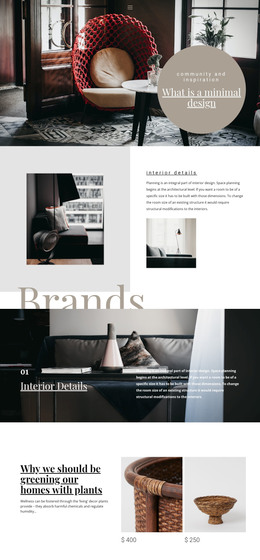
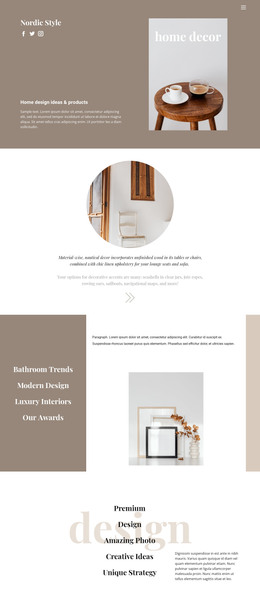
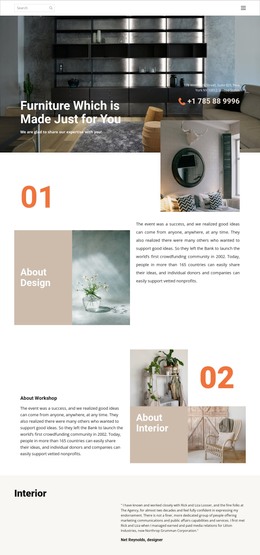
The proposal divides its content into page-oriented areas that can be interpreted naturally within a WordPress-managed site. The Studio Overview and About Us material provide durable information about Luxe Nest Interiors, while Client Information and Project Objectives define the context for a specific proposal. The four service phases can organize the studio’s process as recurring informational content, with consultation, concept development, design execution, and final styling and handover each retaining a distinct role.
The timeline and investment tables add structured project information rather than relying only on promotional paragraphs. That distinction is useful when adapting the design for proposals or service pages that need to preserve schedule and cost relationships. The benefits list and three testimonials provide additional content areas for credibility, while the large interior photographs and repeated green panels keep those areas visually connected to the rest of the theme. The final Conclusion supplies a natural place for the next-step message without requiring a different visual language. In a WordPress project, permanent page content and regularly updated editorial material could be arranged around these existing areas, but the template analysis does not verify blog posts, categories, or WordPress-specific elements. Its value as a theme comes from the way proposal, service, proof, and contact-oriented content already share one coherent presentation.
Customize with Nicepage
Open this ready-made template in the WordPress Website Builder and customize it visually in the Nicepage editor. Replace demo content, edit page sections, and adapt the design to your project without rebuilding the template from scratch.
Manage and Edit This Theme in WordPress
Customize and Install the WordPress Theme
Start with this ready-made theme instead of building the WordPress design from scratch. Customize its layout, content, typography, images, sections, and other design elements visually in Nicepage editor, then export and install the WordPress Theme, Plugin, and Pages on your WordPress site. The Nicepage WordPress Plugin lets you continue working with the site after installation.
Edit the Theme Directly in WordPress
After installation, you can edit the WordPress Theme directly in WordPress with the Nicepage WordPress Plugin. Use Site Style to customize site Colors, Fonts, Header, Footer, Blog, and Post Page Templates while working within your WordPress website.
Edit WordPress Pages Visually
Use the Nicepage WordPress Plugin to edit page content directly from the WordPress admin area. Open a WordPress Page with Nicepage and visually change its text, images, sections, and other page elements while continuing to manage the Page through WordPress.
WordPress Content and Theme Integration
Use the customized theme with WordPress Pages, Posts, Blog and Post Templates, menus, widgets, and other CMS-managed content. Shared theme elements such as Colors, Fonts, Header, Footer, Blog, and Post Page Templates can be managed as part of the overall site design, while WordPress provides the CMS environment for managing site content.
This workflow combines a ready-made WordPress Theme with visual customization, direct theme editing in WordPress, and continued content management through the Nicepage WordPress Plugin.