Help interior designer WordPress Theme
Edit Template Offline
2. Create new page and search for id 198001
Edit Template Online
Create Awesome Websites


Free Nicepage Builder
Keywords
Editorial Decor Content Fits Around a Reusable Interior Theme
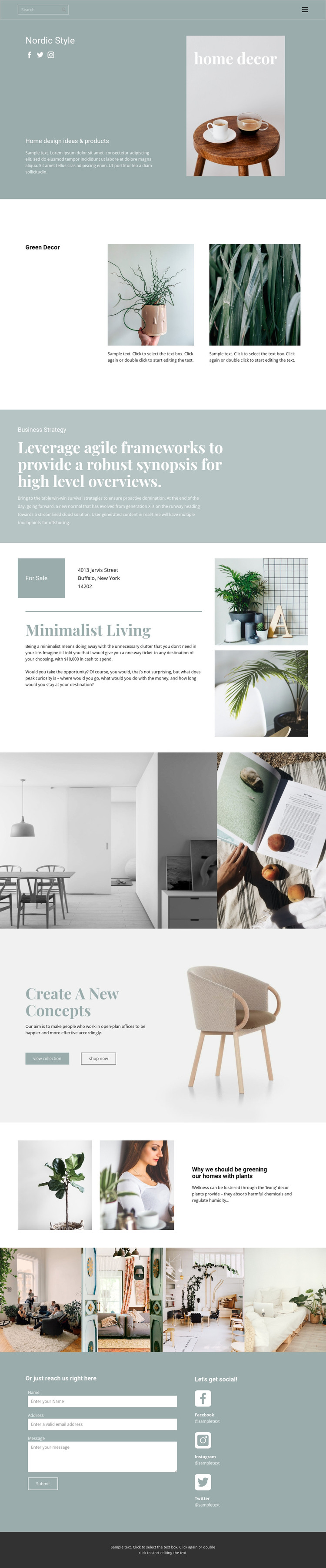
The page separates durable subject areas in a way that can translate naturally into a WordPress-managed content environment. Nordic Style establishes the main direction, while Green Decor and Minimalist Living provide distinct page content themes rather than one undifferentiated block of copy. The plant-focused feature is especially useful as an editorial-style area: its paired images, article heading, and excerpt can support informative content alongside the more visual collection sections.
The galleries give the design a strong place for recurring imagery. Two plant examples introduce a focused visual group, the standalone interior pair creates a separate presentation area, and the four-image strip can represent a broader room or furniture selection. The collection promotion adds a different content relationship by placing one furniture image beside view collection and shop now actions. This allows page-oriented information and image-led presentation to remain connected without making unsupported claims about products or existing catalog data.
Navigation and search provide the main route between content areas, while the closing contact form supports direct inquiries after visitors have reviewed the decor material. Facebook, Instagram, and Twitter references add a social content layer around the same visual direction. The result is a theme concept where permanent interior content, editorial updates, galleries, and contact information can remain visually coordinated as the managed site develops.
Customize with Nicepage
Open this ready-made template in the WordPress Website Builder and customize it visually in the Nicepage editor. Replace demo content, edit page sections, and adapt the design to your project without rebuilding the template from scratch.
Manage and Edit This Theme in WordPress
Customize and Install the WordPress Theme
Start with this ready-made theme instead of building the WordPress design from scratch. Customize its layout, content, typography, images, sections, and other design elements visually in Nicepage editor, then export and install the WordPress Theme, Plugin, and Pages on your WordPress site. The Nicepage WordPress Plugin lets you continue working with the site after installation.
Edit the Theme Directly in WordPress
After installation, you can edit the WordPress Theme directly in WordPress with the Nicepage WordPress Plugin. Use Site Style to customize site Colors, Fonts, Header, Footer, Blog, and Post Page Templates while working within your WordPress website.
Edit WordPress Pages Visually
Use the Nicepage WordPress Plugin to edit page content directly from the WordPress admin area. Open a WordPress Page with Nicepage and visually change its text, images, sections, and other page elements while continuing to manage the Page through WordPress.
WordPress Content and Theme Integration
Use the customized theme with WordPress Pages, Posts, Blog and Post Templates, menus, widgets, and other CMS-managed content. Shared theme elements such as Colors, Fonts, Header, Footer, Blog, and Post Page Templates can be managed as part of the overall site design, while WordPress provides the CMS environment for managing site content.
This workflow combines a ready-made WordPress Theme with visual customization, direct theme editing in WordPress, and continued content management through the Nicepage WordPress Plugin.