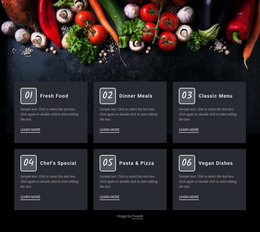
Home office interior WordPress Theme


Three Service Categories Create Stable Page Content
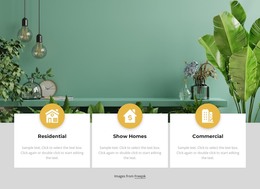
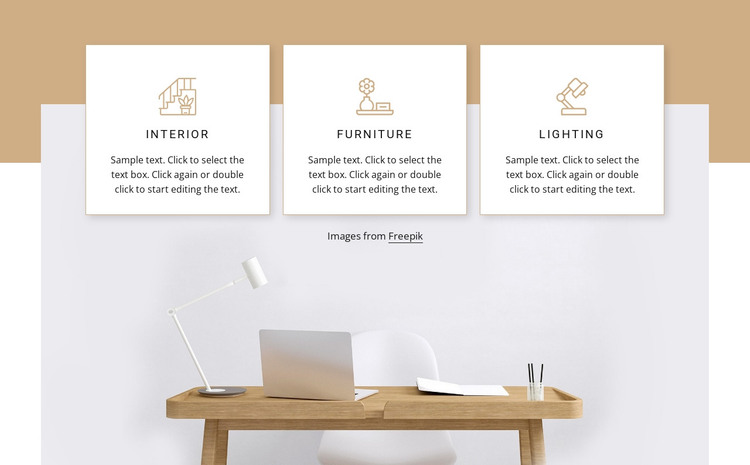
The Interior, Furniture, and Lighting cards form a clear services content area that can sit within a WordPress-managed page. Each category follows the same internal pattern: a centered line-style icon, an uppercase letter-spaced label, and a supporting paragraph inside a white bordered card. This repeated structure keeps the three offerings visually related while allowing each category to remain a distinct piece of page content. The block can therefore present a concise overview without relying on blog-style chronology or a larger collection of unrelated items.
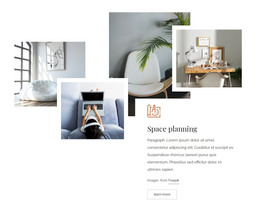
The lower workspace image gives the service information a specific visual setting. A desk, chair, laptop, and lamp connect the category labels with an interior scene, while the card row overlaps the boundary between the warm tan and pale lavender areas and the image. Thin warm borders and subtle shadows preserve separation between the cards, and the visible “Images from Freepik” line keeps attribution associated with the image region.
In a WordPress-oriented project, this section can serve as stable content on an interior design or capabilities page while the surrounding site handles navigation, additional pages, and other managed content. The block itself remains one reusable visual section rather than a complete theme. Its value comes from the combination of structured service categories, consistent card treatment, and supporting workspace imagery that can remain visually coherent as the broader page develops.
Customize with Nicepage
Open this ready-made template in the WordPress Website Builder and customize it visually in the Nicepage editor. Replace demo content, edit page sections, and adapt the design to your project without rebuilding the template from scratch.
Edit Template Offline
2. Create a new page or select existing
3. Click Add new block, search for id 285396 and click enter
Edit Template Online
Create Awesome Websites


Free Nicepage Builder
Keywords
Manage and Edit This Theme in WordPress
Customize and Install the WordPress Theme
Start with this ready-made theme instead of building the WordPress design from scratch. Customize its layout, content, typography, images, sections, and other design elements visually in Nicepage editor, then export and install the WordPress Theme, Plugin, and Pages on your WordPress site. The Nicepage WordPress Plugin lets you continue working with the site after installation.
Edit the Theme Directly in WordPress
After installation, you can edit the WordPress Theme directly in WordPress with the Nicepage WordPress Plugin. Use Site Style to customize site Colors, Fonts, Header, Footer, Blog, and Post Page Templates while working within your WordPress website.
Edit WordPress Pages Visually
Use the Nicepage WordPress Plugin to edit page content directly from the WordPress admin area. Open a WordPress Page with Nicepage and visually change its text, images, sections, and other page elements while continuing to manage the Page through WordPress.
WordPress Content and Theme Integration
Use the customized theme with WordPress Pages, Posts, Blog and Post Templates, menus, widgets, and other CMS-managed content. Shared theme elements such as Colors, Fonts, Header, Footer, Blog, and Post Page Templates can be managed as part of the overall site design, while WordPress provides the CMS environment for managing site content.
This workflow combines a ready-made WordPress Theme with visual customization, direct theme editing in WordPress, and continued content management through the Nicepage WordPress Plugin.