Digital studio portfolio WordPress Theme



Labeled project tiles form stable portfolio page content
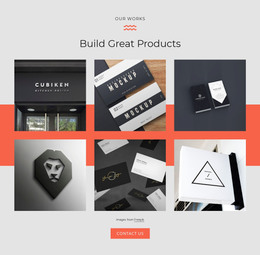
The heading “Our Portfolio” and the supporting paragraph establish a durable content area rather than a time-sensitive announcement. Beneath them, twelve project tiles present a structured collection in four columns across three rows. Each item pairs an image with a title and category label, giving a WordPress-managed page a clear way to hold selected work while preserving the visual relationship between the project preview and its identifying text. Most tiles use the Graphic Design category, and two use UI / UX, creating a practical distinction within the collection.
The named entries—Brand Campaign, A Corporate Identity, Web Design Website, Lightboxes, Flyer design, Applications, Business cards, and Responsive design—make the tiles individually recognizable as portfolio examples. The black background, white typography, rounded corners, and gradient overlays keep the content visually unified, so the section can remain consistent when placed alongside other page content. A services area can explain the work behind the examples, while this block focuses on showing it.
In a WordPress-oriented project, the section can occupy a stable portfolio page or content region while the broader site handles other publishable material around it. The block does not require the gallery to be treated as blog posts; its strength is the organized presentation of visual work. Nicepage’s editing WordPress content documentation describes editing page content in the WordPress environment, which can provide context when this section is maintained as part of a wider site.
Customize with Nicepage
Open this ready-made template in the WordPress Website Builder and customize it visually in the Nicepage editor. Replace demo content, edit page sections, and adapt the design to your project without rebuilding the template from scratch.
Edit Template Offline
2. Create a new page or select existing
3. Click Add new block, search for id 6043701 and click enter
Edit Template Online
Create Awesome Websites


Free Nicepage Builder
Keywords
Manage and Edit This Theme in WordPress
Customize and Install the WordPress Theme
Start with this ready-made theme instead of building the WordPress design from scratch. Customize its layout, content, typography, images, sections, and other design elements visually in Nicepage editor, then export and install the WordPress Theme, Plugin, and Pages on your WordPress site. The Nicepage WordPress Plugin lets you continue working with the site after installation.
Edit the Theme Directly in WordPress
After installation, you can edit the WordPress Theme directly in WordPress with the Nicepage WordPress Plugin. Use Site Style to customize site Colors, Fonts, Header, Footer, Blog, and Post Page Templates while working within your WordPress website.
Edit WordPress Pages Visually
Use the Nicepage WordPress Plugin to edit page content directly from the WordPress admin area. Open a WordPress Page with Nicepage and visually change its text, images, sections, and other page elements while continuing to manage the Page through WordPress.
WordPress Content and Theme Integration
Use the customized theme with WordPress Pages, Posts, Blog and Post Templates, menus, widgets, and other CMS-managed content. Shared theme elements such as Colors, Fonts, Header, Footer, Blog, and Post Page Templates can be managed as part of the overall site design, while WordPress provides the CMS environment for managing site content.
This workflow combines a ready-made WordPress Theme with visual customization, direct theme editing in WordPress, and continued content management through the Nicepage WordPress Plugin.