Luxury interior design studio WordPress Theme



Edit Template Offline
2. Create new page and search for id 2294605
Edit Template Online
Create Awesome Websites


Free Nicepage Builder
Keywords
Project Stories and Service Areas Support Page-Oriented Content
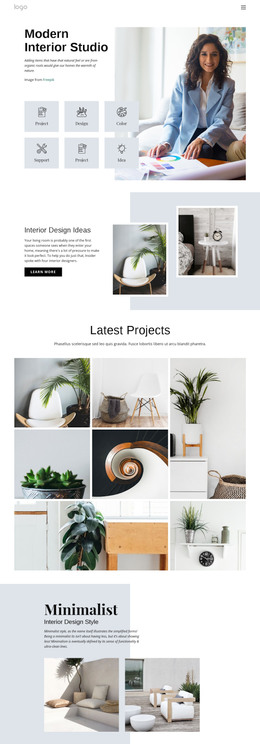
The page separates stable service information from recurring project-oriented content in a way that can translate naturally to a WordPress-managed site. Residential, Show Homes, and Commercial appear as three equal category cards, giving permanent service information a clear visual group beneath the studio introduction. The hero and category area can therefore establish the main page direction before visitors move into more specific interior examples.
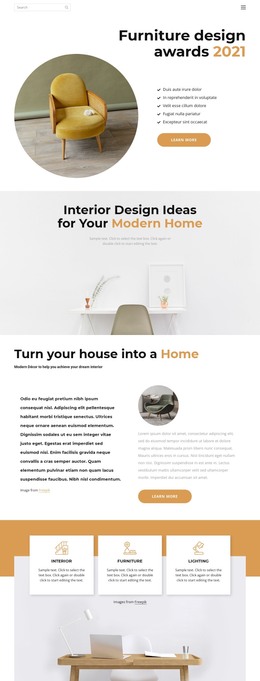
The project concepts provide a different content relationship. The studio apartment, vibrant patterns, and cozy kitchen sections each pair interior imagery with an explanatory white card, while decorating ideas uses a broader collage to emphasize visual inspiration. These areas could support project or editorial content that changes over time, but the template analysis does not prove that posts, categories, or blog structures already exist. What is verified is the design’s ability to keep different content areas within one consistent visual system of mustard surfaces, charcoal contrast, geometric accents, and overlapping panels.
The contact section supplies permanent page content alongside a practical inquiry endpoint. It contains name, email, and message inputs and places office, phone, fax, and email channels nearby. In a WordPress project, those page-oriented service and contact areas can remain distinct from any later publishable content. The theme interpretation therefore centers on separating stable pages from updateable project or inspiration material while preserving the design character, rather than merely attaching the WordPress label to a static page.
Customize with Nicepage
Open this ready-made template in the WordPress Website Builder and customize it visually in the Nicepage editor. Replace demo content, edit page sections, and adapt the design to your project without rebuilding the template from scratch.
Manage and Edit This Theme in WordPress
Customize and Install the WordPress Theme
Start with this ready-made theme instead of building the WordPress design from scratch. Customize its layout, content, typography, images, sections, and other design elements visually in Nicepage editor, then export and install the WordPress Theme, Plugin, and Pages on your WordPress site. The Nicepage WordPress Plugin lets you continue working with the site after installation.
Edit the Theme Directly in WordPress
After installation, you can edit the WordPress Theme directly in WordPress with the Nicepage WordPress Plugin. Use Site Style to customize site Colors, Fonts, Header, Footer, Blog, and Post Page Templates while working within your WordPress website.
Edit WordPress Pages Visually
Use the Nicepage WordPress Plugin to edit page content directly from the WordPress admin area. Open a WordPress Page with Nicepage and visually change its text, images, sections, and other page elements while continuing to manage the Page through WordPress.
WordPress Content and Theme Integration
Use the customized theme with WordPress Pages, Posts, Blog and Post Templates, menus, widgets, and other CMS-managed content. Shared theme elements such as Colors, Fonts, Header, Footer, Blog, and Post Page Templates can be managed as part of the overall site design, while WordPress provides the CMS environment for managing site content.
This workflow combines a ready-made WordPress Theme with visual customization, direct theme editing in WordPress, and continued content management through the Nicepage WordPress Plugin.