This place will transform your body WordPress Theme


A Fitness Content Area Built Around Message and Visual Contrast
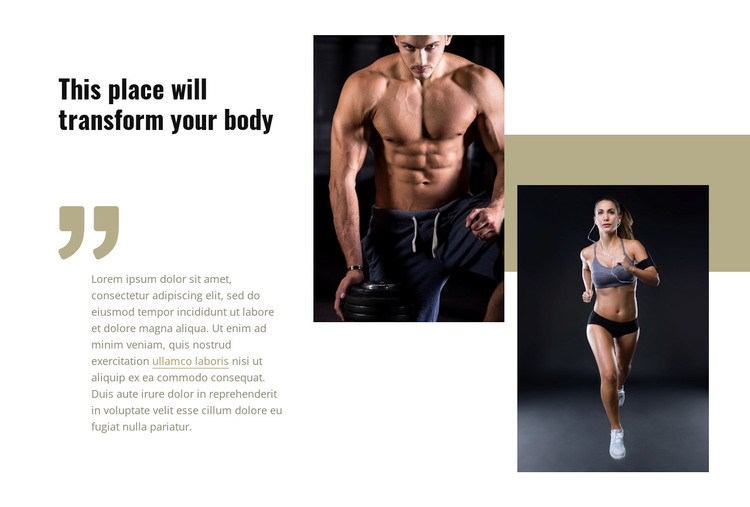
The heading “This place will transform your body” reads as stable page content for a fitness-oriented presentation, while the supporting paragraph provides context and an inline text link offers a connected destination within the wider page. The quotation-mark graphic gives that copy a distinct visual position, making the text area feel intentional rather than like a loose paragraph placed beside images. This combination can work as a recognizable content region on a WordPress-managed page.
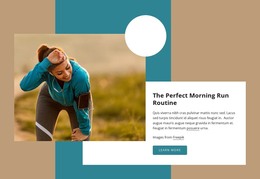
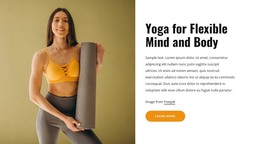
The block’s second content group is visual. Two portrait images show people engaged in fitness-related activity, and their staggered vertical arrangement creates a stronger rhythm than a standard side-by-side image row. A horizontal color band runs behind the portraits, linking the images while preserving their separate frames. Dark image backgrounds contrast with the white field, black condensed typography, and muted beige accent shapes, so the message and imagery remain easy to distinguish.
Within a WordPress-oriented project, this section can represent permanent fitness, exercise, or inspirational page content while other CMS-managed areas handle the rest of the site. The block does not need to carry the whole page: its value lies in the focused relationship between transformation-focused wording, highlighted supporting copy, and related portrait imagery. That makes it suitable for a stable section placed among broader page content.
Customize with Nicepage
Open this ready-made template in the WordPress Website Builder and customize it visually in the Nicepage editor. Replace demo content, edit page sections, and adapt the design to your project without rebuilding the template from scratch.
Edit Template Offline
2. Create a new page or select existing
3. Click Add new block, search for id 197715 and click enter
Edit Template Online
Create Awesome Websites


Free Nicepage Builder
Keywords
Manage and Edit This Theme in WordPress
Customize and Install the WordPress Theme
Start with this ready-made theme instead of building the WordPress design from scratch. Customize its layout, content, typography, images, sections, and other design elements visually in Nicepage editor, then export and install the WordPress Theme, Plugin, and Pages on your WordPress site. The Nicepage WordPress Plugin lets you continue working with the site after installation.
Edit the Theme Directly in WordPress
After installation, you can edit the WordPress Theme directly in WordPress with the Nicepage WordPress Plugin. Use Site Style to customize site Colors, Fonts, Header, Footer, Blog, and Post Page Templates while working within your WordPress website.
Edit WordPress Pages Visually
Use the Nicepage WordPress Plugin to edit page content directly from the WordPress admin area. Open a WordPress Page with Nicepage and visually change its text, images, sections, and other page elements while continuing to manage the Page through WordPress.
WordPress Content and Theme Integration
Use the customized theme with WordPress Pages, Posts, Blog and Post Templates, menus, widgets, and other CMS-managed content. Shared theme elements such as Colors, Fonts, Header, Footer, Blog, and Post Page Templates can be managed as part of the overall site design, while WordPress provides the CMS environment for managing site content.
This workflow combines a ready-made WordPress Theme with visual customization, direct theme editing in WordPress, and continued content management through the Nicepage WordPress Plugin.