Join a Crossfit gym WordPress Theme



Edit Template Offline
2. Create new page and search for id 4031044
Edit Template Online
Create Awesome Websites


Free Nicepage Builder
Keywords
Fitness Content Areas Leave Room for WordPress-Managed Pages
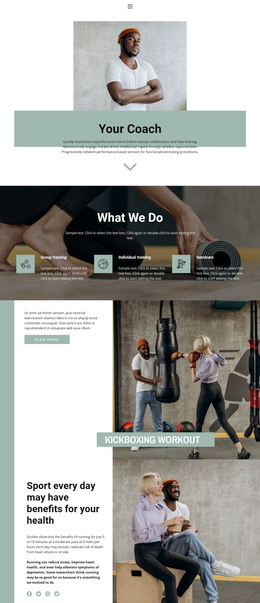
The permanent page content is easy to identify through the design’s repeated subject areas. Workouts, Trainers, Fitness, and Crossfit appear as opening category cards, while the expert-training mosaic and group-class section provide more developed areas for describing the gym environment and activities. The FITNESS CLASSES section adds another content group, and the six “JUST TRAIN” tiles organize subjects such as Cardio, Weight Loss, Services, Booking, and About Us.
The free three-day course can serve as a prominent campaign or page section, while the three membership cards create a separate area for presenting Health, Health Plus, and Other choices. Because the source identifies these as visible template content, they should be treated as structural starting points rather than verified WordPress Posts, categories, or finalized commercial data. Their value lies in the way they divide the fitness subject into reusable content themes.
The closing newsletter invitation, Follow Us links, and Contact Us form add communication-oriented content beside the main informational areas. In a WordPress-managed project, this combination can support permanent fitness pages alongside content that the site owner may update over time, while the shared imagery, typography, pink emphasis, and charcoal panels preserve the theme’s visual character. The design therefore offers a concrete content map rather than only a generic CMS skin.
Customize with Nicepage
Open this ready-made template in the WordPress Website Builder and customize it visually in the Nicepage editor. Replace demo content, edit page sections, and adapt the design to your project without rebuilding the template from scratch.
Manage and Edit This Theme in WordPress
Customize and Install the WordPress Theme
Start with this ready-made theme instead of building the WordPress design from scratch. Customize its layout, content, typography, images, sections, and other design elements visually in Nicepage editor, then export and install the WordPress Theme, Plugin, and Pages on your WordPress site. The Nicepage WordPress Plugin lets you continue working with the site after installation.
Edit the Theme Directly in WordPress
After installation, you can edit the WordPress Theme directly in WordPress with the Nicepage WordPress Plugin. Use Site Style to customize site Colors, Fonts, Header, Footer, Blog, and Post Page Templates while working within your WordPress website.
Edit WordPress Pages Visually
Use the Nicepage WordPress Plugin to edit page content directly from the WordPress admin area. Open a WordPress Page with Nicepage and visually change its text, images, sections, and other page elements while continuing to manage the Page through WordPress.
WordPress Content and Theme Integration
Use the customized theme with WordPress Pages, Posts, Blog and Post Templates, menus, widgets, and other CMS-managed content. Shared theme elements such as Colors, Fonts, Header, Footer, Blog, and Post Page Templates can be managed as part of the overall site design, while WordPress provides the CMS environment for managing site content.
This workflow combines a ready-made WordPress Theme with visual customization, direct theme editing in WordPress, and continued content management through the Nicepage WordPress Plugin.