How to look good WordPress Theme



The Date-Night Makeup Feature Reads as Stable WordPress Page Content
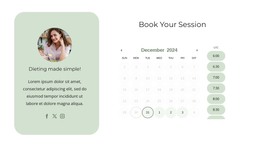
The heading and supporting paragraph give this block the character of lasting page content rather than a stream of unrelated updates. The “cosmetics” label narrows the subject, and the copy’s references to blushes, bronzers, creams, powders, highlighters, and shimmers provide the explanatory substance. On the opposite side, the circular portrait creates a visual introduction and the three social links remain a distinct supporting group. In a WordPress-managed project, this combination can work as a stable feature on a makeup, beauty, or fashion-related page while other content areas develop around it.
The composition also preserves a clear division between visual context and written information. The left column carries the portrait and social connection points; the right column holds the category, large serif heading, and article-style text. A light gray background and muted purple accents support the separation, while generous whitespace and vertical centering prevent the section from feeling crowded. This makes the block useful when a WordPress page needs one polished editorial area rather than a dense list of products or posts. The section can retain its visual structure as surrounding pages, content, or publishing workflows expand, without being mistaken for a complete theme.
Customize with Nicepage
Open this ready-made template in the WordPress Website Builder and customize it visually in the Nicepage editor. Replace demo content, edit page sections, and adapt the design to your project without rebuilding the template from scratch.
Edit Template Offline
2. Create a new page or select existing
3. Click Add new block, search for id 134624 and click enter
Edit Template Online
Create Awesome Websites


Free Nicepage Builder
Keywords
Manage and Edit This Theme in WordPress
Customize and Install the WordPress Theme
Start with this ready-made theme instead of building the WordPress design from scratch. Customize its layout, content, typography, images, sections, and other design elements visually in Nicepage editor, then export and install the WordPress Theme, Plugin, and Pages on your WordPress site. The Nicepage WordPress Plugin lets you continue working with the site after installation.
Edit the Theme Directly in WordPress
After installation, you can edit the WordPress Theme directly in WordPress with the Nicepage WordPress Plugin. Use Site Style to customize site Colors, Fonts, Header, Footer, Blog, and Post Page Templates while working within your WordPress website.
Edit WordPress Pages Visually
Use the Nicepage WordPress Plugin to edit page content directly from the WordPress admin area. Open a WordPress Page with Nicepage and visually change its text, images, sections, and other page elements while continuing to manage the Page through WordPress.
WordPress Content and Theme Integration
Use the customized theme with WordPress Pages, Posts, Blog and Post Templates, menus, widgets, and other CMS-managed content. Shared theme elements such as Colors, Fonts, Header, Footer, Blog, and Post Page Templates can be managed as part of the overall site design, while WordPress provides the CMS environment for managing site content.
This workflow combines a ready-made WordPress Theme with visual customization, direct theme editing in WordPress, and continued content management through the Nicepage WordPress Plugin.