Projects delivered WordPress Theme


Stable Service Content for a WordPress-Managed Page
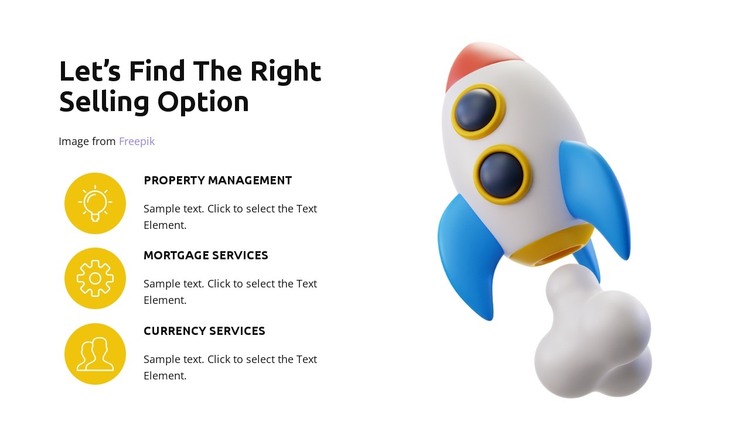
The heading and three named service entries give this block a clear page-content role. “Let’s Find The Right Selling Option” introduces a focused subject, while Property Management, Mortgage Services, and Currency Services divide that subject into stable informational units. Their repeated circular yellow icons create a consistent visual signal across the list, and the supporting descriptions provide space for explaining each service within the section’s existing structure.
The rocket illustration works as a separate visual anchor rather than as another editable service item. Its colorful treatment contrasts with the white background and bold black typography, helping the section stand apart from a simple text column while preserving the same content hierarchy. In a WordPress-oriented project, this block can serve as permanent services content on a managed page, with the surrounding site handling additional pages or regularly maintained material. The block itself remains a reusable section, not a complete theme. Its two-column arrangement can be kept visually consistent while the project’s wider content grows around it, and the three service labels provide a straightforward basis for connecting this area with more detailed information elsewhere.
Customize with Nicepage
Open this ready-made template in the WordPress Website Builder and customize it visually in the Nicepage editor. Replace demo content, edit page sections, and adapt the design to your project without rebuilding the template from scratch.
Edit Template Offline
2. Create a new page or select existing
3. Click Add new block, search for id 4593072 and click enter
Edit Template Online
Create Awesome Websites


Free Nicepage Builder
Keywords
Manage and Edit This Theme in WordPress
Customize and Install the WordPress Theme
Start with this ready-made theme instead of building the WordPress design from scratch. Customize its layout, content, typography, images, sections, and other design elements visually in Nicepage editor, then export and install the WordPress Theme, Plugin, and Pages on your WordPress site. The Nicepage WordPress Plugin lets you continue working with the site after installation.
Edit the Theme Directly in WordPress
After installation, you can edit the WordPress Theme directly in WordPress with the Nicepage WordPress Plugin. Use Site Style to customize site Colors, Fonts, Header, Footer, Blog, and Post Page Templates while working within your WordPress website.
Edit WordPress Pages Visually
Use the Nicepage WordPress Plugin to edit page content directly from the WordPress admin area. Open a WordPress Page with Nicepage and visually change its text, images, sections, and other page elements while continuing to manage the Page through WordPress.
WordPress Content and Theme Integration
Use the customized theme with WordPress Pages, Posts, Blog and Post Templates, menus, widgets, and other CMS-managed content. Shared theme elements such as Colors, Fonts, Header, Footer, Blog, and Post Page Templates can be managed as part of the overall site design, while WordPress provides the CMS environment for managing site content.
This workflow combines a ready-made WordPress Theme with visual customization, direct theme editing in WordPress, and continued content management through the Nicepage WordPress Plugin.