1130 Fashion & Beauty Static Site Generator





































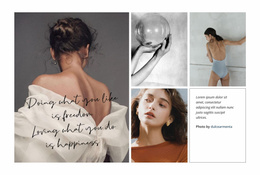
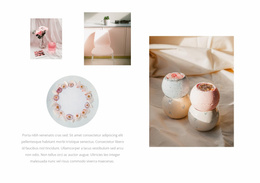
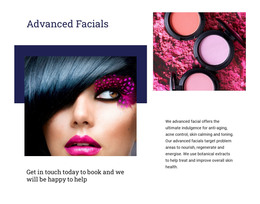
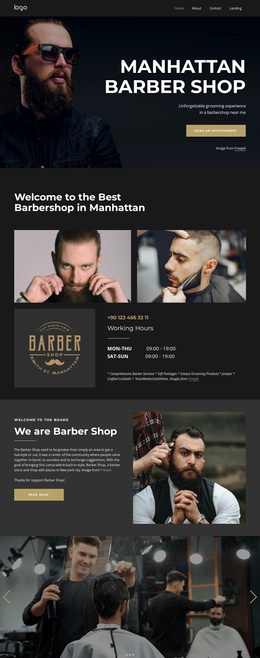





Free Static Website Generator Download
Download the best static site generator for Windows or MacOS today and generate mobile-friendly static sites that look great on any device and browser.
Lightweight Fashion & Beauty Static Site Generator for Fast Brand Pages
Cut page weight, keep product imagery sharp, and move a fashion or beauty site toward faster delivery. A Fashion & Beauty Static Site Generator gives image-led brands a direct route to pre-rendered files without relying on a database-driven front end for every page request.
When Does a Fashion & Beauty Static Site Make Sense?
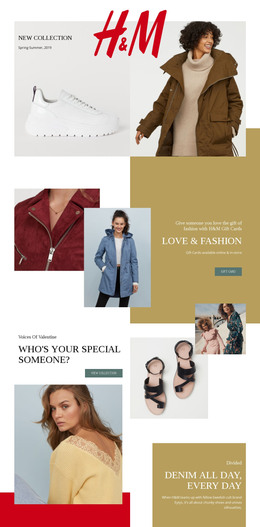
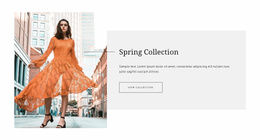
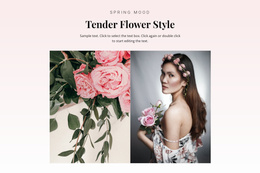
A static architecture works especially well when most content changes occasionally rather than every day. Consider a fashion label publishing a seasonal lookbook. The collection may contain large editorial images, campaign text, store information, and links to products, but the core page can remain unchanged throughout the season. Pre-rendering that content into static HTML reduces the amount of work the server must do when someone visits the page.
A static website differs from a CMS-driven website mainly in how pages are generated and updated. A CMS such as WordPress commonly stores content in a database and assembles pages dynamically. A static site delivers files that have already been generated. That can simplify hosting and reduce runtime dependencies when the project mostly consists of fixed pages, lookbooks, campaign information, portfolios, or brand content.
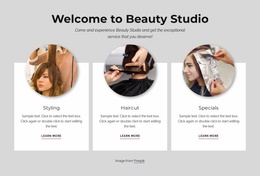
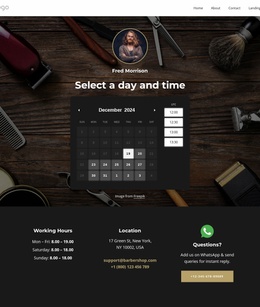
For content planning rather than architecture, clothing store website ideas can help define product-led sections. In contrast, hair salon website concepts can serve as references for organizing services and visual work. The choice between static and CMS-driven delivery should still depend on how often that content changes and whether the site needs database-generated pages.
Static architecture is less suitable when a site relies on frequent editorial publishing, many contributors, complex account features, constantly changing inventory, or content generated from a database for each visitor. In those cases, a CMS-driven or application-based setup may be more practical.
For a seasonal fashion lookbook, however, the static approach can be a strong fit. Teams can prepare the campaign page, optimize the visual assets, generate the static files, and deploy them without maintaining a full publishing stack for content that changes only a few times per year.
High-Performance Delivery for Image-Led Static Sites
A fashion or beauty static site still needs careful media handling. Large campaign photography can outweigh the HTML itself, so the delivery workflow matters as much as the static architecture.
Nicepage supports several relevant parts of that workflow:
- Image Lazy Loading delays lower-page imagery until visitors approach that content during scrolling. The Image Lazy Loading guide explains how the feature can reduce the initial media load.
- Export Websites prepares HTML websites with static assets from the Nicepage Application for Windows or macOS.
- Static output can then be moved to the hosting environment selected for the project.
Keep the first visual in view immediately, then lazy-load supporting lookbook images further down the page. Compress large photographs before deployment and review the final exported package rather than assuming that static output alone guarantees a lightweight website.
Static Website vs CMS-Driven Website
Choose a static approach when:
- most pages contain relatively stable brand or campaign content;
- the site does not require a database for routine page delivery;
- deployment simplicity and portable files are priorities;
- the team wants predictable static output for external hosting.
A CMS-driven website is usually the better choice when:
- editors publish or revise content very frequently;
- several contributors need a structured publishing workflow;
- the site depends on dynamic data or database-generated pages;
- content management matters more than a minimal runtime architecture.
The difference is not simply “fast versus slow.” It is a question of how the project is maintained, generated, and delivered.
Minimal Deployment Practices for Fashion & Beauty Static Sites
Treat exported HTML and static assets as the deployment package. Review file paths, images, responsive states, and page metadata before release. Choose an appropriate hosting environment and test the deployed version, not just the local project.
Do not present serverless deployment as a built-in Nicepage control. Nicepage supports static HTML export and external hosting, while the exact deployment platform and infrastructure remain separate choices made after generation.
Professional Static Site Questions for Fashion & Beauty
Can Nicepage Online publish a fashion or beauty static website?
Yes. Nicepage Online creates and publishes static HTML websites with Nicepage hosting. It does not host third-party software.
Can I export a fashion or beauty static site from Nicepage Online?
Yes. Nicepage Online can export HTML for your own server. You can also export a Project for import into the Nicepage Application for Windows or macOS.
How can an image-heavy fashion or beauty static site load lighter at first?
Use Image Lazy Loading. It delays lower-page images until visitors reach that content, reducing the initial media load for seasonal lookbooks, product imagery, service photography, and portfolio sections.
Generate and Deploy a Fashion & Beauty Static Site
Prepare the page, optimize the media, generate the static HTML and assets, and review the exported package before deployment. Then place the files on the hosting environment chosen for the project and test the live version across screen sizes.
A Fashion & Beauty Static Site Generator is most useful when the project benefits from pre-rendered pages, portable files, and a relatively simple deployment model rather than a continuously running CMS.