Personal shopper service Website Template


Edit Template Offline
2. Create new page and search for id 23188
Edit Template Online
Create Awesome Websites


Free Nicepage Builder
Keywords
Seasonal Collections Establish a Foundation for a Broader Retail Site
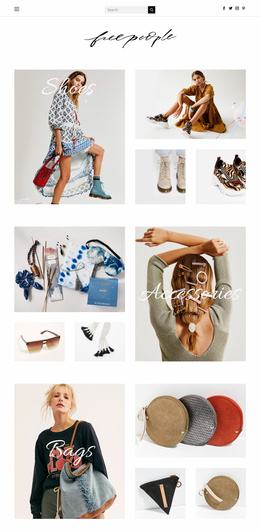
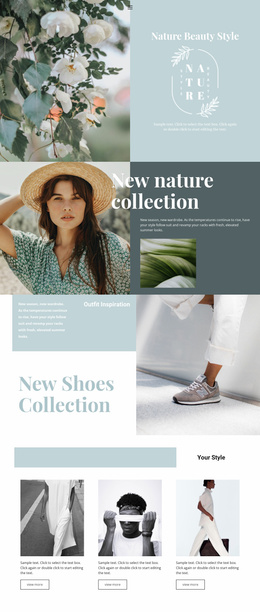
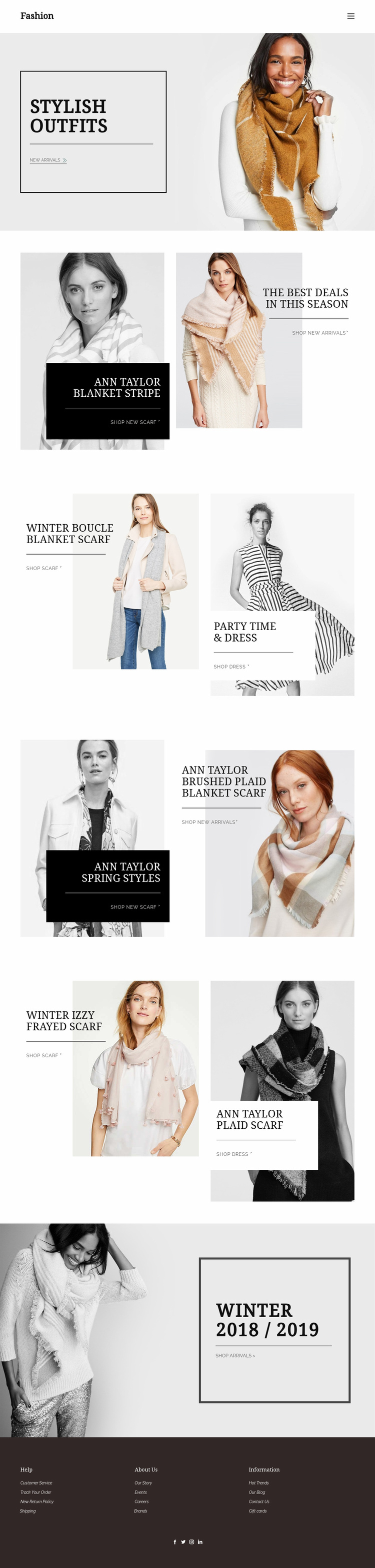
The page already defines several major content areas that a fashion website project can build around. Stylish Outfits supplies a strong opening identity, while the Blanket Stripe and Winter Boucle Blanket Scarf sections establish accessory-led seasonal merchandising. Party Time & Dress adds a clear apparel category, and Spring Styles with plaid accessories introduces another collection direction. These areas give a broader site an initial content map rather than only a decorative homepage.
The shopping links help connect those categories to future product or collection destinations. New arrivals, scarves, dresses, and seasonal products are represented as distinct interests, so additional pages could extend each area while preserving the same visual language. The repeated split format also provides a useful pattern for related campaign pages: image-led promotion on one side, concise product context and a relevant link on the other.
The header and footer support the project structure beyond the campaign sections. Footer groups for Customer Service, Track Your Order, returns, shipping, Our Story, Events, Careers, Brands, Hot Trends, Our Blog, Contact Us, and Gift cards identify practical retail information that can support future site areas. The existing design should therefore be treated as a confirmed single-page foundation with clear expansion paths, not as evidence that a complete multi-page website is already included.
Customize with Nicepage
Open this ready-made template in the Website Template Builder and customize it visually in the Nicepage editor. Replace demo content, edit page sections, and adapt the design to your project without rebuilding the template from scratch.
Build a Complete Website From This Template
Customize the Website Visually
Use this ready-made website template as a starting point for your project and adapt its pages visually in Nicepage. Change content, images, typography, navigation, sections, and other design elements while keeping the website together as a single editable project.
Manage Website Pages in One Project
Use the Pages panel to open, add, duplicate, and manage the pages of your website. Work on individual pages while keeping navigation and the overall site structure accessible from the same project, making it easier to develop a complete website instead of managing separate page files.
Expand the Website With Matching Designs
When you need additional pages or sections, use Page Design Sets to find Page and Block Designs created in the same visual style. Design Sets group matching designs together, making it easier to expand the website with new content while maintaining a consistent look across its pages and sections.
Organize Larger Multi-Page Websites
As the website grows, use Page Folders to organize related pages and keep larger multi-page projects easier to navigate in the editor. This is especially useful for websites with separate service pages, company information, contacts, landing pages, and other content areas.
This workflow makes the template a practical foundation for building and expanding a complete website while managing its pages, content, and visual design within one Nicepage project.