300 Gallery Static Site Generator








































































































Free Static Website Generator Download
Download the best static site generator for Windows or MacOS today and generate mobile-friendly static sites that look great on any device and browser.
Gallery Static Site Generator Templates for Image Collections
Explore ready-made Gallery sections for static HTML website projects in Nicepage. Choose a balanced photo collection, a featured-image composition, or a captioned Gallery for portfolios, project archives, and image-focused pages.
A Gallery block provides the visual arrangement for photographs within a static website. It is not a separate static site generator. Select the design that suits the collection and the surrounding page, then include it in a Nicepage website project that supports HTML export.
Choose a Ready-Made Gallery for a Static HTML Website
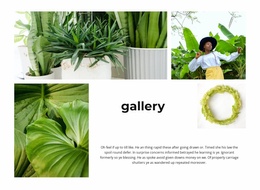
Static websites are an excellent home for photographic portfolios and project archives. A ready-made Gallery design provides a visual collection within that kind of page: a spacious arrangement for a few selected photographs, or a tighter grid for a broader group.
- A simple, even grid fits several equally important pieces of work.
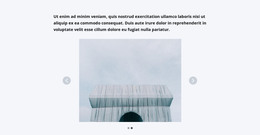
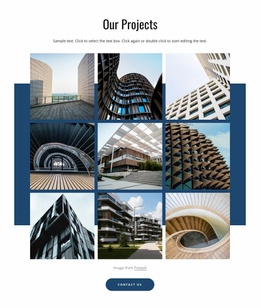
- A larger lead photograph can introduce an architectural or creative project.
- Captions help connect images to names, dates, or locations.
The Image Gallery Element supports these presentation choices in Nicepage. For a static project, choose the image arrangement that feels complete beside the surrounding text. The publishing method does not need to dictate a unique gallery style.
A static photo archive and a small portfolio may use the same kind of Gallery block but need different density. An image-rich archive can favor a regular grid, keeping a large collection easy to survey, while a page about one completed project benefits from larger views and a small set of details. Designs with captions suit illustrated collections where a title or short description is part of the record. These are choices for the finished Gallery section, not a separate generator type.
Compare Gallery Designs for Static Website Content
A static photography portfolio may need a Gallery that gives selected images generous space. A project archive can use a more regular composition so visitors can browse several completed works together. For illustrated articles or collections with identifying details, choose a ready-made Gallery with captions.
Compare these finished arrangements by the number of images, their visual hierarchy, and how naturally the Gallery fits within the static website page. The goal is to select a suitable image section, not a separate website generator.
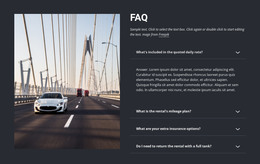
Gallery Static Site Generator FAQ
Can I export a Nicepage project containing a Gallery section as HTML?
Yes. Nicepage supports the Export HTML Website option for applicable website projects. The selected Gallery section can be part of the exported site; it is not a separate complete website.
Which Gallery layout works for a static project portfolio?
A balanced image grid works for several equally important projects. If one finished piece deserves more attention, consider a layout with a prominent image and smaller supporting views.
When should I choose Gallery instead of Tiles for a static website?
Choose Gallery when visitors primarily need to browse related photographs or other visual media. Tiles is more appropriate when each visual panel represents a distinct category, destination, or content choice. The Nicepage Image Gallery Element directly supports the image-collection scenario.
Add a Gallery Section to Your Static HTML Project
Select a Gallery block design in Nicepage and adapt it to your image collection. Replace sample photographs, refine the layout, add captions where needed, and check the section across different screen sizes.
Once the gallery fits the page, include it in your static website project and use the HTML export workflow to prepare the website files for publishing. This keeps the gallery's visual organization connected to the final static HTML presentation.