Fashion Page Design Website Template



Edit Template Offline
2. Create new page and search for id 21490
Edit Template Online
Create Awesome Websites


Free Nicepage Builder
Keywords
Collection Categories Establish a Foundation for a Fashion Site
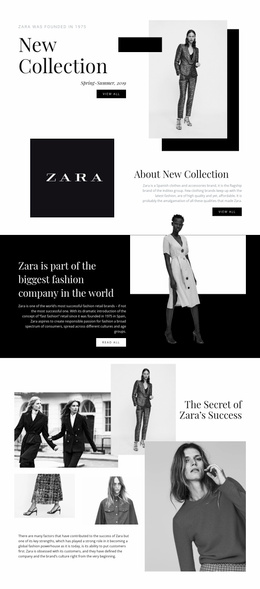
The design already defines several major content areas that a broader fashion website can build around. New Collection and Color Winter provide two seasonal entry points, each combining prominent photography, concise copy, and a browsing action. The centered Bohemian Inspired Clothes for Women section adds a more descriptive style category, while New This Week and Women’s Dresses create space for new-arrival and product-group messaging. Together, these areas suggest a useful information foundation without claiming that additional pages already exist.
Gifts for Her expands the project beyond seasonal collection browsing by introducing an occasion-based category, and Fashion Trends gives the site a subject for editorial styling content. New Look then supplies another visual story that can support a campaign or collection update. Because the sections use different arrangements—split compositions, centered text, layered imagery, and text over a broad background—the same design direction can accommodate related content without becoming visually repetitive.
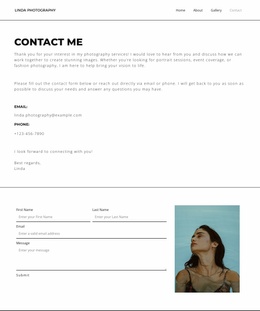
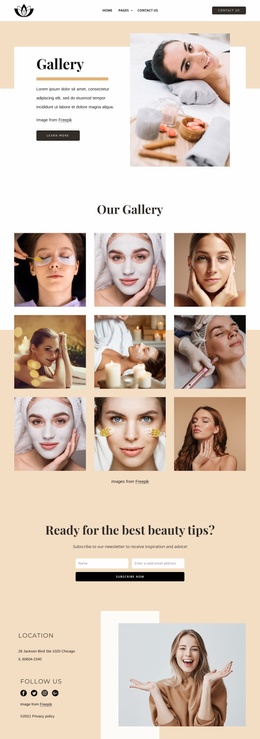
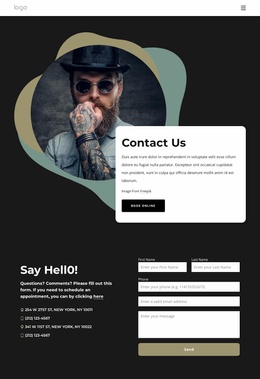
Navigation, the secondary-page path, the newsletter subscription form, and the three-column footer provide the shared site frame. As the project grows, these areas can guide the organization of additional collection, category, or editorial pages. The value of the template is therefore its combination of defined fashion content regions and a coherent visual system that can serve as a starting information architecture.
Customize with Nicepage
Open this ready-made template in the Website Template Builder and customize it visually in the Nicepage editor. Replace demo content, edit page sections, and adapt the design to your project without rebuilding the template from scratch.
Build a Complete Website From This Template
Customize the Website Visually
Use this ready-made website template as a starting point for your project and adapt its pages visually in Nicepage. Change content, images, typography, navigation, sections, and other design elements while keeping the website together as a single editable project.
Manage Website Pages in One Project
Use the Pages panel to open, add, duplicate, and manage the pages of your website. Work on individual pages while keeping navigation and the overall site structure accessible from the same project, making it easier to develop a complete website instead of managing separate page files.
Expand the Website With Matching Designs
When you need additional pages or sections, use Page Design Sets to find Page and Block Designs created in the same visual style. Design Sets group matching designs together, making it easier to expand the website with new content while maintaining a consistent look across its pages and sections.
Organize Larger Multi-Page Websites
As the website grows, use Page Folders to organize related pages and keep larger multi-page projects easier to navigate in the editor. This is especially useful for websites with separate service pages, company information, contacts, landing pages, and other content areas.
This workflow makes the template a practical foundation for building and expanding a complete website while managing its pages, content, and visual design within one Nicepage project.