530 Education Static Site Generator


































































































Free Static Website Generator Download
Download the best static site generator for Windows or MacOS today and generate mobile-friendly static sites that look great on any device and browser.
Fast-Loading Education Static Site Generator for Academic Content
Lesson archives, reference libraries, subject guides, and other educational resources often need dependable publishing rather than a database-driven runtime. In Nicepage, the static-site workflow is visual rather than code-first: you create and manage pages in the project, then generate them as static HTML for publishing or export. That makes it suitable for schools, tutors, and publishers that want portable files and a repeatable build-and-deploy process.
How the Nicepage Static Generation Workflow Fits Education Projects
Code-first static site generators often build pages from Markdown or repository-based content sources. Nicepage takes a different route. The project itself is the editable source: you design lesson pages, subject indexes, resource collections, and navigation visually, then generate the static site output when the project is ready.
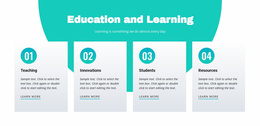
A school can maintain a term archive with subject pages and a structured books collection. A tutor can update a lesson sequence, regenerate the output, and redeploy the site. An academic resource team can keep stable reference pages together with a focused math learning area, then publish a new static build after content revisions.
The practical cycle is straightforward:
- Update the relevant lesson, archive, or resource pages in the Nicepage project.
- Generate the current static HTML output from the project.
- Deploy the files to the selected hosting environment and repeat the process when the source project changes.
This is different from a live CMS that assembles every page dynamically for each request. The generated pages are ready to serve as static files.
Output and Deployment Controls
Export Websites lets the Desktop Application prepare static HTML files; the HTML export workflow supports uploading to hosting of your choice. Sitemap Generation can create a sitemap for HTML Export and sites hosted with Nicepage, which is useful when a lesson archive contains many stable pages.
Theme Settings provide shared colors, fonts, typography, headers, and footers so separately generated academic pages remain visually consistent. Website Menu can organize subjects, courses, reference areas, and student resources across the static output.
Image-heavy pages can also use Image Lazy Loading when needed. Nicepage documents the option in its Image Lazy Loading settings, but the core static-site workflow remains the project-to-generated-files cycle, not media optimization itself.
Education Static Site Generator Questions
Can I Place a Static Education Website on Third-Party Hosting?
Yes. Nicepage lets you export static HTML websites and host them outside the Nicepage network.
Can I Export an Education Site From Nicepage Online?
Yes. Nicepage Online can export HTML for hosting on your own server. You can also export projects to import into the Nicepage Desktop Application when you need that workflow.
How Do I Update a Published Lesson Archive?
Make the content changes in the Nicepage project, generate the updated static output, and deploy the refreshed files through your chosen hosting workflow. This keeps the editable project separate from the published static site.
Publish Academic Resources as a Repeatable Static Build
Use the Nicepage project as the maintained source for lessons, indexes, and student resources, then regenerate the static site whenever those materials change. The approach is especially practical for education content that benefits from stable files, clear navigation, and deployment without a database-backed front end.