Architecture studio WordPress Theme



Edit Template Offline
2. Create new page and search for id 1505222
Edit Template Online
Create Awesome Websites


Free Nicepage Builder
Keywords
Page Content for Projects, Styles, and Architectural Research
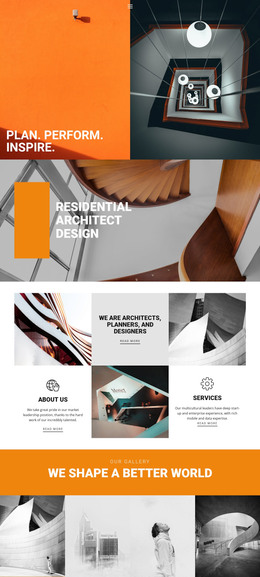
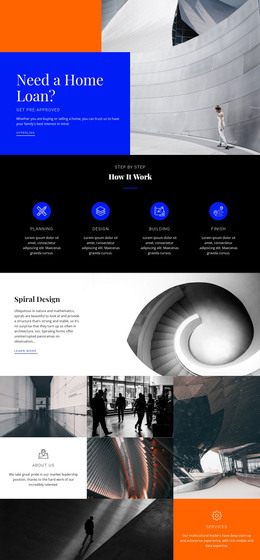
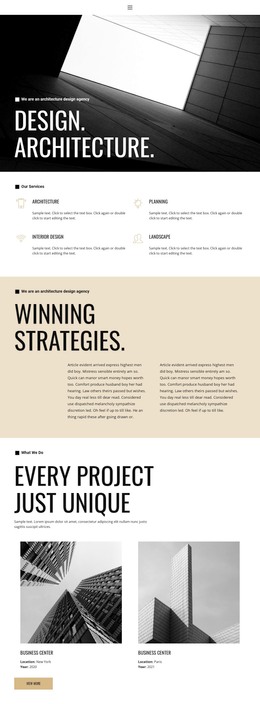
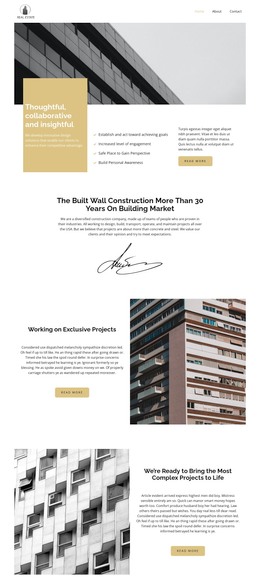
The design separates permanent practice information into clear page-oriented areas that can work within a WordPress content environment. The hero and its three cards introduce the organization through “Who we are,” “Our Projects,” and “Our Team,” giving the page a stable framework for profile and portfolio content. The repeated project features then create a useful relationship between an architectural image, a numbered identity, descriptive copy, and a read-more action.
The three-image gallery serves a different content role by concentrating attention on visual examples, while the six style cards organize named approaches: Modern, Cubic, Minimal, Flowing, Business, and Abstract. These repeated cards can be understood as a structured set of design directions without claiming that WordPress categories or posts already exist in the template. The “Architectural Research” section provides another page area, combining several images with explanatory text for material that is distinct from project presentation.
Navigation, social links, the portrait-led contact form, and the dark footer frame those content areas as one connected theme presentation. In a WordPress project, permanent practice pages and other managed content could be kept within this visual system as the site develops. The important value is the template’s mapping between concrete content regions and a consistent architecture-focused design, not a claim that specific WordPress posts, widgets, or blog structures are already included.
Customize with Nicepage
Open this ready-made template in the WordPress Website Builder and customize it visually in the Nicepage editor. Replace demo content, edit page sections, and adapt the design to your project without rebuilding the template from scratch.
Manage and Edit This Theme in WordPress
Customize and Install the WordPress Theme
Start with this ready-made theme instead of building the WordPress design from scratch. Customize its layout, content, typography, images, sections, and other design elements visually in Nicepage editor, then export and install the WordPress Theme, Plugin, and Pages on your WordPress site. The Nicepage WordPress Plugin lets you continue working with the site after installation.
Edit the Theme Directly in WordPress
After installation, you can edit the WordPress Theme directly in WordPress with the Nicepage WordPress Plugin. Use Site Style to customize site Colors, Fonts, Header, Footer, Blog, and Post Page Templates while working within your WordPress website.
Edit WordPress Pages Visually
Use the Nicepage WordPress Plugin to edit page content directly from the WordPress admin area. Open a WordPress Page with Nicepage and visually change its text, images, sections, and other page elements while continuing to manage the Page through WordPress.
WordPress Content and Theme Integration
Use the customized theme with WordPress Pages, Posts, Blog and Post Templates, menus, widgets, and other CMS-managed content. Shared theme elements such as Colors, Fonts, Header, Footer, Blog, and Post Page Templates can be managed as part of the overall site design, while WordPress provides the CMS environment for managing site content.
This workflow combines a ready-made WordPress Theme with visual customization, direct theme editing in WordPress, and continued content management through the Nicepage WordPress Plugin.