Fresh healthy and tasty WordPress Theme


Edit Template Offline
2. Create new page and search for id 6083108
Edit Template Online
Create Awesome Websites


Free Nicepage Builder
Keywords
Permanent Food Content and Publishable Updates Can Share One Visual System
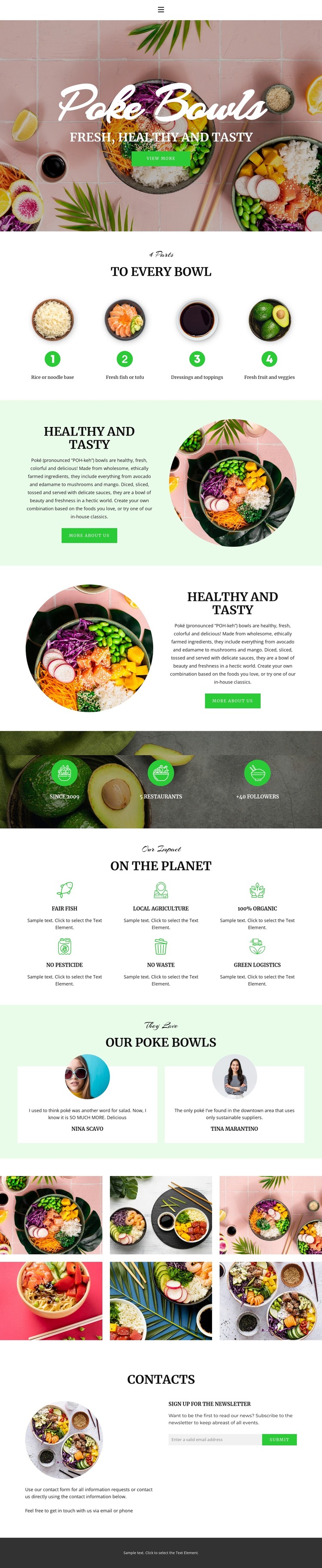
The hero, bowl-preparation features, and Healthy and Tasty sections provide stable page content for a restaurant site. They explain the poke bowl concept and food philosophy before visitors reach the supporting proof areas. The six sustainability labels create another durable content group, with Fair Fish, Local Agriculture, 100% Organic, No Pesticide, No Waste, and Green Logistics giving the design clear subjects for ongoing brand explanation without claiming that any WordPress posts or categories already exist.
The two testimonial cards and six-image gallery serve different content roles. The cards can represent customer-oriented review content, while the gallery provides a visual collection of bowls and ingredients. If a project later adds regularly updated restaurant news, seasonal information, or editorial material, those additions could sit around these established page areas while keeping the same food photography, pale green surfaces, and expressive typography. The verified template itself does not prove that such posts are already included.
The closing Contacts block adds an email field and Subscribe action, making newsletter communication part of the page’s content structure. In a WordPress-oriented project, the theme interpretation therefore rests on the relationship between permanent restaurant information, repeatable visual content, customer proof, gallery media, and subscription contact. The result is a design direction that can organize both core pages and future updates without relying on a generic CMS claim.
Customize with Nicepage
Open this ready-made template in the WordPress Website Builder and customize it visually in the Nicepage editor. Replace demo content, edit page sections, and adapt the design to your project without rebuilding the template from scratch.
Manage and Edit This Theme in WordPress
Customize and Install the WordPress Theme
Start with this ready-made theme instead of building the WordPress design from scratch. Customize its layout, content, typography, images, sections, and other design elements visually in Nicepage editor, then export and install the WordPress Theme, Plugin, and Pages on your WordPress site. The Nicepage WordPress Plugin lets you continue working with the site after installation.
Edit the Theme Directly in WordPress
After installation, you can edit the WordPress Theme directly in WordPress with the Nicepage WordPress Plugin. Use Site Style to customize site Colors, Fonts, Header, Footer, Blog, and Post Page Templates while working within your WordPress website.
Edit WordPress Pages Visually
Use the Nicepage WordPress Plugin to edit page content directly from the WordPress admin area. Open a WordPress Page with Nicepage and visually change its text, images, sections, and other page elements while continuing to manage the Page through WordPress.
WordPress Content and Theme Integration
Use the customized theme with WordPress Pages, Posts, Blog and Post Templates, menus, widgets, and other CMS-managed content. Shared theme elements such as Colors, Fonts, Header, Footer, Blog, and Post Page Templates can be managed as part of the overall site design, while WordPress provides the CMS environment for managing site content.
This workflow combines a ready-made WordPress Theme with visual customization, direct theme editing in WordPress, and continued content management through the Nicepage WordPress Plugin.