Exclusive European cuisine WordPress Theme



Edit Template Offline
2. Create new page and search for id 3826663
Edit Template Online
Create Awesome Websites


Free Nicepage Builder
Keywords
Menu content and featured food areas fit a managed restaurant theme
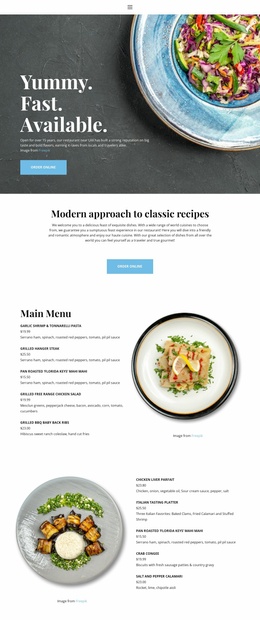
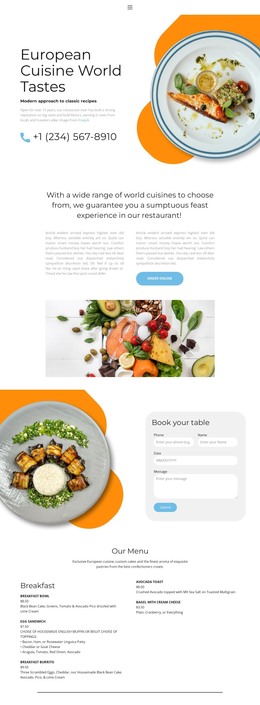
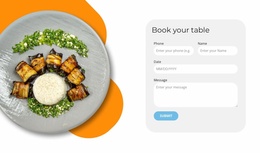
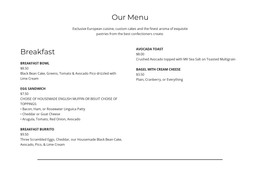
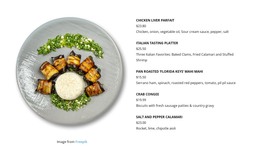
The Breakfast and Lunch sections provide the strongest page-oriented content structure in this design. Dish names and descriptions are already separated by category, giving a WordPress-managed restaurant site a clear basis for permanent menu information without claiming that posts, categories, or blog templates already exist. The opening cuisine section and About Us content can retain the restaurant story, while the Book your table area remains a distinct page interaction with date, time, and guest fields.
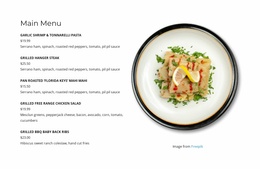
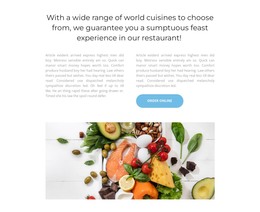
The eight-image gallery and the Salmon with salad presentation offer different kinds of recurring content. The gallery supports a broader collection of food imagery, whereas the featured dish block gives one item a more prominent image-and-text treatment. Interpreted together with the menu sections, they create a content system in which visitors can scan offerings, explore visual material, and focus on a highlighted dish without losing the overall restaurant direction.
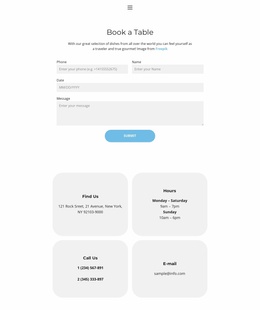
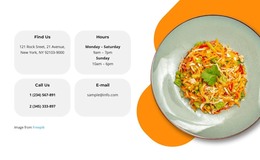
The closing hours, phone, email, and location information supplies shared practical content that can remain visually connected to the page's header, footer, and navigation. A WordPress theme interpretation is therefore grounded in how the design separates permanent restaurant information, menu material, visual food content, and reservation communication. The Nicepage WordPress Plugin can support this CMS environment, but the template-specific value comes from these existing content relationships rather than from an assumed WordPress structure.
Customize with Nicepage
Open this ready-made template in the WordPress Website Builder and customize it visually in the Nicepage editor. Replace demo content, edit page sections, and adapt the design to your project without rebuilding the template from scratch.
Manage and Edit This Theme in WordPress
Customize and Install the WordPress Theme
Start with this ready-made theme instead of building the WordPress design from scratch. Customize its layout, content, typography, images, sections, and other design elements visually in Nicepage editor, then export and install the WordPress Theme, Plugin, and Pages on your WordPress site. The Nicepage WordPress Plugin lets you continue working with the site after installation.
Edit the Theme Directly in WordPress
After installation, you can edit the WordPress Theme directly in WordPress with the Nicepage WordPress Plugin. Use Site Style to customize site Colors, Fonts, Header, Footer, Blog, and Post Page Templates while working within your WordPress website.
Edit WordPress Pages Visually
Use the Nicepage WordPress Plugin to edit page content directly from the WordPress admin area. Open a WordPress Page with Nicepage and visually change its text, images, sections, and other page elements while continuing to manage the Page through WordPress.
WordPress Content and Theme Integration
Use the customized theme with WordPress Pages, Posts, Blog and Post Templates, menus, widgets, and other CMS-managed content. Shared theme elements such as Colors, Fonts, Header, Footer, Blog, and Post Page Templates can be managed as part of the overall site design, while WordPress provides the CMS environment for managing site content.
This workflow combines a ready-made WordPress Theme with visual customization, direct theme editing in WordPress, and continued content management through the Nicepage WordPress Plugin.