All-natural WordPress Theme



Edit Template Offline
2. Create new page and search for id 4297819
Edit Template Online
Create Awesome Websites


Free Nicepage Builder
Keywords
Menu Cards and Blog Content Shape a WordPress Restaurant Theme
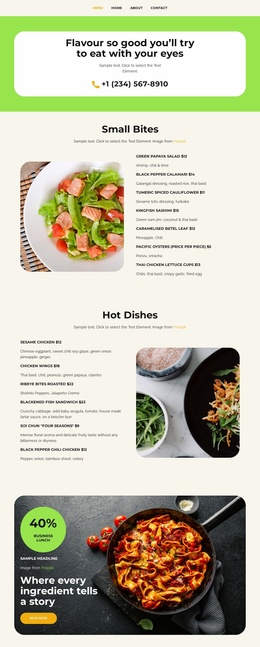
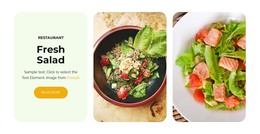
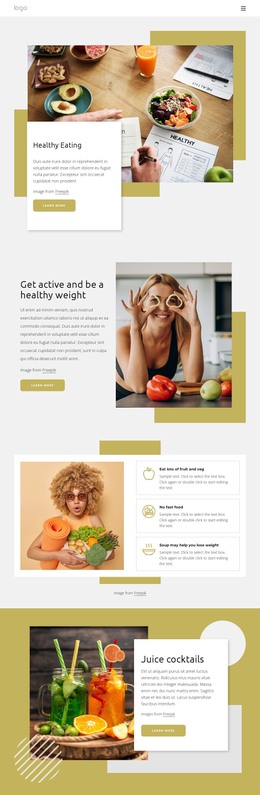
The four menu cards give the design a clear set of permanent restaurant content areas: hot pizza, salads, dessert, and drinks are separated into repeated image-led units with supporting text and Read more actions. These sections can provide the page-oriented foundation of a WordPress site, while the opening promotional panel and the three alternating story, kitchen, and food-experience features add space for restaurant information beyond the menu itself. Food imagery, rounded panels, and the lime, black, cream, and white palette keep these different content roles within one recognizable theme direction.
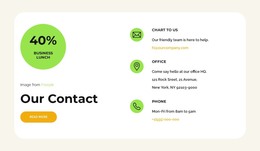
The four-card blog preview introduces a different content relationship. Unlike the menu categories and restaurant feature sections, it is arranged around repeated article-style cards with images, headlines, and Read more actions, making it suitable for content that may change over time without disrupting the permanent page presentation. The subscription form adds a compact name-and-email communication area, while the closing contact section groups email, office, and phone channels for direct access. Navigation and mobile-navigation connect these content areas, and the dark footer provides a consistent ending. Together, the structure supports a WordPress-managed restaurant project where stable page information, recurring editorial content, newsletter communication, and contact details can remain part of the same visual system.
Customize with Nicepage
Open this ready-made template in the WordPress Website Builder and customize it visually in the Nicepage editor. Replace demo content, edit page sections, and adapt the design to your project without rebuilding the template from scratch.
Manage and Edit This Theme in WordPress
Customize and Install the WordPress Theme
Start with this ready-made theme instead of building the WordPress design from scratch. Customize its layout, content, typography, images, sections, and other design elements visually in Nicepage editor, then export and install the WordPress Theme, Plugin, and Pages on your WordPress site. The Nicepage WordPress Plugin lets you continue working with the site after installation.
Edit the Theme Directly in WordPress
After installation, you can edit the WordPress Theme directly in WordPress with the Nicepage WordPress Plugin. Use Site Style to customize site Colors, Fonts, Header, Footer, Blog, and Post Page Templates while working within your WordPress website.
Edit WordPress Pages Visually
Use the Nicepage WordPress Plugin to edit page content directly from the WordPress admin area. Open a WordPress Page with Nicepage and visually change its text, images, sections, and other page elements while continuing to manage the Page through WordPress.
WordPress Content and Theme Integration
Use the customized theme with WordPress Pages, Posts, Blog and Post Templates, menus, widgets, and other CMS-managed content. Shared theme elements such as Colors, Fonts, Header, Footer, Blog, and Post Page Templates can be managed as part of the overall site design, while WordPress provides the CMS environment for managing site content.
This workflow combines a ready-made WordPress Theme with visual customization, direct theme editing in WordPress, and continued content management through the Nicepage WordPress Plugin.