Recipes and cook lessons WordPress Theme



Edit Template Offline
2. Create new page and search for id 148837
Edit Template Online
Create Awesome Websites


Free Nicepage Builder
Keywords
Page Content for Menus, Stories, and Cooking Media
The six-item menu is the clearest permanent page-content area in the design. Each entry combines a dish name, description, and displayed price, creating a repeated structure that can remain visually consistent as restaurant information is maintained. The six category tiles provide a different content grouping for ice cream, fruit sorbets, chip flavors, sundaes, smoothies, and drinks, so the theme supports both individual offerings and broader food categories.
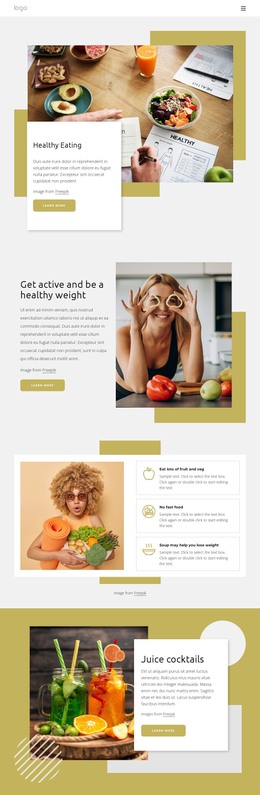
The editorial areas suggest additional page-oriented content without proving that WordPress Posts or a blog already exist. History, community, and philosophy appear as three related story tiles, while the health section provides a larger image-and-article relationship. The review-style feature offers another content area for review presentation, and the cooking section uses two image slides to frame online learning material. A separate three-image gallery keeps visual food content distinct from the written stories.
This structure can translate into a WordPress-managed site where permanent restaurant information and expanded editorial content remain within the same visual system. Pages could carry menu and category information, while regularly updated content may later be added only if the project requires it; that possibility is not an existing template fact. The social links and footer complete shared site regions, giving the design a coherent theme context rather than a collection of unrelated blocks.
Customize with Nicepage
Open this ready-made template in the WordPress Website Builder and customize it visually in the Nicepage editor. Replace demo content, edit page sections, and adapt the design to your project without rebuilding the template from scratch.
Manage and Edit This Theme in WordPress
Customize and Install the WordPress Theme
Start with this ready-made theme instead of building the WordPress design from scratch. Customize its layout, content, typography, images, sections, and other design elements visually in Nicepage editor, then export and install the WordPress Theme, Plugin, and Pages on your WordPress site. The Nicepage WordPress Plugin lets you continue working with the site after installation.
Edit the Theme Directly in WordPress
After installation, you can edit the WordPress Theme directly in WordPress with the Nicepage WordPress Plugin. Use Site Style to customize site Colors, Fonts, Header, Footer, Blog, and Post Page Templates while working within your WordPress website.
Edit WordPress Pages Visually
Use the Nicepage WordPress Plugin to edit page content directly from the WordPress admin area. Open a WordPress Page with Nicepage and visually change its text, images, sections, and other page elements while continuing to manage the Page through WordPress.
WordPress Content and Theme Integration
Use the customized theme with WordPress Pages, Posts, Blog and Post Templates, menus, widgets, and other CMS-managed content. Shared theme elements such as Colors, Fonts, Header, Footer, Blog, and Post Page Templates can be managed as part of the overall site design, while WordPress provides the CMS environment for managing site content.
This workflow combines a ready-made WordPress Theme with visual customization, direct theme editing in WordPress, and continued content management through the Nicepage WordPress Plugin.