Fresh & Tasty WordPress Theme


Edit Template Offline
2. Create new page and search for id 23125
Edit Template Online
Create Awesome Websites


Free Nicepage Builder
Keywords
Food Content Can Extend Beyond the Opening Page Area
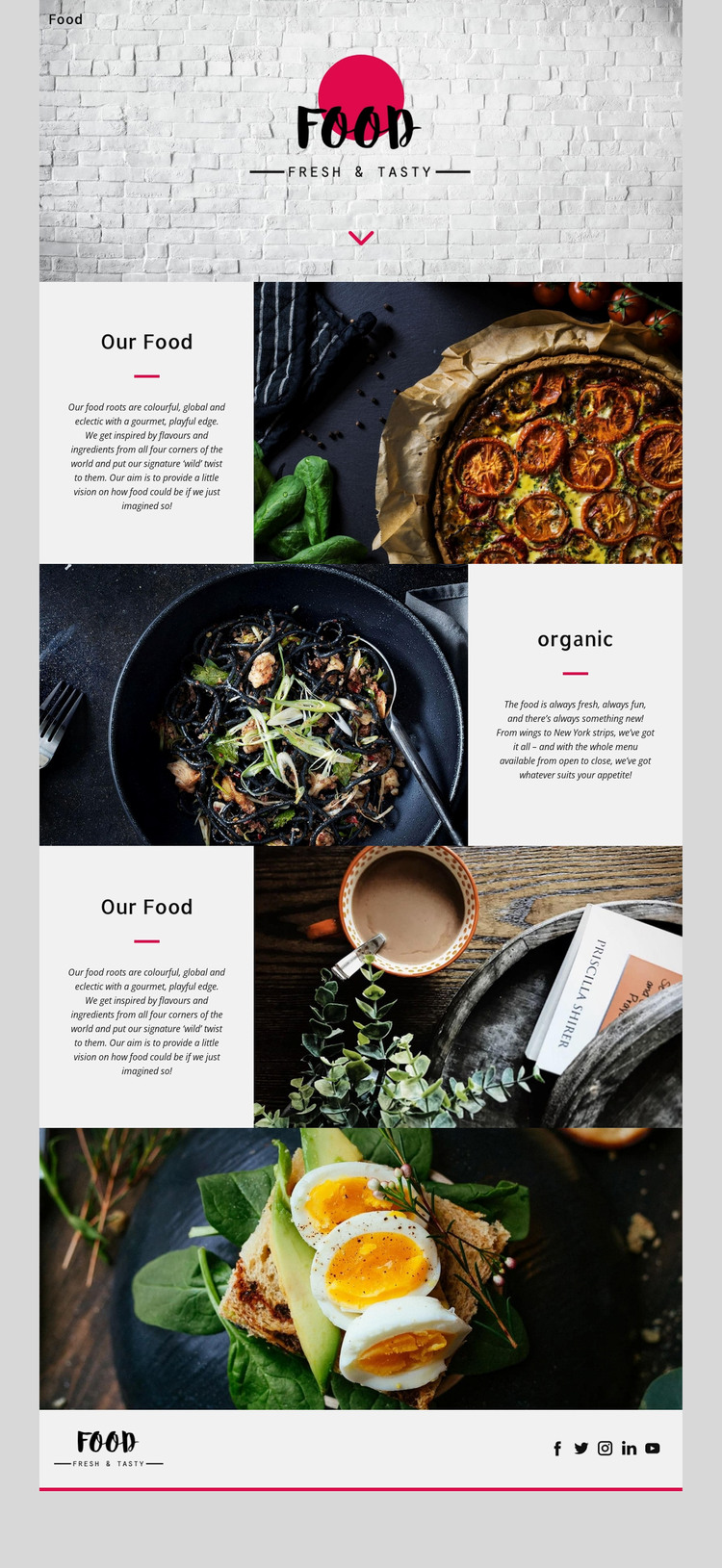
Fresh & Tasty separates permanent-looking page content into recognizable areas that can be interpreted within a WordPress-managed site. The Food brand and navigation establish the shared site frame, while the Our Food section introduces the culinary concept with text beside a large image. The preview’s repeated dish photographs and short text panels provide additional content units that could be adapted for project-specific food stories, featured dishes, or other publishable material without changing the page’s visual character.
The lower full-width dish photograph offers a different presentation scale, and the footer returns to shared brand information with visible social links. This combination is useful for a WordPress theme interpretation because it distinguishes central page content from recurring site elements. The design can keep those relationships while a project develops its own permanent food information and, if needed, additional regularly updated content. The analysis does not verify WordPress Posts, a blog, categories, or any existing CMS data, so none of those should be presented as built into this template.
Nicepage documents the WordPress Theme and Plugin as a product capability. The template-specific point is different: its navigation, image-led content areas, repeated panels, and footer provide a visual system that can surround WordPress-managed content. That makes the design a plausible theme foundation without reducing the explanation to a CMS-name substitution.
Customize with Nicepage
Open this ready-made template in the WordPress Website Builder and customize it visually in the Nicepage editor. Replace demo content, edit page sections, and adapt the design to your project without rebuilding the template from scratch.
Manage and Edit This Theme in WordPress
Customize and Install the WordPress Theme
Start with this ready-made theme instead of building the WordPress design from scratch. Customize its layout, content, typography, images, sections, and other design elements visually in Nicepage editor, then export and install the WordPress Theme, Plugin, and Pages on your WordPress site. The Nicepage WordPress Plugin lets you continue working with the site after installation.
Edit the Theme Directly in WordPress
After installation, you can edit the WordPress Theme directly in WordPress with the Nicepage WordPress Plugin. Use Site Style to customize site Colors, Fonts, Header, Footer, Blog, and Post Page Templates while working within your WordPress website.
Edit WordPress Pages Visually
Use the Nicepage WordPress Plugin to edit page content directly from the WordPress admin area. Open a WordPress Page with Nicepage and visually change its text, images, sections, and other page elements while continuing to manage the Page through WordPress.
WordPress Content and Theme Integration
Use the customized theme with WordPress Pages, Posts, Blog and Post Templates, menus, widgets, and other CMS-managed content. Shared theme elements such as Colors, Fonts, Header, Footer, Blog, and Post Page Templates can be managed as part of the overall site design, while WordPress provides the CMS environment for managing site content.
This workflow combines a ready-made WordPress Theme with visual customization, direct theme editing in WordPress, and continued content management through the Nicepage WordPress Plugin.