Charity organization for children WordPress Theme



Edit Template Offline
2. Create new page and search for id 6319412
Edit Template Online
Create Awesome Websites


Free Nicepage Builder
Keywords
Program and People Sections Form Clear WordPress Content Areas
The six program cards create a strong page-oriented content structure for the organization. Their labels cover building a school, water and sanitation, classroom resources, supporting parents, teaching children, and training children for jobs. In a WordPress project, these areas can be interpreted as stable informational content that visitors reach through the site’s navigation, while the repeated card treatment keeps the visual direction consistent. The template itself does not verify WordPress Posts, categories, or separate page records.
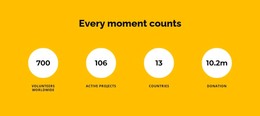
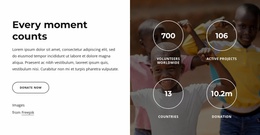
The United States Team section adds four profile-style cards, and the two gallery areas support visual material connected with children, families, volunteers, food distribution, water, and education activities. Those sections can sit alongside permanent mission content while leaving room for future editorial updates, but the sample names and images should be replaced or verified before publication. The counters likewise show layout structure rather than confirmed organizational results.
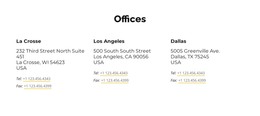
The header, footer, social links, map, and contact form provide shared and page-level regions around this content. Donate now actions appear near the mission material, while Contact Us and Submit close the page with an inquiry route. This combination makes the design suitable for a WordPress-oriented charity site where lasting program information, people-focused content, visual documentation, and contact details need to remain part of one recognizable theme.
Customize with Nicepage
Open this ready-made template in the WordPress Website Builder and customize it visually in the Nicepage editor. Replace demo content, edit page sections, and adapt the design to your project without rebuilding the template from scratch.
Manage and Edit This Theme in WordPress
Customize and Install the WordPress Theme
Start with this ready-made theme instead of building the WordPress design from scratch. Customize its layout, content, typography, images, sections, and other design elements visually in Nicepage editor, then export and install the WordPress Theme, Plugin, and Pages on your WordPress site. The Nicepage WordPress Plugin lets you continue working with the site after installation.
Edit the Theme Directly in WordPress
After installation, you can edit the WordPress Theme directly in WordPress with the Nicepage WordPress Plugin. Use Site Style to customize site Colors, Fonts, Header, Footer, Blog, and Post Page Templates while working within your WordPress website.
Edit WordPress Pages Visually
Use the Nicepage WordPress Plugin to edit page content directly from the WordPress admin area. Open a WordPress Page with Nicepage and visually change its text, images, sections, and other page elements while continuing to manage the Page through WordPress.
WordPress Content and Theme Integration
Use the customized theme with WordPress Pages, Posts, Blog and Post Templates, menus, widgets, and other CMS-managed content. Shared theme elements such as Colors, Fonts, Header, Footer, Blog, and Post Page Templates can be managed as part of the overall site design, while WordPress provides the CMS environment for managing site content.
This workflow combines a ready-made WordPress Theme with visual customization, direct theme editing in WordPress, and continued content management through the Nicepage WordPress Plugin.