Our School Life WordPress Theme



Edit Template Offline
2. Create new page and search for id 3390152
Edit Template Online
Create Awesome Websites


Free Nicepage Builder
Keywords
Page Content and Repeated Learning Areas Suit a School Theme
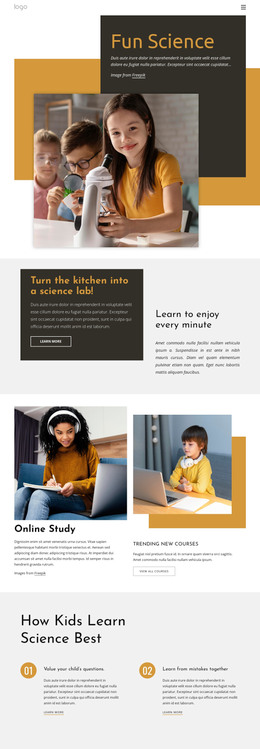
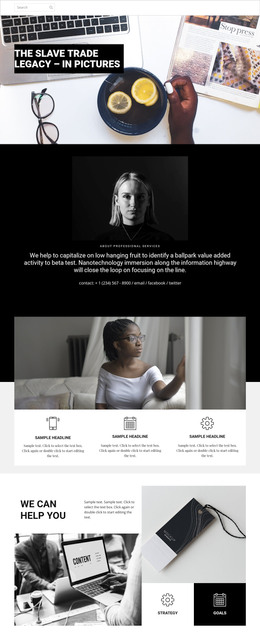
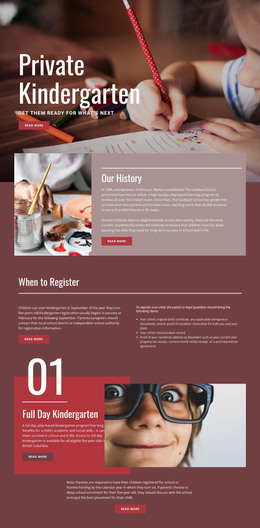
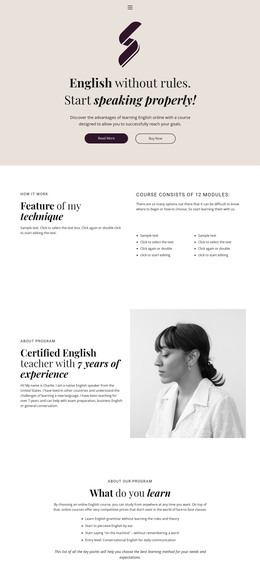
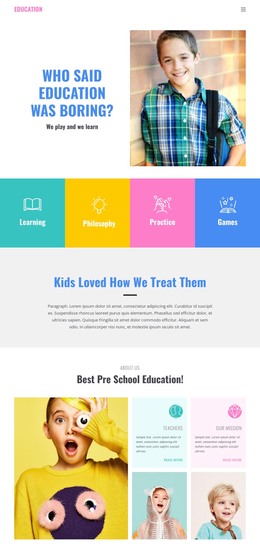
The design separates permanent school information into clear page-oriented areas. The Education hero and the mission section can introduce the school’s identity, while the learning-solutions block gives explanatory content its own image-and-text relationship. Because these areas are visually distinct, they can remain part of a consistent theme as page copy and photographs are updated for a WordPress-managed project.
The four repeated learning cards create a useful content pattern around Fun Learning, Guaranteed Work, Resources, and Library. Their shared structure differs from the three parent testimonial entries, which form a separate proof-oriented group. This distinction can help organize school content by role: learning information in one region and parent-facing feedback in another. Anniversary, training, and end-of-year sections add additional editorial subjects without assuming that posts, categories, or blog templates already exist in the supplied design.
The page’s navigation gives Home, About, and Contact recognizable site destinations, and the gallery provides a visual area for educational photographs and statements. The closing class-booking section has a different content purpose, combining the “Sign up for a class” message with date and time selection. In a WordPress theme interpretation, these permanent page areas and potentially changing school content can share the same visual direction. The value comes from mapping the actual content regions to a manageable theme environment, not from merely replacing another CMS name.
Customize with Nicepage
Open this ready-made template in the WordPress Website Builder and customize it visually in the Nicepage editor. Replace demo content, edit page sections, and adapt the design to your project without rebuilding the template from scratch.
Manage and Edit This Theme in WordPress
Customize and Install the WordPress Theme
Start with this ready-made theme instead of building the WordPress design from scratch. Customize its layout, content, typography, images, sections, and other design elements visually in Nicepage editor, then export and install the WordPress Theme, Plugin, and Pages on your WordPress site. The Nicepage WordPress Plugin lets you continue working with the site after installation.
Edit the Theme Directly in WordPress
After installation, you can edit the WordPress Theme directly in WordPress with the Nicepage WordPress Plugin. Use Site Style to customize site Colors, Fonts, Header, Footer, Blog, and Post Page Templates while working within your WordPress website.
Edit WordPress Pages Visually
Use the Nicepage WordPress Plugin to edit page content directly from the WordPress admin area. Open a WordPress Page with Nicepage and visually change its text, images, sections, and other page elements while continuing to manage the Page through WordPress.
WordPress Content and Theme Integration
Use the customized theme with WordPress Pages, Posts, Blog and Post Templates, menus, widgets, and other CMS-managed content. Shared theme elements such as Colors, Fonts, Header, Footer, Blog, and Post Page Templates can be managed as part of the overall site design, while WordPress provides the CMS environment for managing site content.
This workflow combines a ready-made WordPress Theme with visual customization, direct theme editing in WordPress, and continued content management through the Nicepage WordPress Plugin.