Give children in Africa a future WordPress Theme



Edit Template Offline
2. Create new page and search for id 6319356
Edit Template Online
Create Awesome Websites


Free Nicepage Builder
Keywords
Permanent Mission Content Leaves Room for WordPress-Published Updates
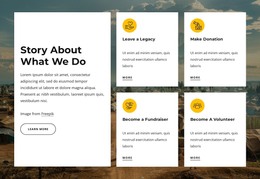
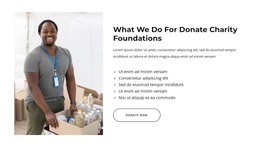
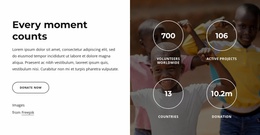
The page separates durable organizational information into recognizable content areas. The donation hero establishes the main purpose, while the story section, education and poverty feature, and Africa and Asia block explain the mission through different relationships. Four capability cards and six core values provide concise supporting content, and the four program categories give the theme a clear framework for describing projects: building a school, helping girls stay in school, water and sanitation, and classroom resources.
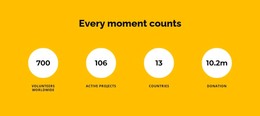
The repeated cards and image-led areas are also useful alongside content that may change over time. Team profiles, the testimonial section, the Facts & Questions list, and the newsletter signup each serve a different communication role, from introducing people to answering concerns and maintaining supporter contact. The partner-logo row and impact statement add context near the top without replacing the main program story. In a WordPress-managed project, these page-oriented areas can remain part of the theme’s visual system while the organization updates its written material, announcements, or other site content through the CMS. The verified design does not establish an existing blog or post structure, so its value here is the clear relationship between permanent nonprofit information, recurring cards, navigation, and shared footer elements.
Customize with Nicepage
Open this ready-made template in the WordPress Website Builder and customize it visually in the Nicepage editor. Replace demo content, edit page sections, and adapt the design to your project without rebuilding the template from scratch.
Manage and Edit This Theme in WordPress
Customize and Install the WordPress Theme
Start with this ready-made theme instead of building the WordPress design from scratch. Customize its layout, content, typography, images, sections, and other design elements visually in Nicepage editor, then export and install the WordPress Theme, Plugin, and Pages on your WordPress site. The Nicepage WordPress Plugin lets you continue working with the site after installation.
Edit the Theme Directly in WordPress
After installation, you can edit the WordPress Theme directly in WordPress with the Nicepage WordPress Plugin. Use Site Style to customize site Colors, Fonts, Header, Footer, Blog, and Post Page Templates while working within your WordPress website.
Edit WordPress Pages Visually
Use the Nicepage WordPress Plugin to edit page content directly from the WordPress admin area. Open a WordPress Page with Nicepage and visually change its text, images, sections, and other page elements while continuing to manage the Page through WordPress.
WordPress Content and Theme Integration
Use the customized theme with WordPress Pages, Posts, Blog and Post Templates, menus, widgets, and other CMS-managed content. Shared theme elements such as Colors, Fonts, Header, Footer, Blog, and Post Page Templates can be managed as part of the overall site design, while WordPress provides the CMS environment for managing site content.
This workflow combines a ready-made WordPress Theme with visual customization, direct theme editing in WordPress, and continued content management through the Nicepage WordPress Plugin.