Unlock your language potential WordPress Theme


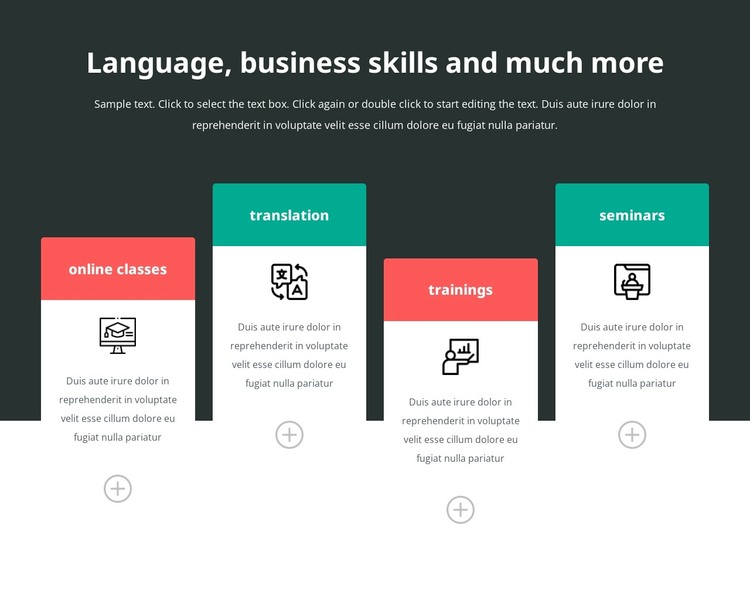
Stable Page Content for Four Educational Offering Areas
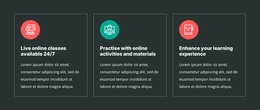
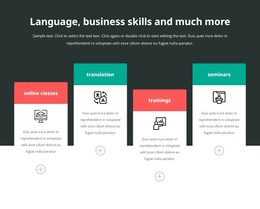
The heading and introductory paragraph read as enduring page content: they define the subject before the four cards provide a concise breakdown of the offering. Online classes, translation, trainings, and seminars are separate informational units, each supported by an icon and descriptive area. That content model fits a WordPress-oriented page section where a stable services or features explanation can remain visible while other parts of the site develop around it.
The cards preserve a consistent visual pattern without becoming interchangeable. Alternating coral-red and teal title bands distinguish neighboring topics, while the white rounded surfaces keep the descriptions grouped beneath their labels. Their staggered vertical positions create a measured page rhythm, and the dark upper area gives the introduction a clear visual starting point. These relationships help the section communicate category and variety at a glance, rather than presenting four unrelated text fragments.
Within a WordPress-managed project, the block can serve as permanent feature content on a services, training, or informational page. The wider site may contain other managed pages or changing editorial material, but this section retains its own educational role and arrangement. If the offering later needs richer details, additional page content can surround or follow the block without forcing the four cards to become a complete theme, page system, or CMS structure.
Customize with Nicepage
Open this ready-made template in the WordPress Website Builder and customize it visually in the Nicepage editor. Replace demo content, edit page sections, and adapt the design to your project without rebuilding the template from scratch.
Edit Template Offline
2. Create a new page or select existing
3. Click Add new block, search for id 6414490 and click enter
Edit Template Online
Create Awesome Websites


Free Nicepage Builder
Keywords
Manage and Edit This Theme in WordPress
Customize and Install the WordPress Theme
Start with this ready-made theme instead of building the WordPress design from scratch. Customize its layout, content, typography, images, sections, and other design elements visually in Nicepage editor, then export and install the WordPress Theme, Plugin, and Pages on your WordPress site. The Nicepage WordPress Plugin lets you continue working with the site after installation.
Edit the Theme Directly in WordPress
After installation, you can edit the WordPress Theme directly in WordPress with the Nicepage WordPress Plugin. Use Site Style to customize site Colors, Fonts, Header, Footer, Blog, and Post Page Templates while working within your WordPress website.
Edit WordPress Pages Visually
Use the Nicepage WordPress Plugin to edit page content directly from the WordPress admin area. Open a WordPress Page with Nicepage and visually change its text, images, sections, and other page elements while continuing to manage the Page through WordPress.
WordPress Content and Theme Integration
Use the customized theme with WordPress Pages, Posts, Blog and Post Templates, menus, widgets, and other CMS-managed content. Shared theme elements such as Colors, Fonts, Header, Footer, Blog, and Post Page Templates can be managed as part of the overall site design, while WordPress provides the CMS environment for managing site content.
This workflow combines a ready-made WordPress Theme with visual customization, direct theme editing in WordPress, and continued content management through the Nicepage WordPress Plugin.