Top mindfulness courses WordPress Theme



Edit Template Offline
2. Create new page and search for id 2863655
Edit Template Online
Create Awesome Websites


Free Nicepage Builder
Keywords
Recurring profiles and benefits support managed content
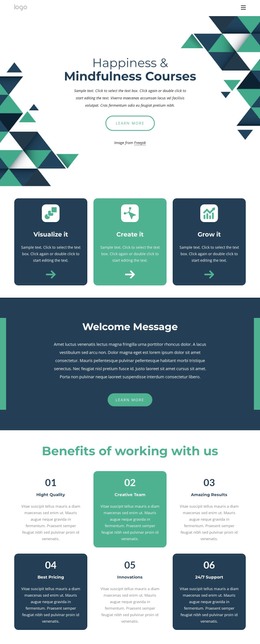
The six numbered benefit cards provide a clear repeated content pattern for a mindfulness site: each item occupies the same visual role while presenting a separate reason to engage. The three Visualize it, Create it, and Grow it cards form another reusable group, but their progression serves a different purpose by describing the program’s core personal-growth concepts. Keeping these relationships distinct helps a managed content environment preserve both recurring layout and meaningful editorial structure.
The three team profiles add a page-oriented people section with portraits, roles, biographies, and social links. That area can support permanent team content, while the course and learning sections provide places for longer descriptions of coaching, introductory formats, taster sessions, groups, and formal mindfulness courses. The metric cards and illustration break up those explanations visually, making the page suitable for content that may need to be revised without changing its overall design character.
Navigation, the shared footer, and the final free-trial section create the surrounding site framework. The signup area gives the page a defined response point, with an email form and concise reassurance list beside it. In a WordPress project, these page and recurring content areas can remain visually coordinated as the site develops, without claiming that blog posts or other WordPress structures already exist in this template. The design’s main strength here is the separation between permanent informational content, repeated profiles and benefits, and the conversion-oriented app trial.
Customize with Nicepage
Open this ready-made template in the WordPress Website Builder and customize it visually in the Nicepage editor. Replace demo content, edit page sections, and adapt the design to your project without rebuilding the template from scratch.
Manage and Edit This Theme in WordPress
Customize and Install the WordPress Theme
Start with this ready-made theme instead of building the WordPress design from scratch. Customize its layout, content, typography, images, sections, and other design elements visually in Nicepage editor, then export and install the WordPress Theme, Plugin, and Pages on your WordPress site. The Nicepage WordPress Plugin lets you continue working with the site after installation.
Edit the Theme Directly in WordPress
After installation, you can edit the WordPress Theme directly in WordPress with the Nicepage WordPress Plugin. Use Site Style to customize site Colors, Fonts, Header, Footer, Blog, and Post Page Templates while working within your WordPress website.
Edit WordPress Pages Visually
Use the Nicepage WordPress Plugin to edit page content directly from the WordPress admin area. Open a WordPress Page with Nicepage and visually change its text, images, sections, and other page elements while continuing to manage the Page through WordPress.
WordPress Content and Theme Integration
Use the customized theme with WordPress Pages, Posts, Blog and Post Templates, menus, widgets, and other CMS-managed content. Shared theme elements such as Colors, Fonts, Header, Footer, Blog, and Post Page Templates can be managed as part of the overall site design, while WordPress provides the CMS environment for managing site content.
This workflow combines a ready-made WordPress Theme with visual customization, direct theme editing in WordPress, and continued content management through the Nicepage WordPress Plugin.