Architectural smart design WordPress Theme


A Focused Page Section for Building-Energy Content
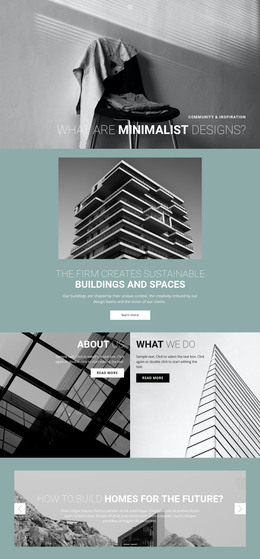
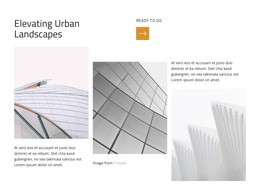
The two urban photographs give this block an immediate architectural setting, while the right-hand panel turns that setting into a focused information area. All three panels share equal width, so the visual material and the written message occupy comparable portions of the section. The paragraph about energy consumption in European buildings provides stable subject matter for a page, and the visible “read more” link creates a clear route to expanded information without requiring the block to contain the full discussion.
The dark text panel acts as the content anchor. Centered light typography contrasts with the photographic columns and makes the paragraph readable as a distinct unit. That separation is useful when the section is placed among other WordPress-managed page content: the block can introduce a building-energy topic, while another content area can handle detailed articles, project information, or contact options. The block’s static behavior keeps its role based on reading and continuation rather than on a built-in interactive component.
Within a WordPress-oriented page, this arrangement can remain a visually consistent section as the wider project evolves. Editors can treat the paragraph, image pair, and link as one coherent content area, while the surrounding site manages additional pages and publishing needs. The important relationship is between the image-led context and the concise explanatory panel. That relationship gives the section a dependable place in architecture or building-related content without making it a standalone theme or complete site.
Customize with Nicepage
Open this ready-made template in the WordPress Website Builder and customize it visually in the Nicepage editor. Replace demo content, edit page sections, and adapt the design to your project without rebuilding the template from scratch.
Edit Template Offline
2. Create a new page or select existing
3. Click Add new block, search for id 58892 and click enter
Edit Template Online
Create Awesome Websites


Free Nicepage Builder
Keywords
Manage and Edit This Theme in WordPress
Customize and Install the WordPress Theme
Start with this ready-made theme instead of building the WordPress design from scratch. Customize its layout, content, typography, images, sections, and other design elements visually in Nicepage editor, then export and install the WordPress Theme, Plugin, and Pages on your WordPress site. The Nicepage WordPress Plugin lets you continue working with the site after installation.
Edit the Theme Directly in WordPress
After installation, you can edit the WordPress Theme directly in WordPress with the Nicepage WordPress Plugin. Use Site Style to customize site Colors, Fonts, Header, Footer, Blog, and Post Page Templates while working within your WordPress website.
Edit WordPress Pages Visually
Use the Nicepage WordPress Plugin to edit page content directly from the WordPress admin area. Open a WordPress Page with Nicepage and visually change its text, images, sections, and other page elements while continuing to manage the Page through WordPress.
WordPress Content and Theme Integration
Use the customized theme with WordPress Pages, Posts, Blog and Post Templates, menus, widgets, and other CMS-managed content. Shared theme elements such as Colors, Fonts, Header, Footer, Blog, and Post Page Templates can be managed as part of the overall site design, while WordPress provides the CMS environment for managing site content.
This workflow combines a ready-made WordPress Theme with visual customization, direct theme editing in WordPress, and continued content management through the Nicepage WordPress Plugin.