Building bussiness WordPress Theme



Edit Template Offline
2. Create new page and search for id 6026548
Edit Template Online
Create Awesome Websites


Free Nicepage Builder
Keywords
Learning Content, Pricing Plans, and Contact Areas Fit WordPress Pages
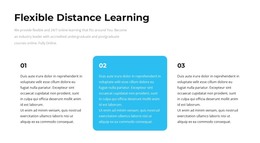
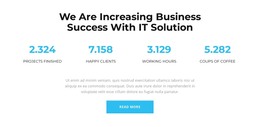
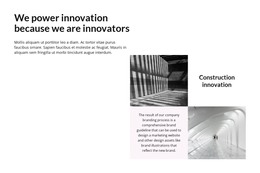
The Business introduction and Flexible Distance Learning section provide clear page-oriented content for a WordPress project. The three numbered feature cards can support a service or offering explanation, while the portrait-led “Call Us Anytime” block creates a separate contact-oriented area. The six-image architectural gallery adds a visual showcase, and the four displayed business metrics create a distinct section for structural proof. The sample values remain demo content rather than verified company results.
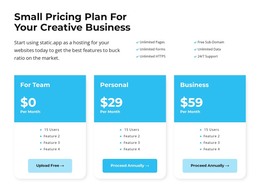
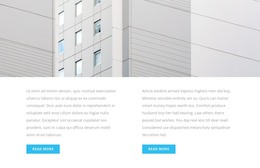
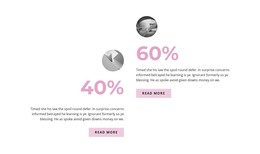
The two image-backed article highlights and the accordion with three transformation questions give the design room for explanatory material alongside its more permanent business sections. In a WordPress-managed site, these areas can be adapted around page content and, where required by the project, related regularly updated material without claiming that posts or blog structures already exist in the template. The three pricing cards also provide a defined plan-comparison area, with feature lists, monthly prices, and selection actions that can remain part of the page presentation.
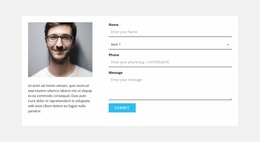
The final contact panel is especially suitable for a page-oriented content structure because its portrait, supporting copy, and form inputs are already grouped as one inquiry area. Name, selection, phone, and message fields identify the information this design expects visitors to provide. The shared visual language of blue accents, rounded cards, circular imagery, and large headings can continue around additional WordPress-managed content while preserving the page’s business character.
Customize with Nicepage
Open this ready-made template in the WordPress Website Builder and customize it visually in the Nicepage editor. Replace demo content, edit page sections, and adapt the design to your project without rebuilding the template from scratch.
Manage and Edit This Theme in WordPress
Customize and Install the WordPress Theme
Start with this ready-made theme instead of building the WordPress design from scratch. Customize its layout, content, typography, images, sections, and other design elements visually in Nicepage editor, then export and install the WordPress Theme, Plugin, and Pages on your WordPress site. The Nicepage WordPress Plugin lets you continue working with the site after installation.
Edit the Theme Directly in WordPress
After installation, you can edit the WordPress Theme directly in WordPress with the Nicepage WordPress Plugin. Use Site Style to customize site Colors, Fonts, Header, Footer, Blog, and Post Page Templates while working within your WordPress website.
Edit WordPress Pages Visually
Use the Nicepage WordPress Plugin to edit page content directly from the WordPress admin area. Open a WordPress Page with Nicepage and visually change its text, images, sections, and other page elements while continuing to manage the Page through WordPress.
WordPress Content and Theme Integration
Use the customized theme with WordPress Pages, Posts, Blog and Post Templates, menus, widgets, and other CMS-managed content. Shared theme elements such as Colors, Fonts, Header, Footer, Blog, and Post Page Templates can be managed as part of the overall site design, while WordPress provides the CMS environment for managing site content.
This workflow combines a ready-made WordPress Theme with visual customization, direct theme editing in WordPress, and continued content management through the Nicepage WordPress Plugin.