Exceptional dental care WordPress Theme


Parallel Care Topics Become Stable WordPress Page Content
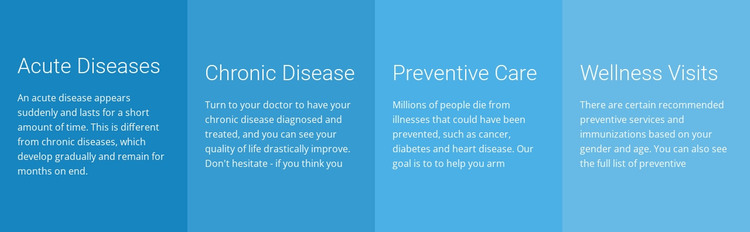
The four cards give a WordPress-oriented page a clearly bounded area for recurring health information. Acute Diseases, Chronic Disease, Preventive Care, and Wellness Visits are presented as parallel topics, each with a heading and supporting paragraph. This content model suits a stable page section because the categories can remain recognizable while the surrounding site develops other pages or related information around them. The four-column row also avoids implying a sequence; the topics are grouped as comparable areas rather than steps in a process.
Visual consistency comes from the repeated card treatment. Blue and cyan backgrounds distinguish the four units, while white text keeps the headings and paragraphs readable against each color. Equal widths and even alignment make the set feel systematic, and generous internal spacing gives each category enough room to be scanned independently. The block has static interaction, so its content is available immediately without requiring expandable controls. The supporting paragraphs are visibly truncated or incomplete in the supplied content, making the layout more reliable as a reusable editorial structure than as finalized medical guidance.
Within a WordPress-managed page, this section can hold durable healthcare information while the wider project manages its other publishable content. Its repeated headings and consistent card pattern also make future content replacement straightforward without changing the underlying visual relationship between the four categories.
Customize with Nicepage
Open this ready-made template in the WordPress Website Builder and customize it visually in the Nicepage editor. Replace demo content, edit page sections, and adapt the design to your project without rebuilding the template from scratch.
Edit Template Offline
2. Create a new page or select existing
3. Click Add new block, search for id 43734 and click enter
Edit Template Online
Create Awesome Websites


Free Nicepage Builder
Keywords
Manage and Edit This Theme in WordPress
Customize and Install the WordPress Theme
Start with this ready-made theme instead of building the WordPress design from scratch. Customize its layout, content, typography, images, sections, and other design elements visually in Nicepage editor, then export and install the WordPress Theme, Plugin, and Pages on your WordPress site. The Nicepage WordPress Plugin lets you continue working with the site after installation.
Edit the Theme Directly in WordPress
After installation, you can edit the WordPress Theme directly in WordPress with the Nicepage WordPress Plugin. Use Site Style to customize site Colors, Fonts, Header, Footer, Blog, and Post Page Templates while working within your WordPress website.
Edit WordPress Pages Visually
Use the Nicepage WordPress Plugin to edit page content directly from the WordPress admin area. Open a WordPress Page with Nicepage and visually change its text, images, sections, and other page elements while continuing to manage the Page through WordPress.
WordPress Content and Theme Integration
Use the customized theme with WordPress Pages, Posts, Blog and Post Templates, menus, widgets, and other CMS-managed content. Shared theme elements such as Colors, Fonts, Header, Footer, Blog, and Post Page Templates can be managed as part of the overall site design, while WordPress provides the CMS environment for managing site content.
This workflow combines a ready-made WordPress Theme with visual customization, direct theme editing in WordPress, and continued content management through the Nicepage WordPress Plugin.