Perfect architecture ideas WordPress Theme


Edit Template Offline
2. Create new page and search for id 130328
Edit Template Online
Create Awesome Websites


Free Nicepage Builder
Keywords
Page Content and Reusable Firm Areas Within a WordPress Theme
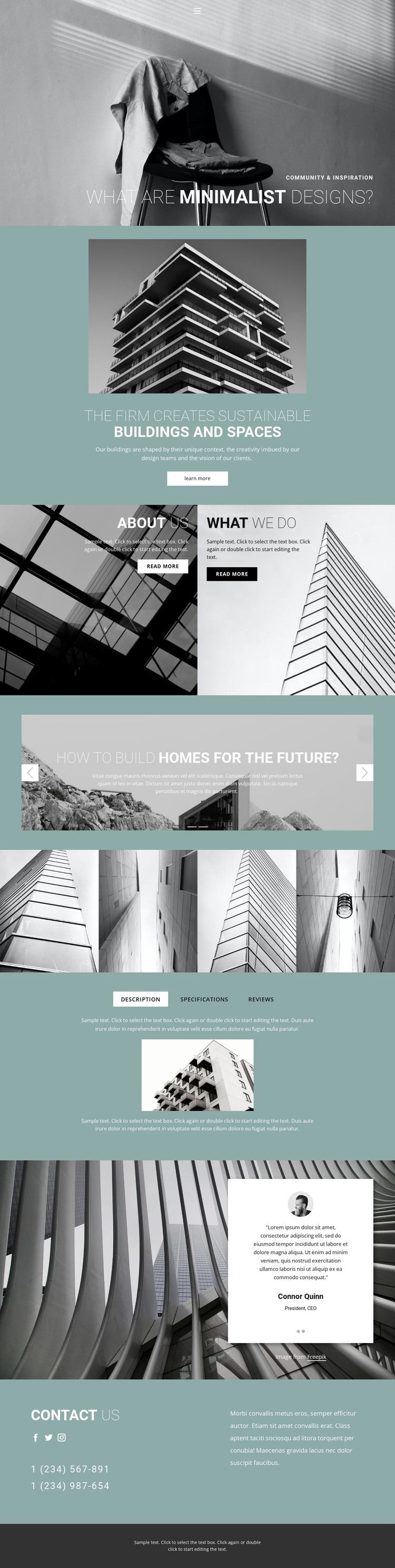
The hero, sustainable-building introduction, and About Us panel provide clear page-oriented content for describing an architecture firm and its point of view. The separate What We Do panel adds a second permanent information area, while the two-slide innovation section can support recurring visual or project-oriented material without changing the main page character. These relationships are more useful for a WordPress theme interpretation than simply treating the layout as a static picture.
The four-image architectural gallery supplies a focused media region, and the Description, Specifications, and Reviews tabs organize supporting information in a compact area. The testimonial carousel adds repeatable quote content, although the displayed names, roles, and sample wording should be replaced or verified before publication. Together, these sections distinguish firm information, visual material, structured detail, and endorsement content as separate parts of the same theme presentation.
The navigation, social links, phone details, and contact us area give the page shared site elements and a clear communication region. If a project later adds regularly updated editorial content, that material could be placed around the existing page structure, but the analysis does not confirm a blog or WordPress Posts section in this template. The theme’s main strength is its coordinated handling of permanent architecture content, visual galleries, testimonials, and contact information within a consistent teal, charcoal, and grayscale direction.
Customize with Nicepage
Open this ready-made template in the WordPress Website Builder and customize it visually in the Nicepage editor. Replace demo content, edit page sections, and adapt the design to your project without rebuilding the template from scratch.
Manage and Edit This Theme in WordPress
Customize and Install the WordPress Theme
Start with this ready-made theme instead of building the WordPress design from scratch. Customize its layout, content, typography, images, sections, and other design elements visually in Nicepage editor, then export and install the WordPress Theme, Plugin, and Pages on your WordPress site. The Nicepage WordPress Plugin lets you continue working with the site after installation.
Edit the Theme Directly in WordPress
After installation, you can edit the WordPress Theme directly in WordPress with the Nicepage WordPress Plugin. Use Site Style to customize site Colors, Fonts, Header, Footer, Blog, and Post Page Templates while working within your WordPress website.
Edit WordPress Pages Visually
Use the Nicepage WordPress Plugin to edit page content directly from the WordPress admin area. Open a WordPress Page with Nicepage and visually change its text, images, sections, and other page elements while continuing to manage the Page through WordPress.
WordPress Content and Theme Integration
Use the customized theme with WordPress Pages, Posts, Blog and Post Templates, menus, widgets, and other CMS-managed content. Shared theme elements such as Colors, Fonts, Header, Footer, Blog, and Post Page Templates can be managed as part of the overall site design, while WordPress provides the CMS environment for managing site content.
This workflow combines a ready-made WordPress Theme with visual customization, direct theme editing in WordPress, and continued content management through the Nicepage WordPress Plugin.