Strategy and consulting WordPress Theme



Planning, Strategy, and Automation read as stable page content
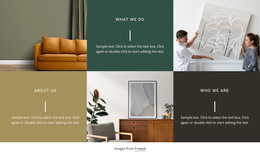
The three capability panels are well suited to a WordPress-managed page because they present enduring service information rather than a time-based sequence. Planning, Strategy, and Automation each have a defined content unit: a circular icon introduces the area, an uppercase title names it, and supporting paragraph text provides room for explanation. The three portrait images separate those units and keep the page section from becoming a dense text-only list.
The mosaic’s structure gives each service a consistent place while still creating variation. Planning and Automation use the image-and-panel relationship in one direction, whereas the middle column places Strategy above its portrait. That reversal creates a visual center without changing the shared content model. The orange, dark charcoal, and light gray backgrounds further distinguish the three service areas, helping visitors scan the capabilities as related but separate pieces of page content.
In a WordPress-oriented project, this block can remain a stable services section on a page while the wider site manages other content around it. The section does not need to carry blog, navigation, or site-wide functions to be useful; its contribution is a clearly formatted presentation of three consulting capabilities. Text and images can be maintained as the service offering evolves, while the established icon-title-description pattern preserves the relationship between the content items.
Customize with Nicepage
Open this ready-made template in the WordPress Website Builder and customize it visually in the Nicepage editor. Replace demo content, edit page sections, and adapt the design to your project without rebuilding the template from scratch.
Edit Template Offline
2. Create a new page or select existing
3. Click Add new block, search for id 520811 and click enter
Edit Template Online
Create Awesome Websites


Free Nicepage Builder
Keywords
Manage and Edit This Theme in WordPress
Customize and Install the WordPress Theme
Start with this ready-made theme instead of building the WordPress design from scratch. Customize its layout, content, typography, images, sections, and other design elements visually in Nicepage editor, then export and install the WordPress Theme, Plugin, and Pages on your WordPress site. The Nicepage WordPress Plugin lets you continue working with the site after installation.
Edit the Theme Directly in WordPress
After installation, you can edit the WordPress Theme directly in WordPress with the Nicepage WordPress Plugin. Use Site Style to customize site Colors, Fonts, Header, Footer, Blog, and Post Page Templates while working within your WordPress website.
Edit WordPress Pages Visually
Use the Nicepage WordPress Plugin to edit page content directly from the WordPress admin area. Open a WordPress Page with Nicepage and visually change its text, images, sections, and other page elements while continuing to manage the Page through WordPress.
WordPress Content and Theme Integration
Use the customized theme with WordPress Pages, Posts, Blog and Post Templates, menus, widgets, and other CMS-managed content. Shared theme elements such as Colors, Fonts, Header, Footer, Blog, and Post Page Templates can be managed as part of the overall site design, while WordPress provides the CMS environment for managing site content.
This workflow combines a ready-made WordPress Theme with visual customization, direct theme editing in WordPress, and continued content management through the Nicepage WordPress Plugin.