We help manage your trip WordPress Theme


Edit Template Offline
2. Create new page and search for id 206832
Edit Template Online
Create Awesome Websites


Free Nicepage Builder
Keywords
Editorial Travel Content Gives the Theme Clear WordPress Page Roles
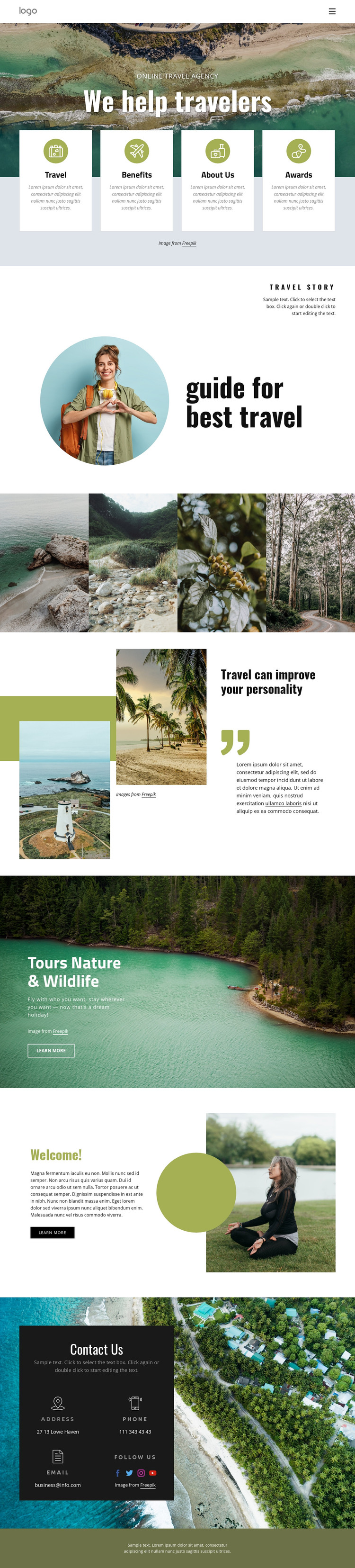
The four cards labeled Travel, Benefits, About Us, and Awards provide a useful page-oriented starting point because they separate broad informational subjects before the visitor reaches the longer editorial sections. The guide introduction, marked by a circular traveler portrait and the “guide for best travel” heading, can represent permanent explanatory content about destinations or the organization. The page’s visual system gives these subjects a shared identity without requiring them to be presented as one undifferentiated text block.
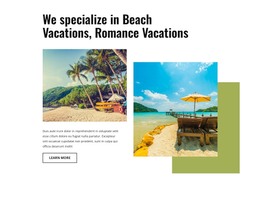
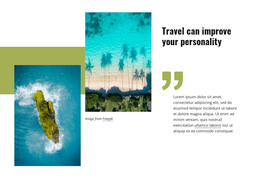
The destination collage and the quotation section create two different content relationships. Coastal, forest, floral, and rural photographs support visual travel inspiration, while the statement about travel improving personality gives room for an editorial viewpoint. The Nature & Wildlife section then introduces a specific tour offering with a description and Learn More action. In a WordPress-managed project, these areas can be interpreted as permanent page content and recurring travel material, but the template analysis does not verify existing Posts, blog structures, or categories.
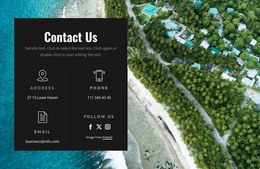
The personal and contact regions add practical site content. The welcome section pairs a portrait with introductory copy and a call-to-action, while the dark Contact Us panel groups address, phone, email, and social channels over an aerial coastal image. This gives the theme clear areas for organization details and visitor communication. The result is a design that can support WordPress-managed travel content while preserving a recognizable editorial direction across guidance, imagery, tours, and contact information.
Customize with Nicepage
Open this ready-made template in the WordPress Website Builder and customize it visually in the Nicepage editor. Replace demo content, edit page sections, and adapt the design to your project without rebuilding the template from scratch.
Manage and Edit This Theme in WordPress
Customize and Install the WordPress Theme
Start with this ready-made theme instead of building the WordPress design from scratch. Customize its layout, content, typography, images, sections, and other design elements visually in Nicepage editor, then export and install the WordPress Theme, Plugin, and Pages on your WordPress site. The Nicepage WordPress Plugin lets you continue working with the site after installation.
Edit the Theme Directly in WordPress
After installation, you can edit the WordPress Theme directly in WordPress with the Nicepage WordPress Plugin. Use Site Style to customize site Colors, Fonts, Header, Footer, Blog, and Post Page Templates while working within your WordPress website.
Edit WordPress Pages Visually
Use the Nicepage WordPress Plugin to edit page content directly from the WordPress admin area. Open a WordPress Page with Nicepage and visually change its text, images, sections, and other page elements while continuing to manage the Page through WordPress.
WordPress Content and Theme Integration
Use the customized theme with WordPress Pages, Posts, Blog and Post Templates, menus, widgets, and other CMS-managed content. Shared theme elements such as Colors, Fonts, Header, Footer, Blog, and Post Page Templates can be managed as part of the overall site design, while WordPress provides the CMS environment for managing site content.
This workflow combines a ready-made WordPress Theme with visual customization, direct theme editing in WordPress, and continued content management through the Nicepage WordPress Plugin.