Active travel tours WordPress Theme

Edit Template Offline
2. Create new page and search for id 1735748
Edit Template Online
Create Awesome Websites


Free Nicepage Builder
Keywords
Page Content and Repeated Travel Cards Support a Managed Theme Structure
The page divides its travel message into durable content areas that can be interpreted naturally in a WordPress-managed environment. The hero provides the main page-oriented introduction, while the four service cards create repeated units for practical offerings such as flight reservations, delivery service, leisure services, and customer-focused information. Their shared card treatment makes the relationship between recurring content and the overall theme especially clear.
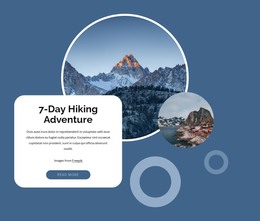
The destination and experience sections add different types of page content without breaking that visual system. The Norway feature can represent a specific destination, while the wilderness and nature-and-adventure sections provide broader editorial or service context. The seven-day hiking adventure gives the design a focused experience area with its own imagery and text panel. Together, these sections allow permanent travel information and future content updates to remain visually related, although the analysis does not verify existing WordPress Posts, categories, or blog structures.
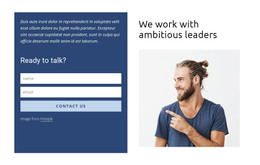
The contact form and social links form a practical closing region for inquiries, and the navigation header and footer provide shared site elements around the page content. A WordPress theme interpretation is therefore strongest when it preserves the distinction between reusable service or destination content and the site-wide visual frame. The Nicepage WordPress Plugin is an optional bridge for continuing visual page editing within WordPress, but the template’s main value comes from its organized travel content and repeated presentation patterns.
Customize with Nicepage
Open this ready-made template in the WordPress Website Builder and customize it visually in the Nicepage editor. Replace demo content, edit page sections, and adapt the design to your project without rebuilding the template from scratch.
Manage and Edit This Theme in WordPress
Customize and Install the WordPress Theme
Start with this ready-made theme instead of building the WordPress design from scratch. Customize its layout, content, typography, images, sections, and other design elements visually in Nicepage editor, then export and install the WordPress Theme, Plugin, and Pages on your WordPress site. The Nicepage WordPress Plugin lets you continue working with the site after installation.
Edit the Theme Directly in WordPress
After installation, you can edit the WordPress Theme directly in WordPress with the Nicepage WordPress Plugin. Use Site Style to customize site Colors, Fonts, Header, Footer, Blog, and Post Page Templates while working within your WordPress website.
Edit WordPress Pages Visually
Use the Nicepage WordPress Plugin to edit page content directly from the WordPress admin area. Open a WordPress Page with Nicepage and visually change its text, images, sections, and other page elements while continuing to manage the Page through WordPress.
WordPress Content and Theme Integration
Use the customized theme with WordPress Pages, Posts, Blog and Post Templates, menus, widgets, and other CMS-managed content. Shared theme elements such as Colors, Fonts, Header, Footer, Blog, and Post Page Templates can be managed as part of the overall site design, while WordPress provides the CMS environment for managing site content.
This workflow combines a ready-made WordPress Theme with visual customization, direct theme editing in WordPress, and continued content management through the Nicepage WordPress Plugin.