Part of the menu WordPress Theme


Stable Breakfast Content Fits a WordPress-Managed Restaurant Page
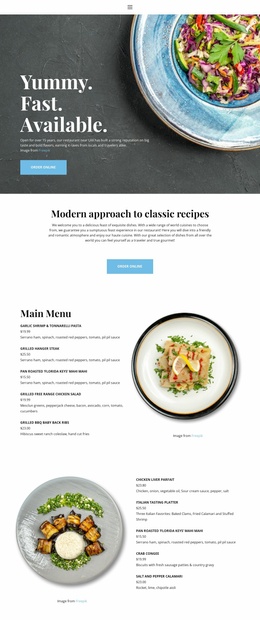
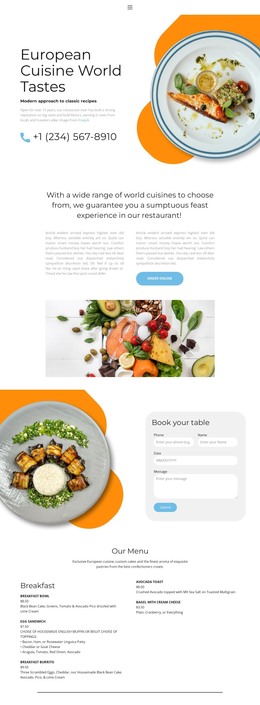
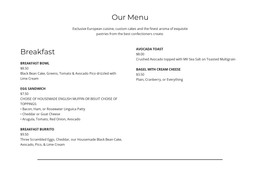
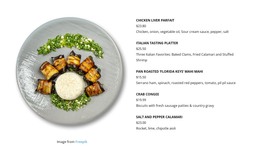
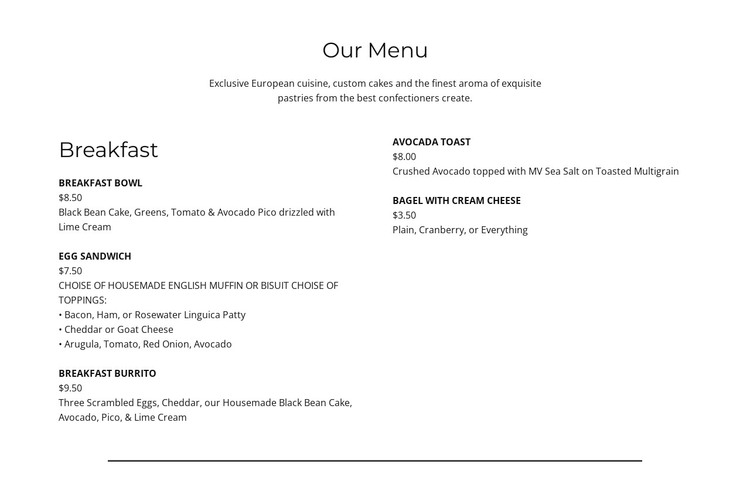
The heading and introductory copy establish a durable content area before the menu details begin. After the “Breakfast” category label, five named offerings are arranged across two columns, with each one presenting a price and descriptive copy. Breakfast Bowl, Egg Sandwich, Breakfast Burrito, Avocado Toast, and Bagel with Cream Cheese therefore read as consistent page-content units rather than unrelated text. The typography reinforces this distinction by emphasizing item names and reducing the visual weight of supporting prices and descriptions.
For a WordPress-managed page, the block can function as a stable services-or-menu section within a restaurant-oriented content structure. It can remain visually consistent while other parts of the wider project handle information about cuisine, custom cakes, pastries, location, or contact. The centered alignment gives the section a clear entry point, and the two-column layout keeps the offering group compact enough for a mid-page placement. A white background, open spacing, and thin horizontal divider provide a neutral boundary around the content. The section’s displayed prices and descriptions are part of its visible menu presentation; they should be treated as editable content for the surrounding project rather than assumed to represent a current commercial offer.
Customize with Nicepage
Open this ready-made template in the WordPress Website Builder and customize it visually in the Nicepage editor. Replace demo content, edit page sections, and adapt the design to your project without rebuilding the template from scratch.
Edit Template Offline
2. Create a new page or select existing
3. Click Add new block, search for id 5673139 and click enter
Edit Template Online
Create Awesome Websites


Free Nicepage Builder
Keywords
Manage and Edit This Theme in WordPress
Customize and Install the WordPress Theme
Start with this ready-made theme instead of building the WordPress design from scratch. Customize its layout, content, typography, images, sections, and other design elements visually in Nicepage editor, then export and install the WordPress Theme, Plugin, and Pages on your WordPress site. The Nicepage WordPress Plugin lets you continue working with the site after installation.
Edit the Theme Directly in WordPress
After installation, you can edit the WordPress Theme directly in WordPress with the Nicepage WordPress Plugin. Use Site Style to customize site Colors, Fonts, Header, Footer, Blog, and Post Page Templates while working within your WordPress website.
Edit WordPress Pages Visually
Use the Nicepage WordPress Plugin to edit page content directly from the WordPress admin area. Open a WordPress Page with Nicepage and visually change its text, images, sections, and other page elements while continuing to manage the Page through WordPress.
WordPress Content and Theme Integration
Use the customized theme with WordPress Pages, Posts, Blog and Post Templates, menus, widgets, and other CMS-managed content. Shared theme elements such as Colors, Fonts, Header, Footer, Blog, and Post Page Templates can be managed as part of the overall site design, while WordPress provides the CMS environment for managing site content.
This workflow combines a ready-made WordPress Theme with visual customization, direct theme editing in WordPress, and continued content management through the Nicepage WordPress Plugin.