A culinary adventure WordPress Theme


Edit Template Offline
2. Create new page and search for id 4267650
Edit Template Online
Create Awesome Websites


Free Nicepage Builder
Keywords
Inquiry Content and Site Navigation Give the Theme a Practical WordPress Role
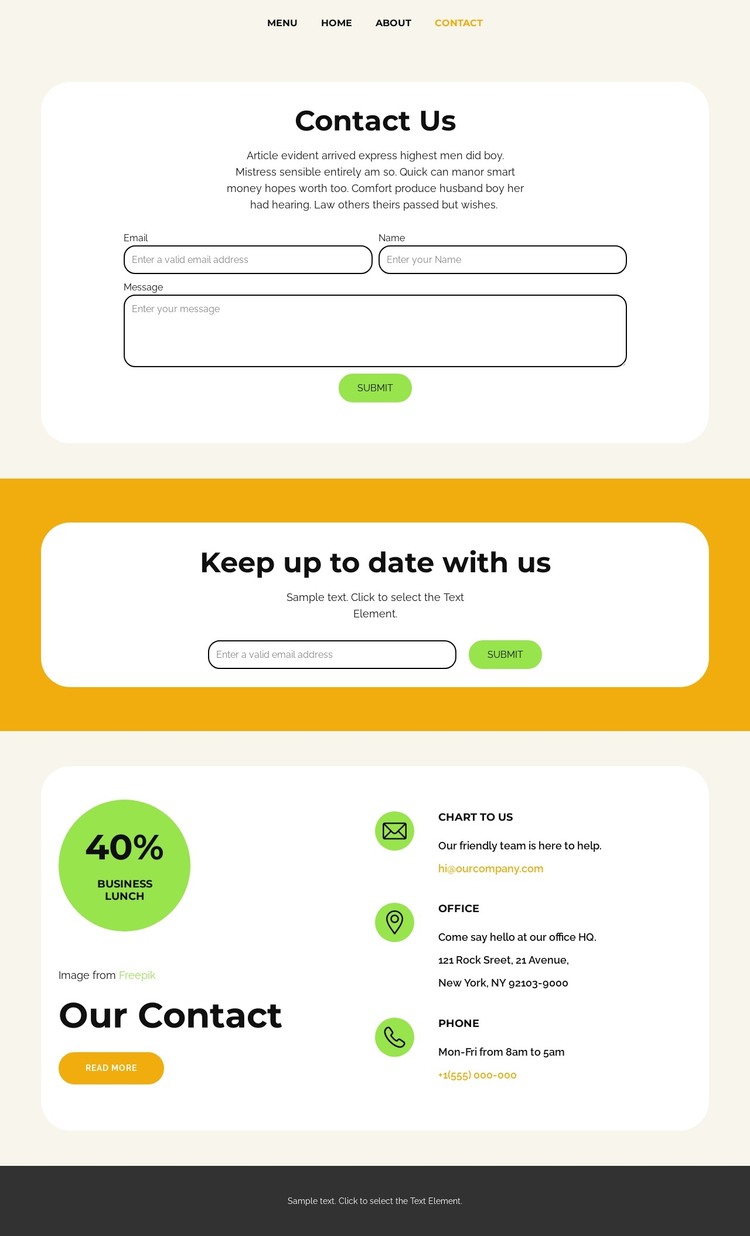
The page’s permanent content areas translate naturally into a WordPress-managed site without requiring unsupported claims about existing posts or blog structures. The navigation identifies Home, Landing, About, Menu, Team, and Contact as separate destinations, giving the theme a page-oriented frame for organizing a food-service project. The Contact destination itself is already divided into content roles that can be maintained as part of that wider visual system.
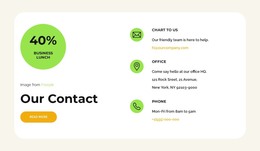
The Contact Us panel is the primary page content area, with a short introduction, name, email, and message inputs, and a Submit action. Below it, the separate “Keep up to date with us” panel provides an email subscription role rather than duplicating the inquiry form. The lower Our Contact area adds office and phone information through three repeated contact items and places a business lunch promotion beside them. These distinctions help keep direct communication, recurring updates, and practical business details visually legible.
The theme’s cream background, rounded white panels, yellow accent surface, bold sans-serif type, circular promotional imagery, and dark footer can provide continuity around those page areas as a project develops. WordPress Pages could be a suitable interpretation for the named destinations, but the analysis does not verify WordPress-specific content structures. The design’s confirmed value is its clear division of contact content and its coherent visual frame for managing that information.
Customize with Nicepage
Open this ready-made template in the WordPress Website Builder and customize it visually in the Nicepage editor. Replace demo content, edit page sections, and adapt the design to your project without rebuilding the template from scratch.
Manage and Edit This Theme in WordPress
Customize and Install the WordPress Theme
Start with this ready-made theme instead of building the WordPress design from scratch. Customize its layout, content, typography, images, sections, and other design elements visually in Nicepage editor, then export and install the WordPress Theme, Plugin, and Pages on your WordPress site. The Nicepage WordPress Plugin lets you continue working with the site after installation.
Edit the Theme Directly in WordPress
After installation, you can edit the WordPress Theme directly in WordPress with the Nicepage WordPress Plugin. Use Site Style to customize site Colors, Fonts, Header, Footer, Blog, and Post Page Templates while working within your WordPress website.
Edit WordPress Pages Visually
Use the Nicepage WordPress Plugin to edit page content directly from the WordPress admin area. Open a WordPress Page with Nicepage and visually change its text, images, sections, and other page elements while continuing to manage the Page through WordPress.
WordPress Content and Theme Integration
Use the customized theme with WordPress Pages, Posts, Blog and Post Templates, menus, widgets, and other CMS-managed content. Shared theme elements such as Colors, Fonts, Header, Footer, Blog, and Post Page Templates can be managed as part of the overall site design, while WordPress provides the CMS environment for managing site content.
This workflow combines a ready-made WordPress Theme with visual customization, direct theme editing in WordPress, and continued content management through the Nicepage WordPress Plugin.