Modern Japanese Restaurant WordPress Theme


Edit Template Offline
2. Create new page and search for id 6666524
Edit Template Online
Create Awesome Websites


Free Nicepage Builder
Keywords
Permanent Restaurant Pages and Repeated Menu Content
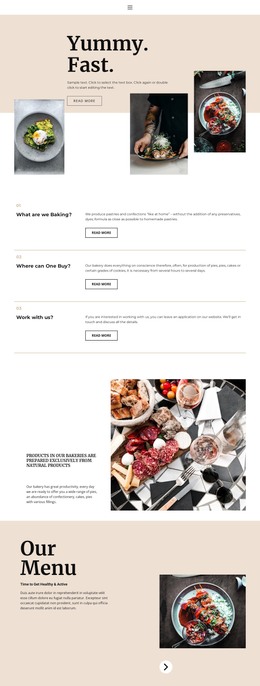
The page-oriented content gives this design a natural basis for a WordPress-managed restaurant site. Yuzu Nori’s hero and About Us section can represent permanent restaurant information, combining the dining proposition with interior, chef, and exterior imagery. That relationship keeps the brand story separate from the menu, making each type of content easier to maintain as the site develops.
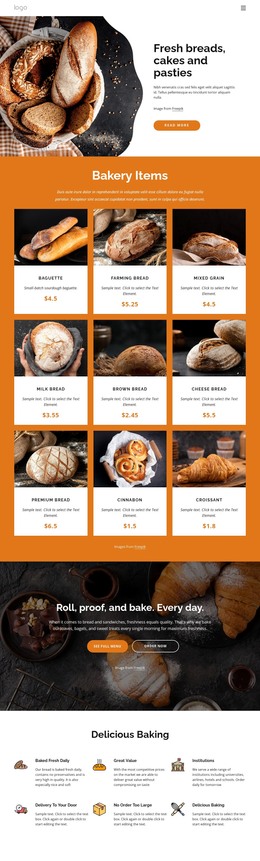
The signature menu is built from three repeated cards rather than one undifferentiated text block. Bluefin Tuna Nigiri, Hokkaido Scallop, and Wagyu Robata each include a photograph, name, description, and price, providing a visible pattern for additional dish or menu content when needed. The reservation section remains a separate action area, while the location panel groups Tokyo, Kyoto, and Osaka information into a distinct destination for restaurant visitors. Contact details and opening hours close the page in a compact shared region.
This interpretation concerns the design’s content relationships, not an unverified claim that WordPress Posts, categories, or blog structures already exist. If the project later adds regularly updated restaurant news or editorial content, those items would need to be organized separately from the confirmed permanent areas. The theme’s value is the way its existing story, menu, reservation, location, and contact regions can remain within one recognizable visual system.
Customize with Nicepage
Open this ready-made template in the WordPress Website Builder and customize it visually in the Nicepage editor. Replace demo content, edit page sections, and adapt the design to your project without rebuilding the template from scratch.
Manage and Edit This Theme in WordPress
Customize and Install the WordPress Theme
Start with this ready-made theme instead of building the WordPress design from scratch. Customize its layout, content, typography, images, sections, and other design elements visually in Nicepage editor, then export and install the WordPress Theme, Plugin, and Pages on your WordPress site. The Nicepage WordPress Plugin lets you continue working with the site after installation.
Edit the Theme Directly in WordPress
After installation, you can edit the WordPress Theme directly in WordPress with the Nicepage WordPress Plugin. Use Site Style to customize site Colors, Fonts, Header, Footer, Blog, and Post Page Templates while working within your WordPress website.
Edit WordPress Pages Visually
Use the Nicepage WordPress Plugin to edit page content directly from the WordPress admin area. Open a WordPress Page with Nicepage and visually change its text, images, sections, and other page elements while continuing to manage the Page through WordPress.
WordPress Content and Theme Integration
Use the customized theme with WordPress Pages, Posts, Blog and Post Templates, menus, widgets, and other CMS-managed content. Shared theme elements such as Colors, Fonts, Header, Footer, Blog, and Post Page Templates can be managed as part of the overall site design, while WordPress provides the CMS environment for managing site content.
This workflow combines a ready-made WordPress Theme with visual customization, direct theme editing in WordPress, and continued content management through the Nicepage WordPress Plugin.