Premium hair styling WordPress Theme


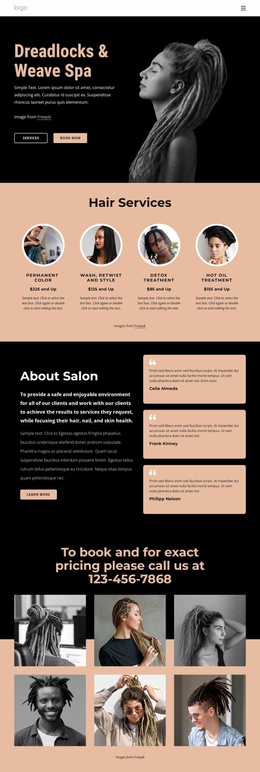
A Stable Hairstyling Section for WordPress Page Content
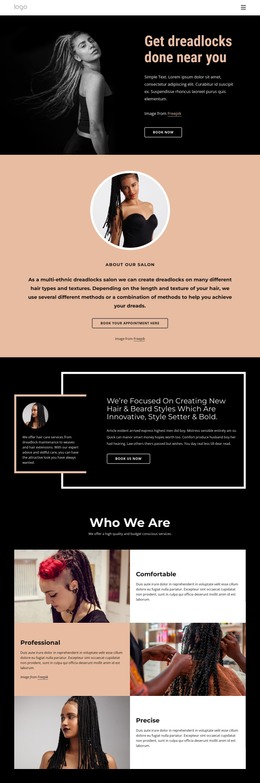
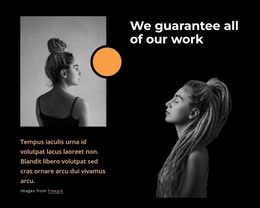
The portrait on the left gives the section an immediate subject, while the right column turns that visual introduction into a concise service message. “Get dreadlocks done near you” states the local styling context, the supporting paragraph provides room for brief explanation, and the outlined rounded “Book Now” button creates a clear response point. These parts work as one hierarchy rather than as separate content cards, with the black background carrying the image and text as a single visual field.
For a WordPress-managed page, the block can serve as stable service content on a hairstyling or beauty page while other page areas hold extended descriptions, appointment information, testimonials, or contact details. The section’s content can remain recognizable even when the broader site grows around it, because its purpose is concentrated in the portrait, heading, short explanation, and booking action. It is a page section that participates in the wider theme and content system, not a complete WordPress theme by itself.
The image credit link can stay connected to the portrait area, preserving the relationship between the visual and its attribution. With static interaction and a balanced split layout, the block relies on clear content placement rather than dynamic controls. That makes it suitable for a repeatable introductory role wherever the site needs a direct presentation of the dreadlock styling service.
Customize with Nicepage
Open this ready-made template in the WordPress Website Builder and customize it visually in the Nicepage editor. Replace demo content, edit page sections, and adapt the design to your project without rebuilding the template from scratch.
Edit Template Offline
2. Create a new page or select existing
3. Click Add new block, search for id 5146567 and click enter
Edit Template Online
Create Awesome Websites


Free Nicepage Builder
Keywords
Manage and Edit This Theme in WordPress
Customize and Install the WordPress Theme
Start with this ready-made theme instead of building the WordPress design from scratch. Customize its layout, content, typography, images, sections, and other design elements visually in Nicepage editor, then export and install the WordPress Theme, Plugin, and Pages on your WordPress site. The Nicepage WordPress Plugin lets you continue working with the site after installation.
Edit the Theme Directly in WordPress
After installation, you can edit the WordPress Theme directly in WordPress with the Nicepage WordPress Plugin. Use Site Style to customize site Colors, Fonts, Header, Footer, Blog, and Post Page Templates while working within your WordPress website.
Edit WordPress Pages Visually
Use the Nicepage WordPress Plugin to edit page content directly from the WordPress admin area. Open a WordPress Page with Nicepage and visually change its text, images, sections, and other page elements while continuing to manage the Page through WordPress.
WordPress Content and Theme Integration
Use the customized theme with WordPress Pages, Posts, Blog and Post Templates, menus, widgets, and other CMS-managed content. Shared theme elements such as Colors, Fonts, Header, Footer, Blog, and Post Page Templates can be managed as part of the overall site design, while WordPress provides the CMS environment for managing site content.
This workflow combines a ready-made WordPress Theme with visual customization, direct theme editing in WordPress, and continued content management through the Nicepage WordPress Plugin.