Visit dreadlocks salon WordPress Theme


Stable Contact Content With a Clear Visual Anchor
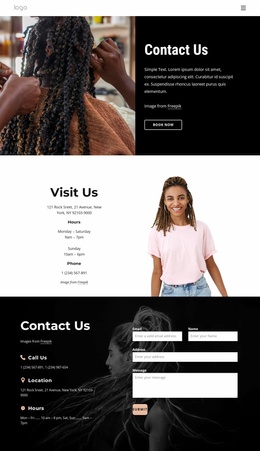
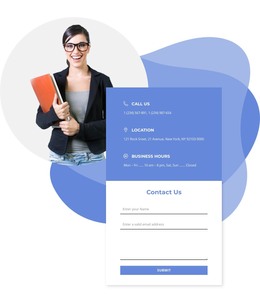
The address, schedule, and phone details make this block well suited to permanent contact content within a WordPress-managed page. The “Visit Us” heading gives the region an immediate identity, and the centered left column places the information in a compact sequence that can be read independently of the supporting image. The displayed hours—Monday through Saturday from 9am to 7pm, and Sunday from 10am to 6pm—show how the section accommodates a labeled weekly schedule without turning it into a long text area.
A portrait occupies the right half, creating a visual anchor for the information rather than adding another repeated content item. The image’s bottom crop and the open white space between columns preserve a deliberate balance: the left side communicates visit logistics, while the right side supplies atmosphere and human presence. In a WordPress-oriented project, the block can remain a stable services-page or contact-page section while other CMS-managed content develops around it. Its value comes from the relationship between durable contact information, a recognizable heading, and a restrained two-column presentation. The clear division also supports straightforward content maintenance when the displayed phone number, address, or weekly schedule needs to be updated.
Customize with Nicepage
Open this ready-made template in the WordPress Website Builder and customize it visually in the Nicepage editor. Replace demo content, edit page sections, and adapt the design to your project without rebuilding the template from scratch.
Edit Template Offline
2. Create a new page or select existing
3. Click Add new block, search for id 5166451 and click enter
Edit Template Online
Create Awesome Websites


Free Nicepage Builder
Keywords
Manage and Edit This Theme in WordPress
Customize and Install the WordPress Theme
Start with this ready-made theme instead of building the WordPress design from scratch. Customize its layout, content, typography, images, sections, and other design elements visually in Nicepage editor, then export and install the WordPress Theme, Plugin, and Pages on your WordPress site. The Nicepage WordPress Plugin lets you continue working with the site after installation.
Edit the Theme Directly in WordPress
After installation, you can edit the WordPress Theme directly in WordPress with the Nicepage WordPress Plugin. Use Site Style to customize site Colors, Fonts, Header, Footer, Blog, and Post Page Templates while working within your WordPress website.
Edit WordPress Pages Visually
Use the Nicepage WordPress Plugin to edit page content directly from the WordPress admin area. Open a WordPress Page with Nicepage and visually change its text, images, sections, and other page elements while continuing to manage the Page through WordPress.
WordPress Content and Theme Integration
Use the customized theme with WordPress Pages, Posts, Blog and Post Templates, menus, widgets, and other CMS-managed content. Shared theme elements such as Colors, Fonts, Header, Footer, Blog, and Post Page Templates can be managed as part of the overall site design, while WordPress provides the CMS environment for managing site content.
This workflow combines a ready-made WordPress Theme with visual customization, direct theme editing in WordPress, and continued content management through the Nicepage WordPress Plugin.