The leading consulting partner WordPress Theme


Stable services content for a WordPress-managed page
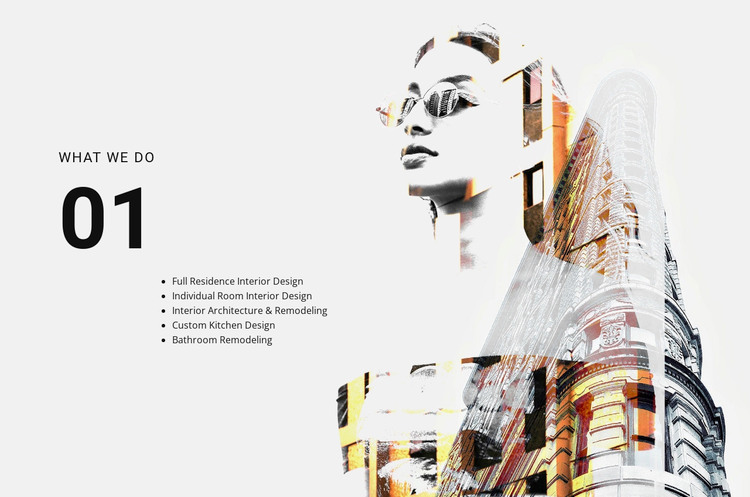
The five listed categories give this section the character of stable page content rather than a sequence of changing items. Full residence interior design and individual room interior design distinguish project scale, while interior architecture and remodeling, custom kitchen design, and bathroom remodeling identify more specific capabilities. The heading “what we do” gathers those entries under one clear content purpose, making the section easy to understand as a services area within a larger page.
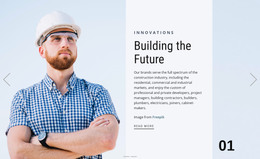
The visual structure supports that content without introducing additional functionality. The large “01” marker establishes a numbered section identity, and the left text column keeps the service names together. On the right, the architectural composite image combines a human portrait with architectural forms through an overlapping treatment. That image provides atmosphere and visual emphasis, while the strong black typography remains the primary carrier of information against the light background.
In a WordPress-managed project, this block can participate as a reusable services section on a page whose surrounding content supplies the wider site context. It can remain focused on the five visible categories while related sections handle project examples, introductory material, or inquiries. The arrangement therefore suits publishable, relatively stable service information without requiring the block itself to represent a complete theme or site structure.
Customize with Nicepage
Open this ready-made template in the WordPress Website Builder and customize it visually in the Nicepage editor. Replace demo content, edit page sections, and adapt the design to your project without rebuilding the template from scratch.
Edit Template Offline
2. Create a new page or select existing
3. Click Add new block, search for id 48505 and click enter
Edit Template Online
Create Awesome Websites


Free Nicepage Builder
Keywords
Manage and Edit This Theme in WordPress
Customize and Install the WordPress Theme
Start with this ready-made theme instead of building the WordPress design from scratch. Customize its layout, content, typography, images, sections, and other design elements visually in Nicepage editor, then export and install the WordPress Theme, Plugin, and Pages on your WordPress site. The Nicepage WordPress Plugin lets you continue working with the site after installation.
Edit the Theme Directly in WordPress
After installation, you can edit the WordPress Theme directly in WordPress with the Nicepage WordPress Plugin. Use Site Style to customize site Colors, Fonts, Header, Footer, Blog, and Post Page Templates while working within your WordPress website.
Edit WordPress Pages Visually
Use the Nicepage WordPress Plugin to edit page content directly from the WordPress admin area. Open a WordPress Page with Nicepage and visually change its text, images, sections, and other page elements while continuing to manage the Page through WordPress.
WordPress Content and Theme Integration
Use the customized theme with WordPress Pages, Posts, Blog and Post Templates, menus, widgets, and other CMS-managed content. Shared theme elements such as Colors, Fonts, Header, Footer, Blog, and Post Page Templates can be managed as part of the overall site design, while WordPress provides the CMS environment for managing site content.
This workflow combines a ready-made WordPress Theme with visual customization, direct theme editing in WordPress, and continued content management through the Nicepage WordPress Plugin.