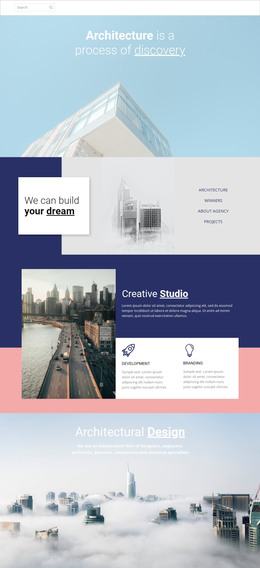
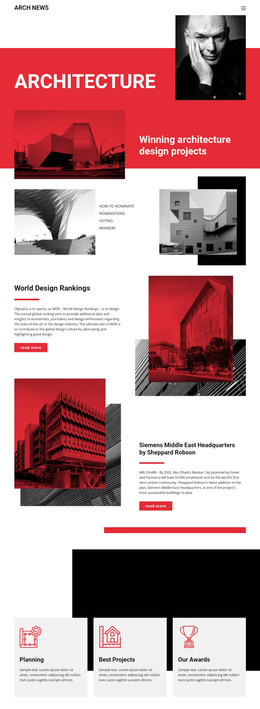
Commercial general contractor WordPress Theme



Edit Template Offline
2. Create new page and search for id 902048
Edit Template Online
Create Awesome Websites


Free Nicepage Builder
Keywords
Service categories and project markets give WordPress content a clear structure
The service list provides a strong basis for permanent company page content. Pre-construction, conceptual planning, design/assist, design/build, general contracting, and construction management can be presented as distinct areas within a WordPress-managed site, while the five market categories add a second way to organize the company story. Multifamily residential, mixed use, hospitality, senior living, and townhomes describe the project contexts without requiring the design to claim that separate WordPress categories or posts already exist.
The page also leaves room for content that can evolve around the stable company overview. Two image-and-copy sections repeat the competitive-edge message, the About Work block supports longer explanatory material, and the four-image collage gives construction and workplace imagery a prominent editorial role. The four labeled metrics can remain a compact overview pattern, although their sample values should be replaced or independently verified before publication. This combination suits a WordPress theme because permanent page information, updated project narratives, and supporting visual content can share one recognizable design direction.
At the bottom, social links, a contact form, and a map panel create a defined contact area rather than an isolated button. WordPress Pages could hold the core company and service information, while future publishable content could be added around the existing visual system without changing the main page character. The theme therefore supports content expansion through relationships already visible in the design, not through an unsupported claim that blog posts or other CMS content are included.
Customize with Nicepage
Open this ready-made template in the WordPress Website Builder and customize it visually in the Nicepage editor. Replace demo content, edit page sections, and adapt the design to your project without rebuilding the template from scratch.
Manage and Edit This Theme in WordPress
Customize and Install the WordPress Theme
Start with this ready-made theme instead of building the WordPress design from scratch. Customize its layout, content, typography, images, sections, and other design elements visually in Nicepage editor, then export and install the WordPress Theme, Plugin, and Pages on your WordPress site. The Nicepage WordPress Plugin lets you continue working with the site after installation.
Edit the Theme Directly in WordPress
After installation, you can edit the WordPress Theme directly in WordPress with the Nicepage WordPress Plugin. Use Site Style to customize site Colors, Fonts, Header, Footer, Blog, and Post Page Templates while working within your WordPress website.
Edit WordPress Pages Visually
Use the Nicepage WordPress Plugin to edit page content directly from the WordPress admin area. Open a WordPress Page with Nicepage and visually change its text, images, sections, and other page elements while continuing to manage the Page through WordPress.
WordPress Content and Theme Integration
Use the customized theme with WordPress Pages, Posts, Blog and Post Templates, menus, widgets, and other CMS-managed content. Shared theme elements such as Colors, Fonts, Header, Footer, Blog, and Post Page Templates can be managed as part of the overall site design, while WordPress provides the CMS environment for managing site content.
This workflow combines a ready-made WordPress Theme with visual customization, direct theme editing in WordPress, and continued content management through the Nicepage WordPress Plugin.