Organic Farming WordPress Theme


Stable Organic-Farming Content for a WordPress Page
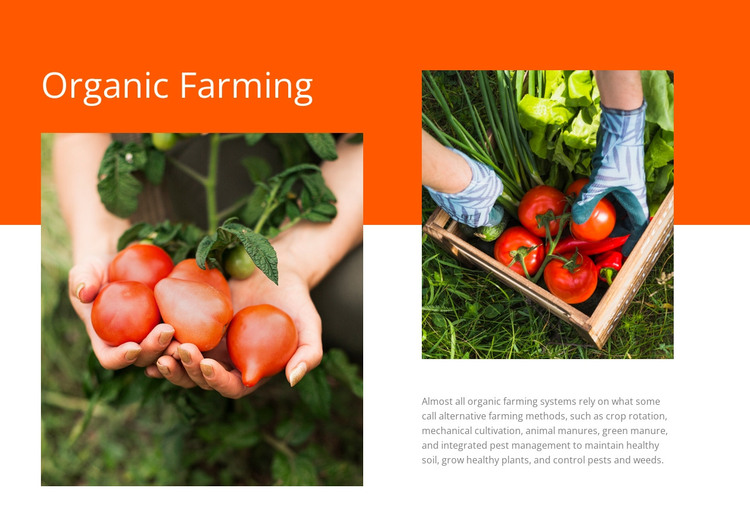
The “Organic Farming” heading and methods-focused paragraph give this section the character of stable page content rather than a time-sensitive update. The copy explains crop rotation, mechanical cultivation, animal manures, green manure, and integrated pest management, while two agricultural photographs provide visual context. One image overlaps the orange-to-white transition on the left; the other shows a person harvesting vegetables from a crate above the explanatory text.
In a WordPress-managed project, this block can serve as a reusable content area on a page concerned with agriculture, food production, or related education. Its content relationship remains intact while the surrounding site manages other pages and publishing needs. The bright orange field makes the heading easy to identify, and the white lower area gives the smaller gray paragraph enough space to remain separate from the image treatment.
The section should be treated as page content within the broader WordPress environment, not as a standalone WordPress Theme. Its practical role is to preserve a coherent visual and informational unit: a topic heading, agricultural evidence, and an explanation of methods. Other CMS-managed content can surround it without changing the block’s internal organization or turning its sample imagery into claims about a specific farm or business.
Customize with Nicepage
Open this ready-made template in the WordPress Website Builder and customize it visually in the Nicepage editor. Replace demo content, edit page sections, and adapt the design to your project without rebuilding the template from scratch.
Edit Template Offline
2. Create a new page or select existing
3. Click Add new block, search for id 44951 and click enter
Edit Template Online
Create Awesome Websites


Free Nicepage Builder
Keywords
Manage and Edit This Theme in WordPress
Customize and Install the WordPress Theme
Start with this ready-made theme instead of building the WordPress design from scratch. Customize its layout, content, typography, images, sections, and other design elements visually in Nicepage editor, then export and install the WordPress Theme, Plugin, and Pages on your WordPress site. The Nicepage WordPress Plugin lets you continue working with the site after installation.
Edit the Theme Directly in WordPress
After installation, you can edit the WordPress Theme directly in WordPress with the Nicepage WordPress Plugin. Use Site Style to customize site Colors, Fonts, Header, Footer, Blog, and Post Page Templates while working within your WordPress website.
Edit WordPress Pages Visually
Use the Nicepage WordPress Plugin to edit page content directly from the WordPress admin area. Open a WordPress Page with Nicepage and visually change its text, images, sections, and other page elements while continuing to manage the Page through WordPress.
WordPress Content and Theme Integration
Use the customized theme with WordPress Pages, Posts, Blog and Post Templates, menus, widgets, and other CMS-managed content. Shared theme elements such as Colors, Fonts, Header, Footer, Blog, and Post Page Templates can be managed as part of the overall site design, while WordPress provides the CMS environment for managing site content.
This workflow combines a ready-made WordPress Theme with visual customization, direct theme editing in WordPress, and continued content management through the Nicepage WordPress Plugin.