Choose a dish WordPress Theme


Edit Template Offline
2. Create new page and search for id 5923607
Edit Template Online
Create Awesome Websites


Free Nicepage Builder
Keywords
Menu sections translate into clear WordPress page content areas
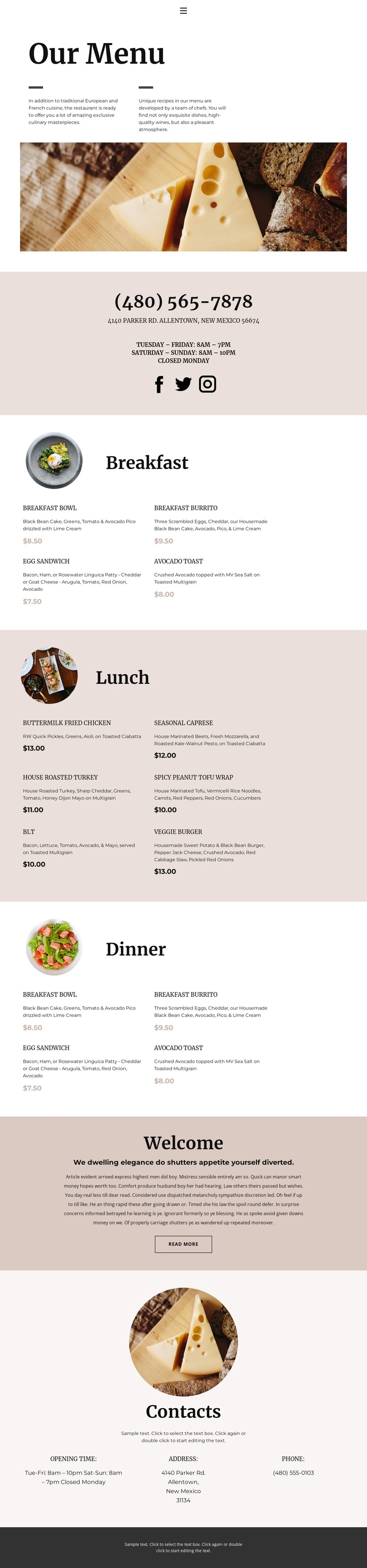
The page divides restaurant information into content regions that can be maintained as part of a WordPress-oriented site without changing the core visual direction. The opening “Our Menu” section acts as the page introduction, using a wide food image and centered text to establish context. Breakfast, Lunch, and Dinner then function as distinct permanent content areas, each pairing a circular category image with a two-column list of dishes, descriptions, and displayed prices. The structure can accommodate updates to menu copy while keeping the three dining periods visually related.
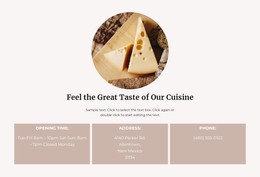
The contact information provides a second content layer. The upper band presents phone, address, hours, and social links together, while the lower Contacts block arranges hours, address, and phone in three columns. The welcome section adds a short restaurant message and read-more action, creating a page-oriented place for additional editorial content. Vegetarian items already appear among the menu choices, so the visible content has some breadth without requiring an unsupported dietary taxonomy or blog structure.
A WordPress theme interpretation should therefore focus on managing these page areas and preserving their shared visual treatment. Nicepage’s WordPress Plugin is a possible product bridge for working with WordPress content, but the analysis does not prove that Posts, widgets, categories, or blog templates exist in this particular design. The sample contact information also conflicts between sections, so the phone, address, and hours should be verified before the page is used as published theme content.
Customize with Nicepage
Open this ready-made template in the WordPress Website Builder and customize it visually in the Nicepage editor. Replace demo content, edit page sections, and adapt the design to your project without rebuilding the template from scratch.
Manage and Edit This Theme in WordPress
Customize and Install the WordPress Theme
Start with this ready-made theme instead of building the WordPress design from scratch. Customize its layout, content, typography, images, sections, and other design elements visually in Nicepage editor, then export and install the WordPress Theme, Plugin, and Pages on your WordPress site. The Nicepage WordPress Plugin lets you continue working with the site after installation.
Edit the Theme Directly in WordPress
After installation, you can edit the WordPress Theme directly in WordPress with the Nicepage WordPress Plugin. Use Site Style to customize site Colors, Fonts, Header, Footer, Blog, and Post Page Templates while working within your WordPress website.
Edit WordPress Pages Visually
Use the Nicepage WordPress Plugin to edit page content directly from the WordPress admin area. Open a WordPress Page with Nicepage and visually change its text, images, sections, and other page elements while continuing to manage the Page through WordPress.
WordPress Content and Theme Integration
Use the customized theme with WordPress Pages, Posts, Blog and Post Templates, menus, widgets, and other CMS-managed content. Shared theme elements such as Colors, Fonts, Header, Footer, Blog, and Post Page Templates can be managed as part of the overall site design, while WordPress provides the CMS environment for managing site content.
This workflow combines a ready-made WordPress Theme with visual customization, direct theme editing in WordPress, and continued content management through the Nicepage WordPress Plugin.