Fine oriental restaurant WordPress Theme


Edit Template Offline
2. Create new page and search for id 23176
Edit Template Online
Create Awesome Websites


Free Nicepage Builder
Keywords
Restaurant Page Content Fits a WordPress-Managed Visual System
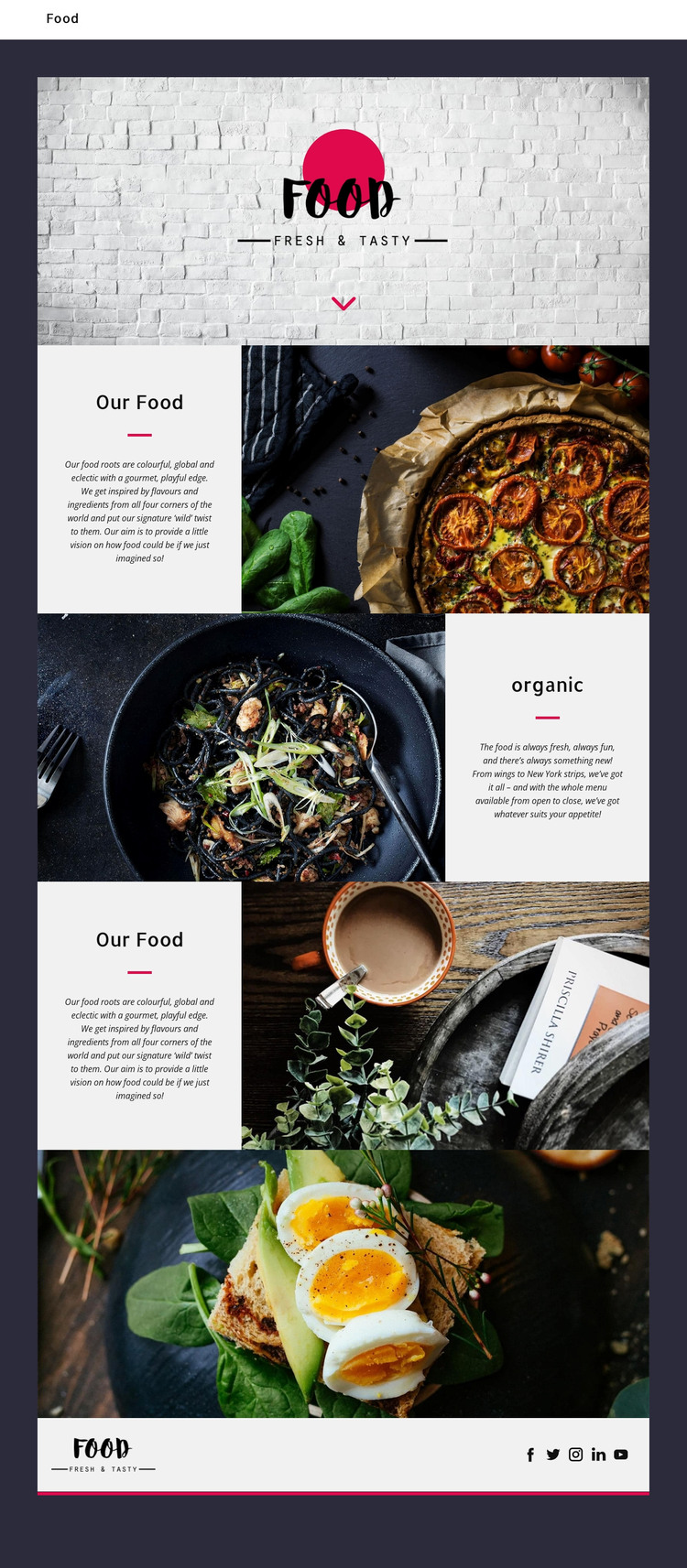
The page already separates several kinds of permanent restaurant content that can be interpreted within a WordPress-managed site. The Food hero supplies the opening identity, while the first “Our Food” section presents the colorful, global, and eclectic concept beside a large photograph. The “organic” section shifts toward freshness and variety, with wings and New York strips serving as structural examples of the offering. A second “Our Food” composition returns to the central concept through another image-led panel, giving the page repeated content areas rather than one undifferentiated introduction.
The visual structure is useful for page-oriented content because each region has a clear role: brand introduction, food philosophy, offering emphasis, featured imagery, and social presence. The full-width photograph of a plated dish with greens and eggs can remain a prominent page feature, while the alternating image-and-text sections provide a repeatable pattern for related restaurant information. Navigation is also verified, although the analysis does not confirm WordPress Pages, Posts, categories, or a blog structure.
The footer’s Food mark and five social links offer shared site content that can remain consistent around additional pages. In a WordPress project, the design could therefore support permanent restaurant pages and later content updates without changing its core visual direction. The interpretation is based on the actual content areas, not on a claim that WordPress functionality already exists in the template. Ordering, reservations, and other services should be added only if the project separately verifies them.
Customize with Nicepage
Open this ready-made template in the WordPress Website Builder and customize it visually in the Nicepage editor. Replace demo content, edit page sections, and adapt the design to your project without rebuilding the template from scratch.
Manage and Edit This Theme in WordPress
Customize and Install the WordPress Theme
Start with this ready-made theme instead of building the WordPress design from scratch. Customize its layout, content, typography, images, sections, and other design elements visually in Nicepage editor, then export and install the WordPress Theme, Plugin, and Pages on your WordPress site. The Nicepage WordPress Plugin lets you continue working with the site after installation.
Edit the Theme Directly in WordPress
After installation, you can edit the WordPress Theme directly in WordPress with the Nicepage WordPress Plugin. Use Site Style to customize site Colors, Fonts, Header, Footer, Blog, and Post Page Templates while working within your WordPress website.
Edit WordPress Pages Visually
Use the Nicepage WordPress Plugin to edit page content directly from the WordPress admin area. Open a WordPress Page with Nicepage and visually change its text, images, sections, and other page elements while continuing to manage the Page through WordPress.
WordPress Content and Theme Integration
Use the customized theme with WordPress Pages, Posts, Blog and Post Templates, menus, widgets, and other CMS-managed content. Shared theme elements such as Colors, Fonts, Header, Footer, Blog, and Post Page Templates can be managed as part of the overall site design, while WordPress provides the CMS environment for managing site content.
This workflow combines a ready-made WordPress Theme with visual customization, direct theme editing in WordPress, and continued content management through the Nicepage WordPress Plugin.