Ice cream and Ffrozen yogurt WordPress Theme



Edit Template Offline
2. Create new page and search for id 1173003
Edit Template Online
Create Awesome Websites


Free Nicepage Builder
Keywords
Menu Content and Featured Products Give the Theme Editorial Structure
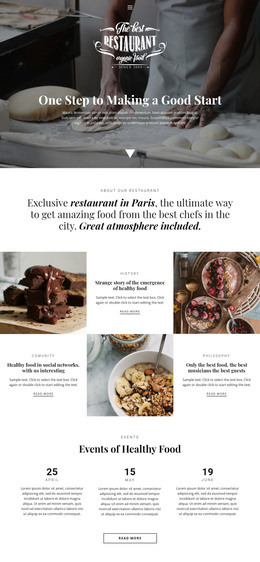
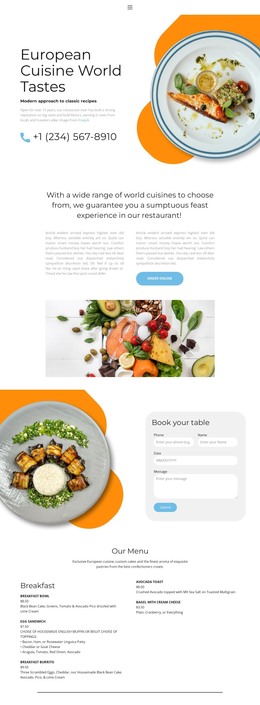
The Ice Cream Menu is the strongest page-oriented content area in this design because it gathers eight dessert images into a repeated presentation. Alongside named offerings such as cones, cups, sundaes, shakes, sorbetto, and ice cream flavors, it provides a natural basis for permanent product or menu content. The Ice Cream & Sorbetto gallery can support a related overview, while the promotional Learn more action suggests a place where a project could connect visitors to additional information if that destination is later created.
The strawberry cocktail section gives the theme a separate featured-content relationship. Its photograph is paired with tequila, soda, lime, and strawberry liqueur, so it can be treated as a specific item or editorial highlight rather than another undifferentiated gallery image. Three testimonial cards provide a reusable repeated group for customer feedback, but the displayed names and roles are sample content and should not be presented as verified people.
The Contact Us section adds a permanent inquiry area with name, email, message, and Submit elements. In a WordPress-managed project, these page areas can remain visually coordinated while content is replaced or expanded through the site’s content environment. The theme therefore offers more than a decorative homepage: it supplies a relationship between menu material, featured content, social proof, and inquiry content. The evidence supports adaptation for WordPress, not a claim that WordPress Posts, categories, or blog structures already exist.
Customize with Nicepage
Open this ready-made template in the WordPress Website Builder and customize it visually in the Nicepage editor. Replace demo content, edit page sections, and adapt the design to your project without rebuilding the template from scratch.
Manage and Edit This Theme in WordPress
Customize and Install the WordPress Theme
Start with this ready-made theme instead of building the WordPress design from scratch. Customize its layout, content, typography, images, sections, and other design elements visually in Nicepage editor, then export and install the WordPress Theme, Plugin, and Pages on your WordPress site. The Nicepage WordPress Plugin lets you continue working with the site after installation.
Edit the Theme Directly in WordPress
After installation, you can edit the WordPress Theme directly in WordPress with the Nicepage WordPress Plugin. Use Site Style to customize site Colors, Fonts, Header, Footer, Blog, and Post Page Templates while working within your WordPress website.
Edit WordPress Pages Visually
Use the Nicepage WordPress Plugin to edit page content directly from the WordPress admin area. Open a WordPress Page with Nicepage and visually change its text, images, sections, and other page elements while continuing to manage the Page through WordPress.
WordPress Content and Theme Integration
Use the customized theme with WordPress Pages, Posts, Blog and Post Templates, menus, widgets, and other CMS-managed content. Shared theme elements such as Colors, Fonts, Header, Footer, Blog, and Post Page Templates can be managed as part of the overall site design, while WordPress provides the CMS environment for managing site content.
This workflow combines a ready-made WordPress Theme with visual customization, direct theme editing in WordPress, and continued content management through the Nicepage WordPress Plugin.