Selling Option For You WordPress Theme


Six Stable Criteria Cards Fit a Property Content Area
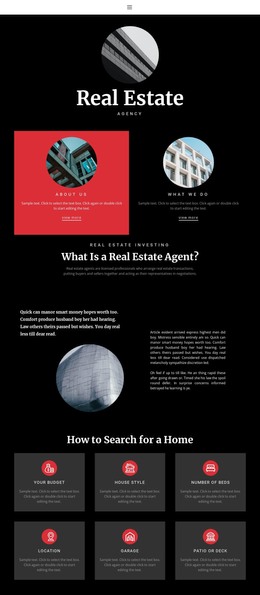
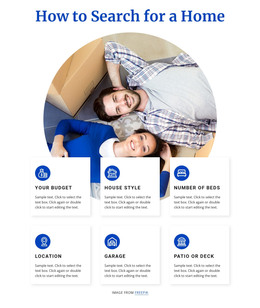
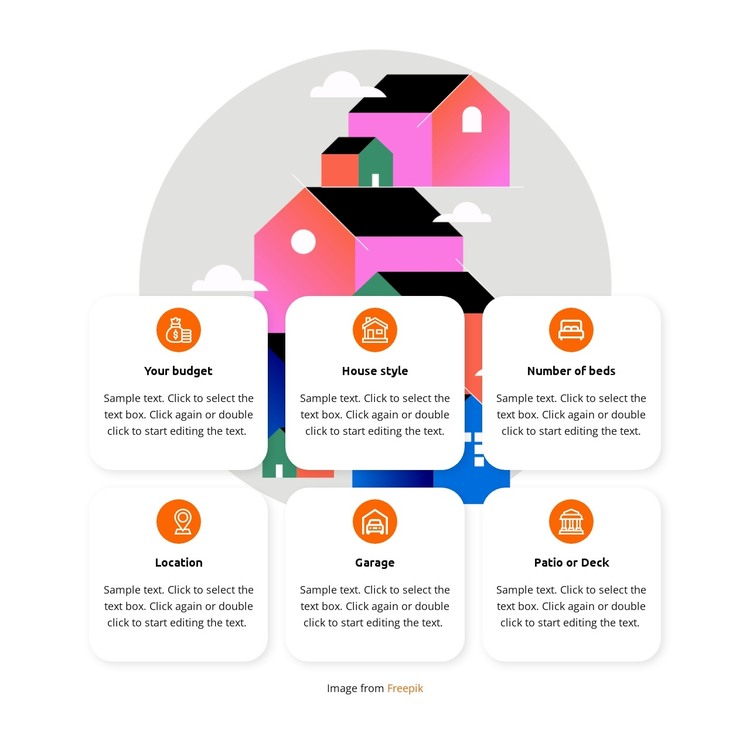
The card group reads as stable page content because it organizes six enduring home-selection topics rather than presenting a time-based update. Your budget, House style, Number of beds, Location, Garage, and Patio or Deck can form a focused features or search-criteria section within a WordPress-managed property site. Each topic has the same content shape—a circular icon, a label, and supporting paragraph—so the section can remain visually consistent as its text is refined.
The two rows of three provide a compact way to keep related criteria together. Behind them, the colorful geometric housing illustration supplies context, while white rounded cards and soft shadows keep the information readable. Orange circular icons act as recurring visual markers, and centered dark typography maintains a uniform hierarchy across all six items. This combination makes the block suitable for a stable page region that can sit alongside other managed content without becoming a standalone theme structure.
A WordPress-oriented project could use this section for a permanent property-features or home-search explanation, while surrounding content handles listings, editorial updates, inquiries, and navigation. The supporting paragraphs shown in the design are sample content and should be replaced with accurate copy. The block’s contribution is the reusable presentation of six criteria, not an assumption about particular WordPress posts, categories, or other CMS elements.
Customize with Nicepage
Open this ready-made template in the WordPress Website Builder and customize it visually in the Nicepage editor. Replace demo content, edit page sections, and adapt the design to your project without rebuilding the template from scratch.
Edit Template Offline
2. Create a new page or select existing
3. Click Add new block, search for id 4481452 and click enter
Edit Template Online
Create Awesome Websites


Free Nicepage Builder
Keywords
Manage and Edit This Theme in WordPress
Customize and Install the WordPress Theme
Start with this ready-made theme instead of building the WordPress design from scratch. Customize its layout, content, typography, images, sections, and other design elements visually in Nicepage editor, then export and install the WordPress Theme, Plugin, and Pages on your WordPress site. The Nicepage WordPress Plugin lets you continue working with the site after installation.
Edit the Theme Directly in WordPress
After installation, you can edit the WordPress Theme directly in WordPress with the Nicepage WordPress Plugin. Use Site Style to customize site Colors, Fonts, Header, Footer, Blog, and Post Page Templates while working within your WordPress website.
Edit WordPress Pages Visually
Use the Nicepage WordPress Plugin to edit page content directly from the WordPress admin area. Open a WordPress Page with Nicepage and visually change its text, images, sections, and other page elements while continuing to manage the Page through WordPress.
WordPress Content and Theme Integration
Use the customized theme with WordPress Pages, Posts, Blog and Post Templates, menus, widgets, and other CMS-managed content. Shared theme elements such as Colors, Fonts, Header, Footer, Blog, and Post Page Templates can be managed as part of the overall site design, while WordPress provides the CMS environment for managing site content.
This workflow combines a ready-made WordPress Theme with visual customization, direct theme editing in WordPress, and continued content management through the Nicepage WordPress Plugin.