Luxury Real Estate Properties WordPress Theme



Edit Template Offline
2. Create new page and search for id 6670117
Edit Template Online
Create Awesome Websites


Free Nicepage Builder
Keywords
Project Cards and Property Categories Translate Into Clear WordPress Content Areas
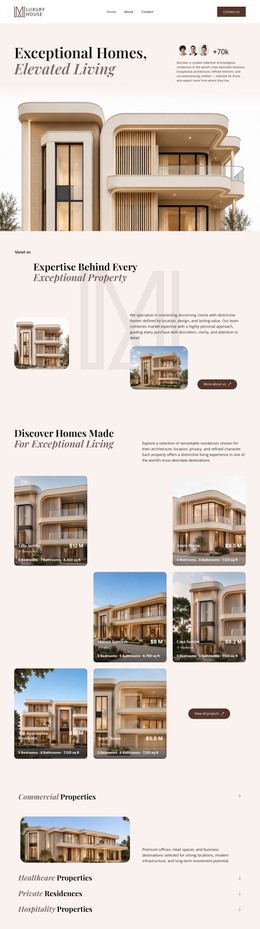
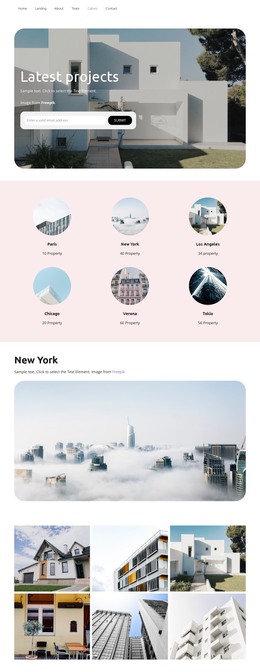
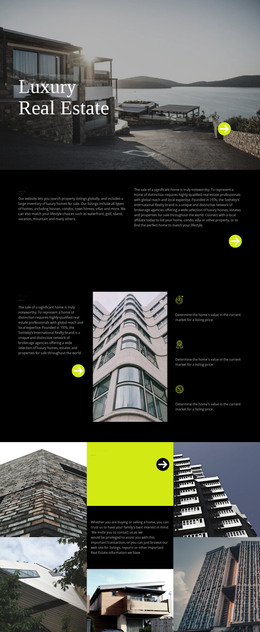
The page separates broad property information from individual development content in a way that suits a page-oriented content environment. The four categories—Commercial Properties, Healthcare Properties, Private Residences, and Hospitality Properties—can be understood as permanent informational areas for explaining the kinds of properties represented by Luxury House. The residential gallery adds a strong visual portfolio layer, helping the site present homes through imagery rather than relying only on category descriptions.
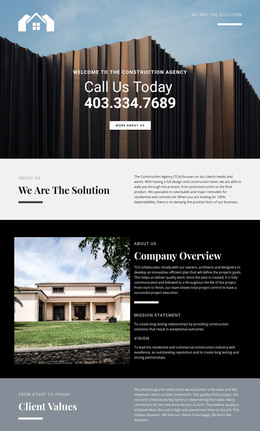
The signature-project section has a different content relationship. Aurelia Residences, The Meridian, Solara Villas, and Azure Bay Resort appear as four repeated image-and-copy cards, each supported by a View details action. This pattern gives individual developments a recognizable presentation and leaves room for project-specific information to be expanded while preserving the shared visual direction. The about section can continue to provide the broader expertise context that connects those individual entries to the brand.
The closing inquiry block supplies permanent contact content through phone, office, and email details, alongside the invitation to find the next property. Navigation at the top and the Luxury House footer provide shared site landmarks around these page areas. In a WordPress-oriented project, the design therefore offers a practical relationship between permanent property information, repeatable project content, visual gallery material, and direct inquiry access without asserting that blog posts or other CMS structures already exist.
Customize with Nicepage
Open this ready-made template in the WordPress Website Builder and customize it visually in the Nicepage editor. Replace demo content, edit page sections, and adapt the design to your project without rebuilding the template from scratch.
Manage and Edit This Theme in WordPress
Customize and Install the WordPress Theme
Start with this ready-made theme instead of building the WordPress design from scratch. Customize its layout, content, typography, images, sections, and other design elements visually in Nicepage editor, then export and install the WordPress Theme, Plugin, and Pages on your WordPress site. The Nicepage WordPress Plugin lets you continue working with the site after installation.
Edit the Theme Directly in WordPress
After installation, you can edit the WordPress Theme directly in WordPress with the Nicepage WordPress Plugin. Use Site Style to customize site Colors, Fonts, Header, Footer, Blog, and Post Page Templates while working within your WordPress website.
Edit WordPress Pages Visually
Use the Nicepage WordPress Plugin to edit page content directly from the WordPress admin area. Open a WordPress Page with Nicepage and visually change its text, images, sections, and other page elements while continuing to manage the Page through WordPress.
WordPress Content and Theme Integration
Use the customized theme with WordPress Pages, Posts, Blog and Post Templates, menus, widgets, and other CMS-managed content. Shared theme elements such as Colors, Fonts, Header, Footer, Blog, and Post Page Templates can be managed as part of the overall site design, while WordPress provides the CMS environment for managing site content.
This workflow combines a ready-made WordPress Theme with visual customization, direct theme editing in WordPress, and continued content management through the Nicepage WordPress Plugin.