Professional home selection WordPress Theme



Edit Template Offline
2. Create new page and search for id 1185271
Edit Template Online
Create Awesome Websites


Free Nicepage Builder
Keywords
Agency Content and Search Criteria Suit Managed WordPress Pages
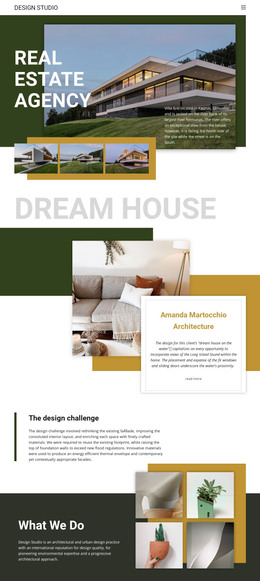
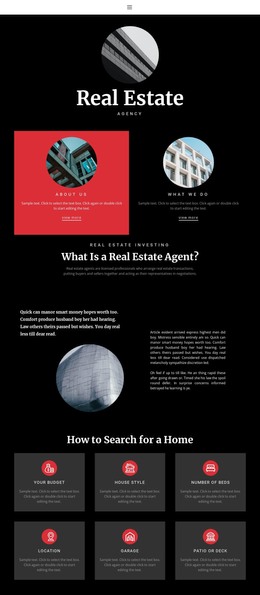
The page contains several durable content areas that can be interpreted as WordPress-managed page content without claiming that specific posts, categories, or blog structures already exist. The agency introduction and explanation of real estate agents provide permanent informational material, while the “Real Estate Agency” section offers a separate narrative area for describing the organization and its role in representing buyers and sellers.
The six home-search criteria create a second content relationship. Budget, house style, number of beds, location, garage, and patio or deck can remain coordinated as a single guidance section, while the service topics—financial advisory, property valuation, and tax advice—give the site additional subjects for page-oriented content. The “Home for sale” area shifts the emphasis toward property support, and the circular image groups provide a consistent presentation for related agency or home imagery. This combination is more useful than treating the design as only a static visual shell.
Address, phone, and email panels form a clearly defined contact region, supported by navigation and mobile-navigation components. Shared visual choices—black backgrounds, white type, red accents, and serif display headings—can keep permanent agency information and future managed content within one theme character. Nicepage documentation confirms WordPress theme and page support, but the template analysis itself is the evidence for these particular content regions. The result is a WordPress theme foundation for organizing agency pages and property-related information while retaining the design’s editorial identity.
Customize with Nicepage
Open this ready-made template in the WordPress Website Builder and customize it visually in the Nicepage editor. Replace demo content, edit page sections, and adapt the design to your project without rebuilding the template from scratch.
Manage and Edit This Theme in WordPress
Customize and Install the WordPress Theme
Start with this ready-made theme instead of building the WordPress design from scratch. Customize its layout, content, typography, images, sections, and other design elements visually in Nicepage editor, then export and install the WordPress Theme, Plugin, and Pages on your WordPress site. The Nicepage WordPress Plugin lets you continue working with the site after installation.
Edit the Theme Directly in WordPress
After installation, you can edit the WordPress Theme directly in WordPress with the Nicepage WordPress Plugin. Use Site Style to customize site Colors, Fonts, Header, Footer, Blog, and Post Page Templates while working within your WordPress website.
Edit WordPress Pages Visually
Use the Nicepage WordPress Plugin to edit page content directly from the WordPress admin area. Open a WordPress Page with Nicepage and visually change its text, images, sections, and other page elements while continuing to manage the Page through WordPress.
WordPress Content and Theme Integration
Use the customized theme with WordPress Pages, Posts, Blog and Post Templates, menus, widgets, and other CMS-managed content. Shared theme elements such as Colors, Fonts, Header, Footer, Blog, and Post Page Templates can be managed as part of the overall site design, while WordPress provides the CMS environment for managing site content.
This workflow combines a ready-made WordPress Theme with visual customization, direct theme editing in WordPress, and continued content management through the Nicepage WordPress Plugin.