We make businesses the best they can be WordPress Theme


A Project Inquiry Block Suited to Stable Page Content
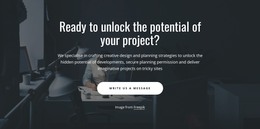
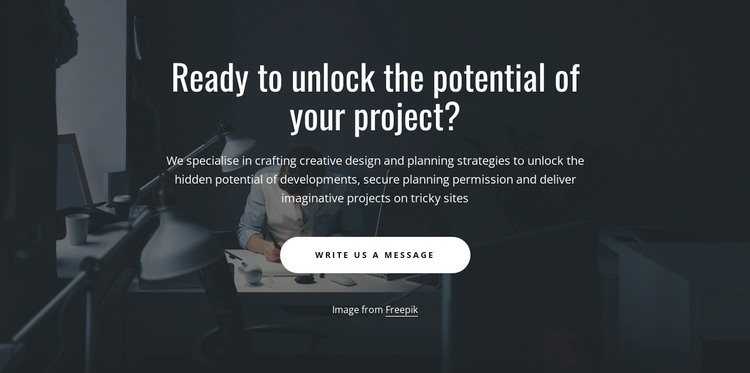
The project question, planning-focused paragraph, and “Write us a message” button give this section a clear role as contact-oriented page content. Rather than presenting a list of services, it gathers the conversation around unlocking a project's potential, then supports that idea with references to creative design, planning strategies, planning permission, and difficult sites. The result is a concise prompt that can introduce a written inquiry after visitors have reviewed related architecture or planning information.
Within a WordPress-managed page or site, this block can function as a reusable section for permanent service content. Its wording is specific enough to frame an architecture and planning conversation, while its structure remains bounded: one heading, one explanatory text group, and one response button. Other WordPress-managed content can surround it with project details, portfolio material, service explanations, or fuller contact information without changing the block's own purpose.
The visual arrangement reinforces the message. A darkened photographic background creates contrast for the white centered type, and the generous vertical spacing gives the heading priority over the smaller paragraph. The rounded white button provides a visible response point without introducing competing actions. Because the interaction is static, the complete message is available at once, making the section easy to place as a mid-page inquiry prompt or as a later contact-oriented stage within a broader WordPress page design.
Customize with Nicepage
Open this ready-made template in the WordPress Website Builder and customize it visually in the Nicepage editor. Replace demo content, edit page sections, and adapt the design to your project without rebuilding the template from scratch.
Edit Template Offline
2. Create a new page or select existing
3. Click Add new block, search for id 4459010 and click enter
Edit Template Online
Create Awesome Websites


Free Nicepage Builder
Keywords
Manage and Edit This Theme in WordPress
Customize and Install the WordPress Theme
Start with this ready-made theme instead of building the WordPress design from scratch. Customize its layout, content, typography, images, sections, and other design elements visually in Nicepage editor, then export and install the WordPress Theme, Plugin, and Pages on your WordPress site. The Nicepage WordPress Plugin lets you continue working with the site after installation.
Edit the Theme Directly in WordPress
After installation, you can edit the WordPress Theme directly in WordPress with the Nicepage WordPress Plugin. Use Site Style to customize site Colors, Fonts, Header, Footer, Blog, and Post Page Templates while working within your WordPress website.
Edit WordPress Pages Visually
Use the Nicepage WordPress Plugin to edit page content directly from the WordPress admin area. Open a WordPress Page with Nicepage and visually change its text, images, sections, and other page elements while continuing to manage the Page through WordPress.
WordPress Content and Theme Integration
Use the customized theme with WordPress Pages, Posts, Blog and Post Templates, menus, widgets, and other CMS-managed content. Shared theme elements such as Colors, Fonts, Header, Footer, Blog, and Post Page Templates can be managed as part of the overall site design, while WordPress provides the CMS environment for managing site content.
This workflow combines a ready-made WordPress Theme with visual customization, direct theme editing in WordPress, and continued content management through the Nicepage WordPress Plugin.